Well, Cricut's marketing says the Joy 2 Essential Bundle is the perfect starter machine. But is it? I've been running a sticker and vinyl shop out of my basement for six years, and I've taught enough weekend classes to watch beginners struggle with the wrong machine. I own an old Explore, a Maker 3, and a borrowed competitor unit I'm testing. Here's what I'd actually tell a friend to buy.
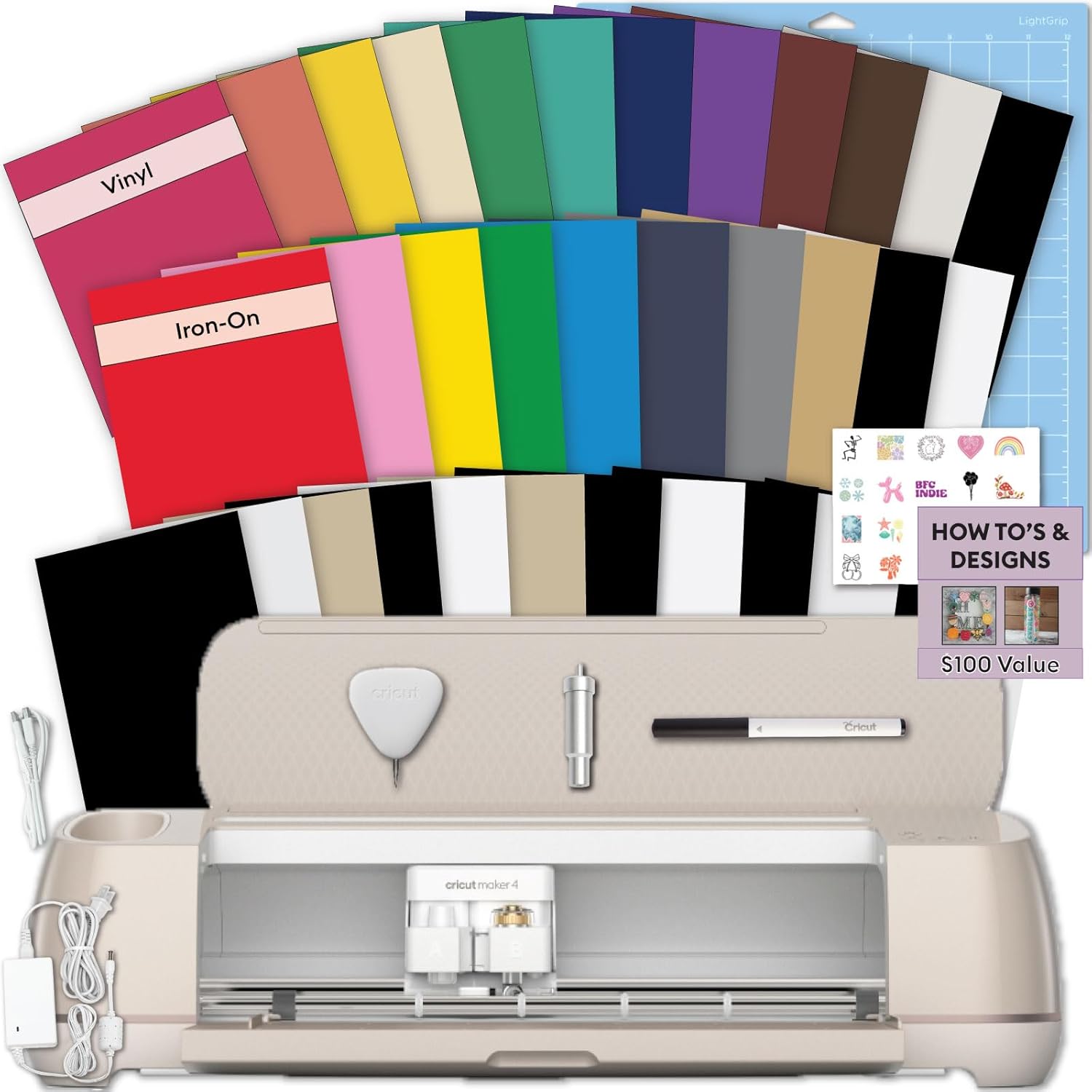
Cricut Maker 4 Starter Kit for Beginners - Smart Cutting Machine with Vinyl &...
Quality pick in this category.
Visit on Amazon →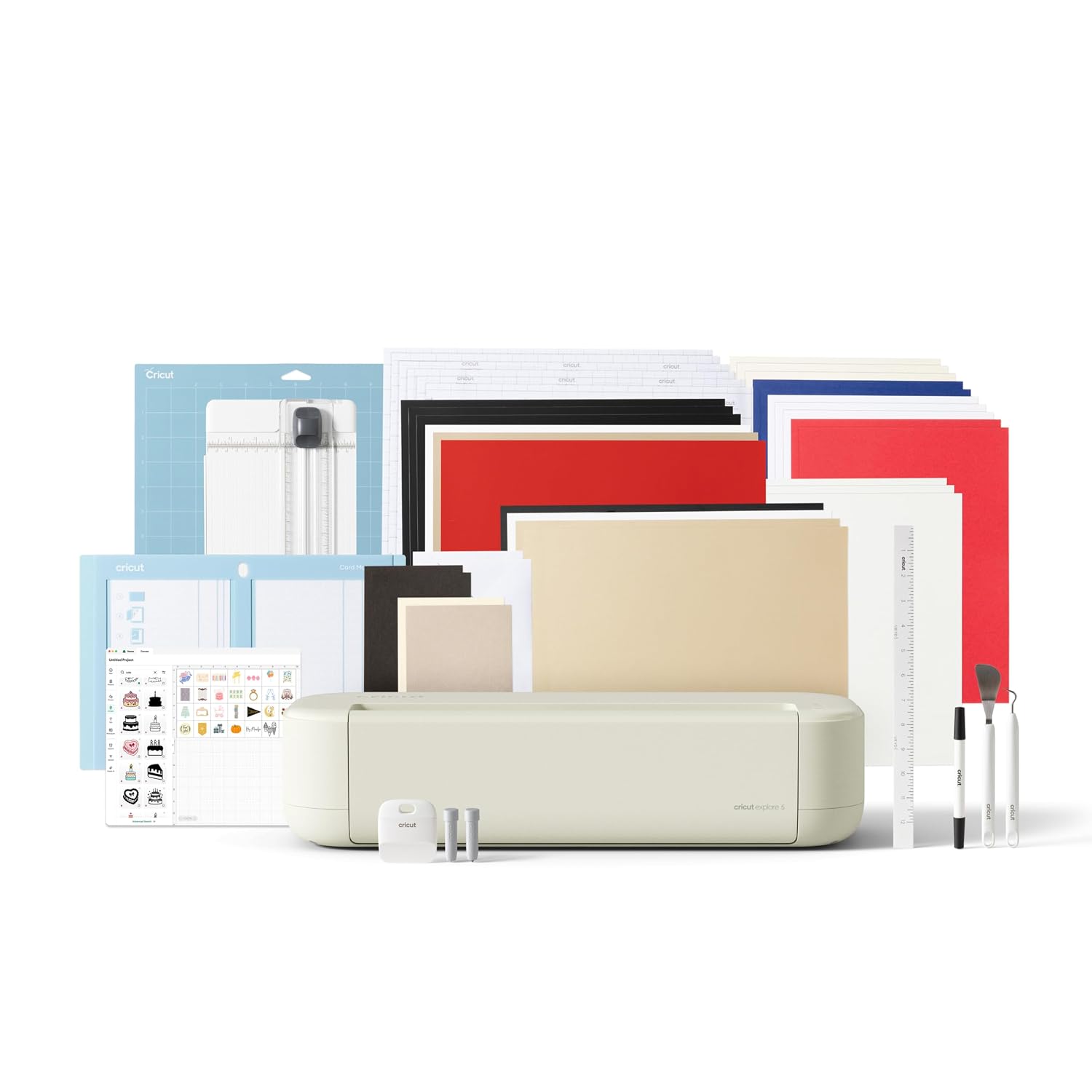
Cricut Explore® 5 Essential Bundle + Digital Content, Taupe
Make it one of a kind every time with Cricut Explore® 5 – the sleek, simplified making experience you’ve been waiting for. The next generation of our 12-inch cutting machine precision-cuts at top-tier
Visit on Amazon →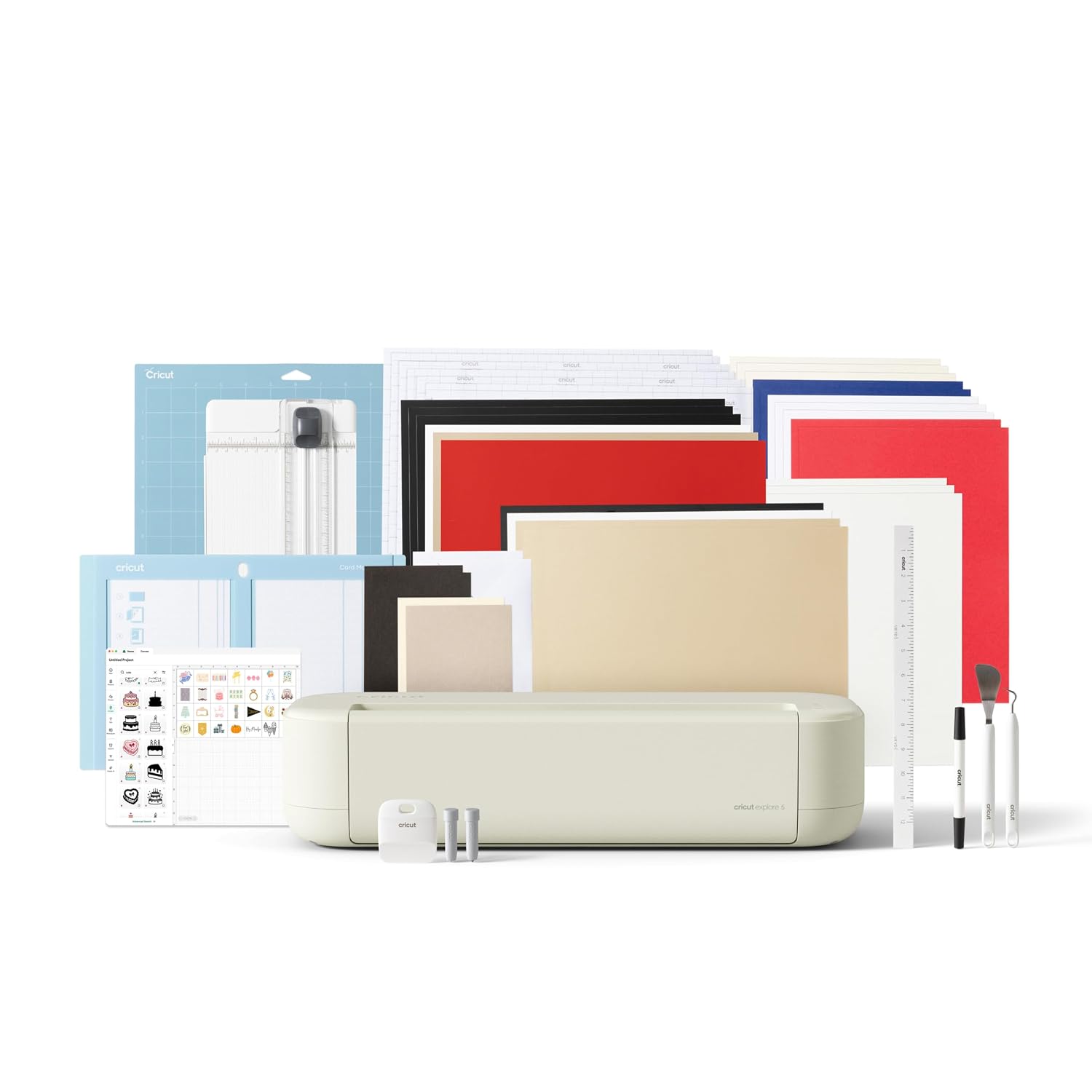
Cricut Joy™ 2 Essential Bundle + Digital Content, Blue
Add a pop of personality with Cricut Joy™ 2! At 4.5 inches, it's the next generation of our ultra-compact cutting machine — perfect for quick, everyday projects like custom cards, simple decals & labe
Visit on Amazon →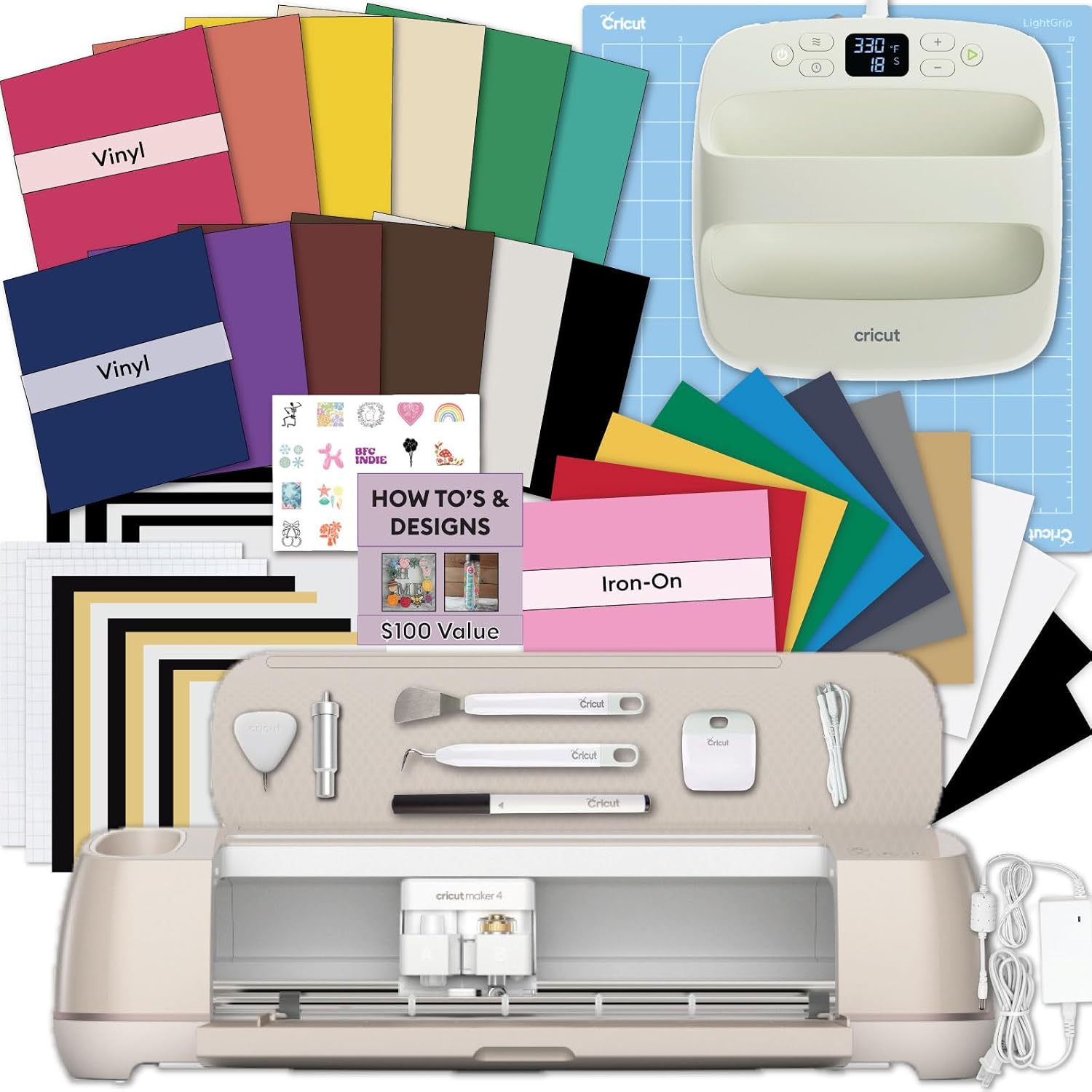
Cricut Explore 5 Machine Bundle with EasyPress 9x9, Smart Vinyl & Smart Iron-...
This is the Cricut Explore 5 Machine Bundle with EasyPress 9x9, Smart Vinyl & Iron-On.
Visit on Amazon →Cricut Maker 4 Starter Kit for Beginners - Smart Cutting Machine with Vinyl &...
I'm going to say something that might annoy Cricut's marketing team.
Visit on Amazon →Cricut Maker 4 Starter Kit for Beginners - Smart Cutting Machine with Vinyl &...
Make it one of a kind every time with Cricut Explore® 5 – the sleek, simplified making experience you’ve been waiting for. The next generation of our 12-inch cutting machine precision-cuts at top-tier
Visit on Amazon →The Maker 4 Starter Kit
The biggest issue with the Maker 4 is that you might not need it. It's the most powerful machine Cricut makes, and if you're only cutting paper and vinyl, you're paying for capability you'll never use. The version I own is the Maker 3, which is nearly identical in performance. After two years of daily use, it's still cutting 120-pound cardstock cleanly, which tells you the platform is solid.
But here's the thing. The Starter Kit for Beginners is actually smart. It comes with vinyl, transfer tape, and tools you'd otherwise buy separately. For someone who knows they want to grow into the hobby, this is the machine that won't hold you back.
It cuts 300+ materials, including stuff the Explore can't touch like basswood and leather. My Maker 3 has paid for itself three times over through my Etsy shop.
The downside is the footprint. It's a big machine, and it takes up real estate on your desk. If you're crafting in a corner of your kitchen, measure your space first. Also, it's ~$100 more than the Explore 5, and that ~$100 is only worth it if you actually cut thick materials. My students who bought the Maker 4 and only cut vinyl all tell me the same thing: they could have saved the money.
Choose the Maker 4 if you're serious about this as a long-term hobby or a side business. Choose the Explore if you're making cards and basic vinyl projects.
The Explore 5 Essential Bundle
The Explore 5 is the machine I recommend to most beginners, and the Essential Bundle makes it a better deal. The machine itself has been the workhorse of the Cricut lineup for years. It cuts 100+ materials, handles 12x12 mats, and does everything a hobbyist actually needs.
The catch is the same one I've been yelling about for years. Cricut wants you to pay for the subscription to unlock features, and the Explore 5's basic software is enough for most projects. I've taught classes where students used the free Design Space app for months before hitting any real limits. You don't need the subscription for basic cutting, and this bundle doesn't force it on you.
The Taupe color is genuinely nice, by the way. It's neutral enough to blend into a craft room, and the bundle includes a decent starter set of tools. One of my students bought this exact bundle and has been running it for six months without complaints. She's made everything from wedding place cards to car decals.
The limitation is the material range. It won't cut leather, basswood, or thick acrylic. If you know you want to do those things, skip this and get the Maker. If you're not sure, the Explore 5 is the safer bet, and you can resell it if you outgrow it.
The Joy 2 Essential Bundle
This is the machine I'd skip for most beginners, and it's not because the Joy 2 is bad. It's a perfectly good little machine. The problem is the size. It only cuts 4.5 by 6.5 inches. That's fine for stickers, labels, and small cards. It's not fine for anything larger.
I bought one of these for my niece because she wanted to make vinyl decals for her laptop. She loved it for about three weeks, and then she wanted to make a bigger decal for her car window. That's the moment the Joy 2 becomes a paperweight.
The Blue color is cute, and the Essential Bundle includes a pen set and some vinyl. For a kid or someone who genuinely only wants to make small projects, it's a fine entry point. But for the same money, you can find a used Explore Air 2 on Facebook Marketplace that cuts 12x12 and does everything the Joy does and more.
Here's my honest take. If you're an adult buying your first machine, skip the Joy. It's a toy for crafters who already have a full-size machine. You'll outgrow it in a month, and then you'll buy the Explore anyway. That's a waste of ~$200.
The Explore 5 Rainbow Sampler
This is the same Explore 5 machine as the Essential Bundle, but it comes with a Rainbow Sampler of materials. The sampler is nice for learning, but I'll be honest: you'll blow through it in a weekend. My students always want more variety than the sampler provides, and they end up buying a bulk pack of vinyl within a week anyway.
The machine itself is the same solid Explore 5. It cuts cleanly, the pressure settings are reliable, and the 12x12 mat size is the industry standard. I've been using my old Explore for six years, and it's still cutting true. That's the durability you're paying for.
The value question is whether the sampler is worth the ~$30 price difference. It comes with a few sheets of vinyl, some cardstock, and a couple of iron-on sheets. If you're brand new and don't know what materials you want to try, it's a decent way to test. If you already know you want to make vinyl decals, skip the sampler and buy the Essential Bundle plus a bulk vinyl pack.
Choose this if you're a total beginner who wants to experiment. Choose the Essential Bundle if you know what you want to make.
The Maker 4 Seashell
I'm going to say something that might annoy Cricut's marketing team. The Seashell color is pretty, but it doesn't cut any better than the standard Maker 4. The machine inside is identical. You're paying ~$50 extra for a color and a digital content bundle.
I get it, though. I'm a sucker for a nice tool, and the Seashell is a nice shade. But when I'm teaching classes and students ask me which Maker to buy, I always tell them to save the money and get the standard one. The color is on the machine, not on the cuts.
The digital content bundle is a mixed bag. It includes some extra images and fonts, but I've never found Cricut's digital content to be worth much. There are thousands of free SVG files online, and I've built my sticker business on designs I made myself in Design Space.
If you're buying a Maker 4, buy the Starter Kit. It's the same machine with better physical value. The Seashell is for people who want their machine to match their craft room aesthetic, and that's fine. Just know what you're paying for.
The Maker 4 Ultimate Sticker Bundle
This is the bundle I wish existed when I started my shop. The Ultimate Sticker Bundle includes everything you need to make stickers out of the box: the Maker 4, printable vinyl, laminate sheets, transfer tape, and a weeding tool set. I spent hours researching these pieces individually, and this bundle would have saved me a lot of time.
The catch is the price. At ~$499, it's ~$100 more than the standard Maker 4 Starter Kit. That ~$100 covers the extra materials, and I'll be honest, the materials are worth it if you're starting from zero. A pack of printable vinyl alone runs ~$20, laminate sheets are another ~$15, and a decent weeding tool set is ~$10. The bundle's materials add up to roughly that ~$100.
But here's what I'd do differently. I'd buy the standard Maker 4 Starter Kit and then buy third-party materials. The Nicapa mats I've been using for the last year cost half the price of the Cricut brand and work just as well. The same logic applies to vinyl. You can get a 50-pack of printable vinyl on Amazon for less than Cricut charges for a 10-pack.
The Ultimate Sticker Bundle is a good product. It's just not the best value. If you don't mind paying a premium for convenience, it's fine. If you're willing to do a little research, you can build the same setup for ~$50 less.
My honest bottom line
For six years I've been cutting vinyl, teaching classes, and running a shop out of my basement. I've watched beginners buy the wrong machine and quit, and I've watched others buy the right one and fall in love with the hobby.
The Maker 4 Starter Kit is the machine I'd buy if I were starting over, because it's the one that won't hold you back.
The Explore 5 Essential Bundle is the value pick if you're on a budget.
Skip the Joy 2 unless you're buying it for a kid. Skip the special editions unless you care about colors. And for the love of Roscoe, don't pay for the subscription until you've used the free software for a month. The machine is the investment. The subscription is the tax.