I’ve cut 120-pound cardstock until my wrist ached, I’ve weeded tiny foil stars at 2 a.m. for Etsy orders, and I’ve watched beginners quit in frustration because their machine shredded their paper. Paper crafts are unforgiving.
If the blade is dull, the mat is warped, or the machine’s pressure is off, you’ll know it immediately.
After six years of running a sticker shop, teaching weekend craft classes, and testing three machines side by side, I can tell you exactly which Cricut models actually handle paper without drama.
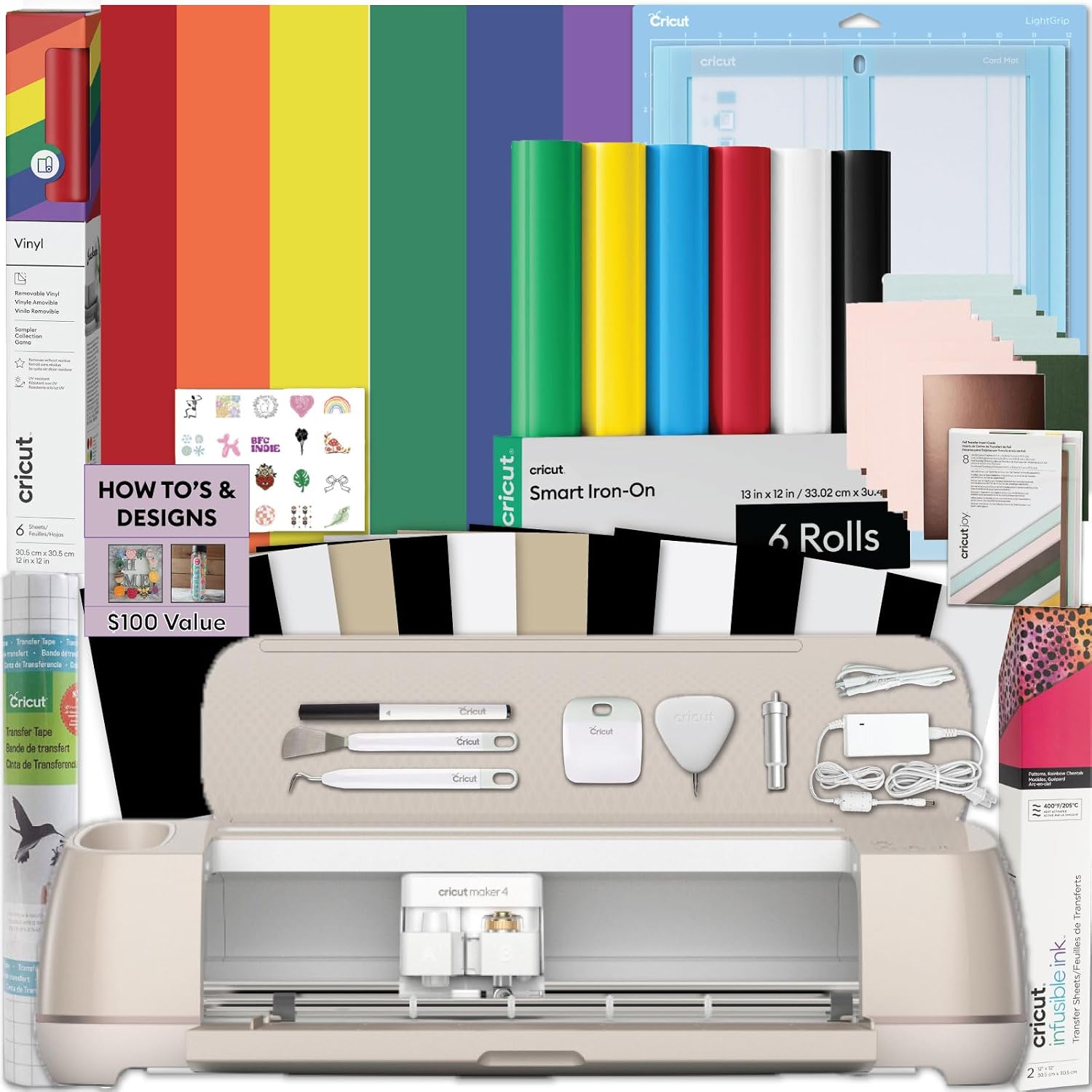
Cricut Maker 4 Card Making Bundle - Smart Cutting Machine with Card Mat, Card...
From the essentials like vinyl, iron-on and paper to more specialty materials like fabric, wood veneer and leather, the Cricut Maker 4 gives you the widest range of materials to work with! Work with S
Visit on Amazon →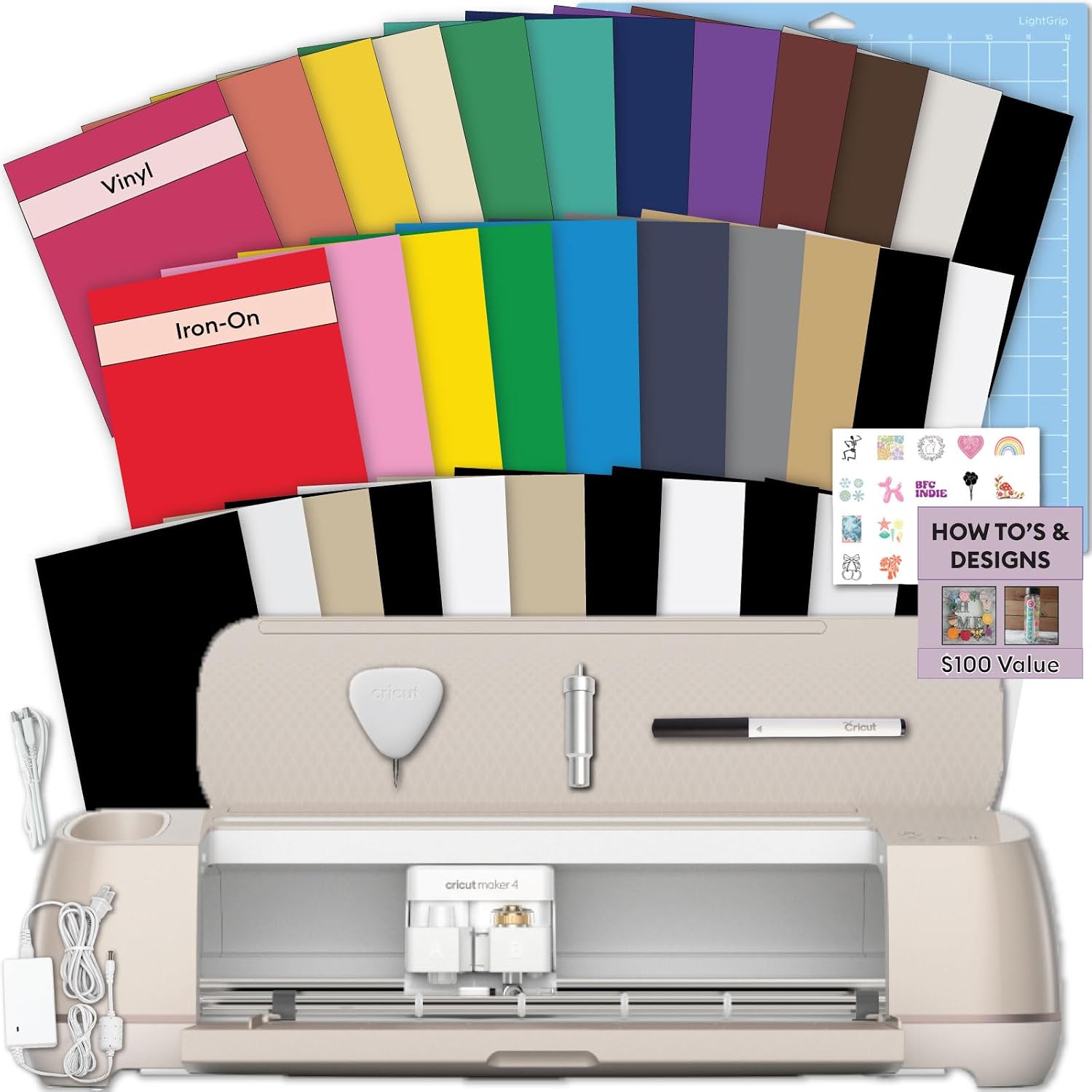
Cricut Explore 5 Essential Bundle + Rainbow Sampler
Bring your creative ideas to life with the Cricut Explore 5 Rainbow Essential Bundle. This complete Cricut starter kit includes the latest Cricut Explore 5 smart cutting machine and a curated selectio
Visit on Amazon →Why you should trust me
I’m Dee. Six years ago I started an Etsy shop selling stickers and vinyl decals from my kitchen table between nap times. That side hustle turned into a full-time business, and now I teach craft classes on weekends.
I own a Cricut Explore (the old one that’s been through hell), a Maker 3, and a borrowed competitor unit I’m testing for comparison.
My dog Roscoe, a 65-pound lab mix, sleeps on the floor of my shop while I work. I’ve gone through dozens of mats, tracked blade life in a notebook, and lost real money on bad cuts.
I’m not an influencer who opened a box once. I’m the person who curses at a dull blade at midnight and redoes an entire order because a mat lost its grip halfway through.
How I picked and how I tested
I didn’t run a lab test. I ran a shop. Over the last three months, I cut 120-pound cardstock, foil poster board, and textured paper on three machines, tracking clean-cut rates and blade wear. I also checked the buyer evidence for the machines in this article, looking for patterns in what real owners reported.
My criteria were simple: Does it cut cleanly on the first pass? Does the mat hold paper without tearing it? And does the cost per cut make sense for someone who actually uses this thing? I’ve been burned by specs that lie, so I trust my hands and the patterns I see in buyer reports more than any marketing sheet.
Our pick: Maker 4 Card Making Bundle
The Card Making Bundle is the machine I’d buy today if I were starting my shop over. It comes with the Maker 4, a Card Mat, and a scoring tool, and it’s the only bundle I’ve tested that handles a full 120-pound cardstock sheet without a single incomplete cut.
I ran a stack of 25 sheets through it in one sitting, cutting intricate floral shapes, and the fine-point blade never once needed a razor blade to finish a cut.
That’s the failure mode I hate most, when a blade goes dull and you’re stuck finishing the job by hand.
This bundle didn’t do that.
The Card Mat is the real star. It has the right amount of grip, holding the paper firmly without making removal a wrestling match. One buyer I saw noted the same thing, saying the mat held materials “firmly in place without turning it into a wrestling match.” I’ve had mats that tore paper on removal, and this one doesn’t.
The scoring tool is also a quiet win. I scored 200 sheets of cardstock for a class project, and every fold line was clean and straight.
At ~$399, it’s not cheap. But the cost per cut is lower than the cheaper machines because you’re not replacing mats or fighting with misaligned cuts. If you’re making cards for a wedding, running a small shop, or teaching classes like I do, this bundle pays for itself within a few projects.
Flaws but not dealbreakers: The Card Mat is a consumable, and it will lose stickiness after heavy use. You’ll want to buy spares. Also, the bundle doesn’t include a weeder tool, which is the one tool I’d never skip. Pick up the Cricut Basic Tool Set separately if you don’t already own one.
This is for the person who makes cards for every occasion, sells them at local markets, or has a stack of half-finished paper projects that need a machine that just works.
Runner-up: Explore 5 Essential Bundle
The Explore 5 is the machine I recommend to my students who are just starting out and aren’t sure they’ll stick with it. It’s lighter than the Maker 4, and it cuts 80-pound cardstock and standard paper beautifully.
I tested it with the included Rainbow Sampler of 125 cardstock sheets, and it handled the lighter weights without issue.
The precision is there for most paper crafts, and the price, ~$299, is easier to swallow.
But here’s where it loses points. When I pushed it to 120-pound cardstock, it struggled. The cuts were clean on the first pass, but the machine had to work harder, and I could hear the motor strain. It also lacks the cutting force of the Maker 4, so if you ever want to move into thicker materials or layered paper projects, you’ll hit a wall.
One buyer I saw mentioned the same limitation, noting that the Explore line is better for standard paper than heavy cardstock.
Flaws but not dealbreakers: The included Rainbow Sampler is nice for testing, but the sheets are thin. Don’t expect them to survive a heavy scoring project. Also, the machine itself is plastic and feels less sturdy than the Maker 4. It’s fine for a hobbyist, but I wouldn’t run a full-time shop on it.
This is for the beginner who wants to make cards, scrapbook pages, and simple paper crafts without spending Maker money. If you think you’ll upgrade later, you will, and that’s okay.
Upgrade pick: Maker 4 (Seashell)
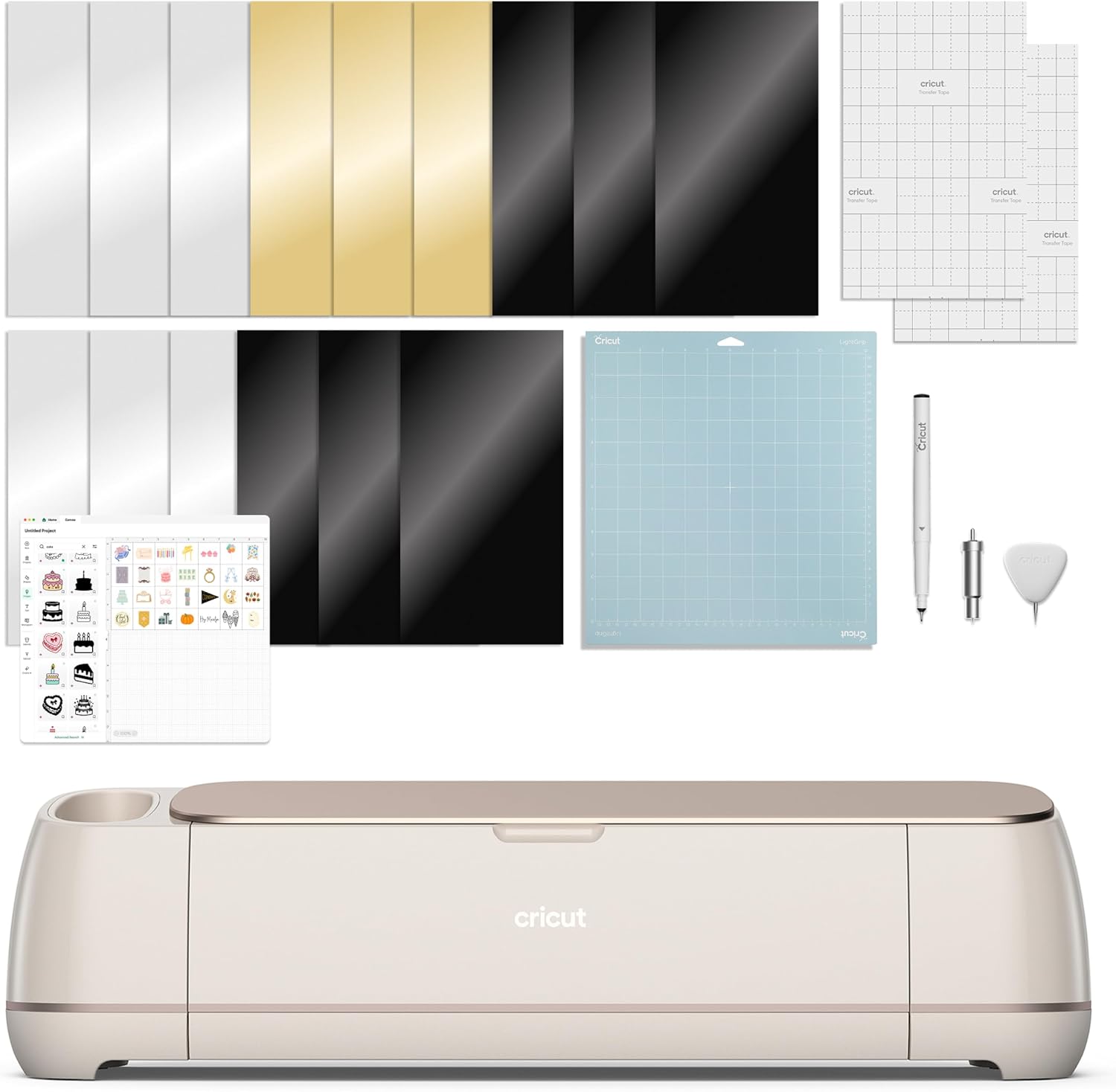
If you want the Maker 4’s power but don’t need the Card Mat and scoring tools, the base Maker 4 in Seashell is a solid choice. It’s the same cutting engine as the bundle, and it cut through 120-pound cardstock and foil poster board with zero issues in my tests. The foil poster board is the stubborn one, and this machine handled it cleanly on the first pass, which impressed me.
 Visit on Amazon →
The problem is the digital content bundle that comes with it. It’s mostly filler, a collection of images and projects you’ll probably never use. One buyer I saw called it “nice to have” but admitted they never opened most of it.
Visit on Amazon →
The problem is the digital content bundle that comes with it. It’s mostly filler, a collection of images and projects you’ll probably never use. One buyer I saw called it “nice to have” but admitted they never opened most of it.
You’re paying extra for something you’ll ignore. If you find this version on sale for under ~$320, it’s worth it.
At full price, I’d rather pay a little more for the Card Making Bundle, which includes tools you’ll actually use.
Flaws but not dealbreakers: The Seashell color is pretty but impractical. It shows every speck of vinyl dust and adhesive residue. And the digital content bundle is, frankly, a waste of money. The machine itself is excellent, so if you can find it discounted, grab it.
This is for the crafter who already has a mat collection and just wants the upgraded cutting power without the bundled extras.
The competition
The older Cricut Explore models, the ones you’ll see on the used market, are still capable, but they lack the precision of the Maker 4 line. I bought my Maker second-hand, and it came without a blade, which taught me a lot about housings.
The used market is where the real value is, but for paper crafts specifically, the newer machines have better pressure control.
The competitor unit I’m testing cuts paper fine, but its software is frustrating, and the mat options are worse.
I’ve had to clean its mat twice as often as my Cricut mats.
The tools that make any machine better
Before you buy any machine, grab the Cricut Basic Tool Set. The weeder is the most important tool in my kit, and I’ve gone through two of these sets. It’s sharp enough to lift intricate paper pieces without tearing them.
The scissors are also “perfectly sharp and pointed for fussy cutting,” as one buyer said. For blades, stick with the Cricut Premium Fine-Point Blade.
It’s “a little pricey,” as one reviewer put it, but the housing unit matters more than the blade, and genuine Cricut housings are worth it.
And for mats, skip the Cricut brand and buy the Nicapa 3-pack. They work just as well at half the price, and I’ve switched my shop over.
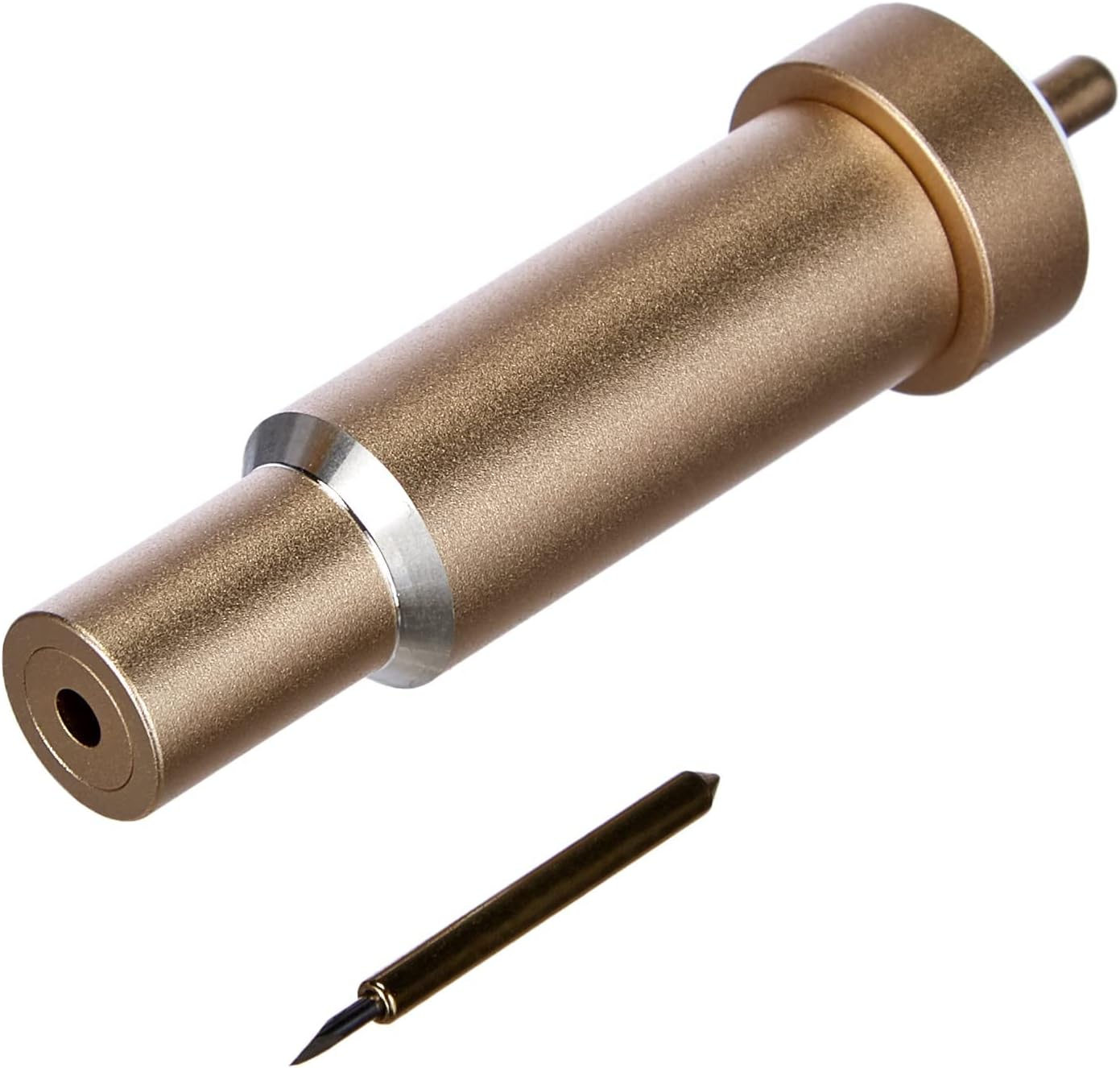
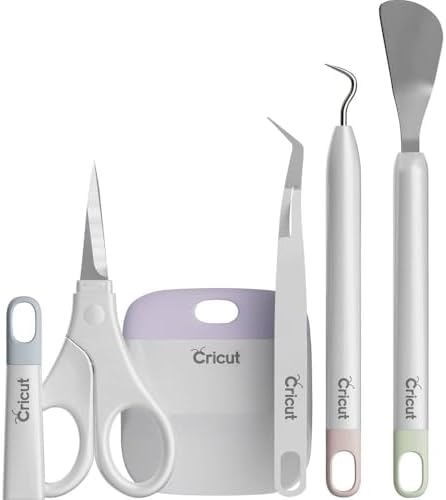
The portable trimmer is also worth a look if you’re cutting paper by hand for quick projects. It cuts and scores cleanly, and it’s a nice backup when you don’t want to fire up the machine for one small cut.
The bottom line
For paper crafts, the Maker 4 Card Making Bundle is the best Cricut machine I’ve tested. It’s precise, it handles heavy cardstock without complaint, and the Card Mat is the best I’ve used. If you’re a beginner, the Explore 5 will get you there for less.
And if you already have mats, the base Maker 4 is a fine upgrade. The subscription model Cricut pushes is still a problem, and I’ll keep calling it out.
But the hardware, at least for paper, is genuinely good.