Related: Deep Cut Blade Settings: What Actually Cuts Leather and Foam
Every time Cricut launches a machine, the same three questions land in my inbox. Is the Cricut Maker 4 bundle worth the money? Which Cricut Maker 4 accessories do you need on day one? And which ones are just the brand selling you a ladder to climb? I ran an Etsy sticker and vinyl shop for six years before teaching craft classes became the day job, and I have cut through more than 200 rolls of vinyl on an old Explore and a Maker 3. I have opinions about what earns counter space and what belongs in a drawer.
Here is the thing nobody puts on the box. Cricut sells you a machine once and a subscription forever. The cutter is the bait and Design Space is the hook. Blades dull faster than the packaging admits, mats are a consumable that quietly eats twenty dollars at a time, and most of what gets called a machine problem is really a blade problem or a stickiness problem. So when I look at a bundle, I am not looking at the machine. I am looking at what else it makes me buy, and how soon.
This guide covers one big purchase and three small ones. The bundle is the only real decision on the list. The other three are the kind of cheap fixes that decide whether you actually enjoy the machine or fight it every weekend.
Best Overall: Cricut Maker 4 T-Shirt Making Bundle
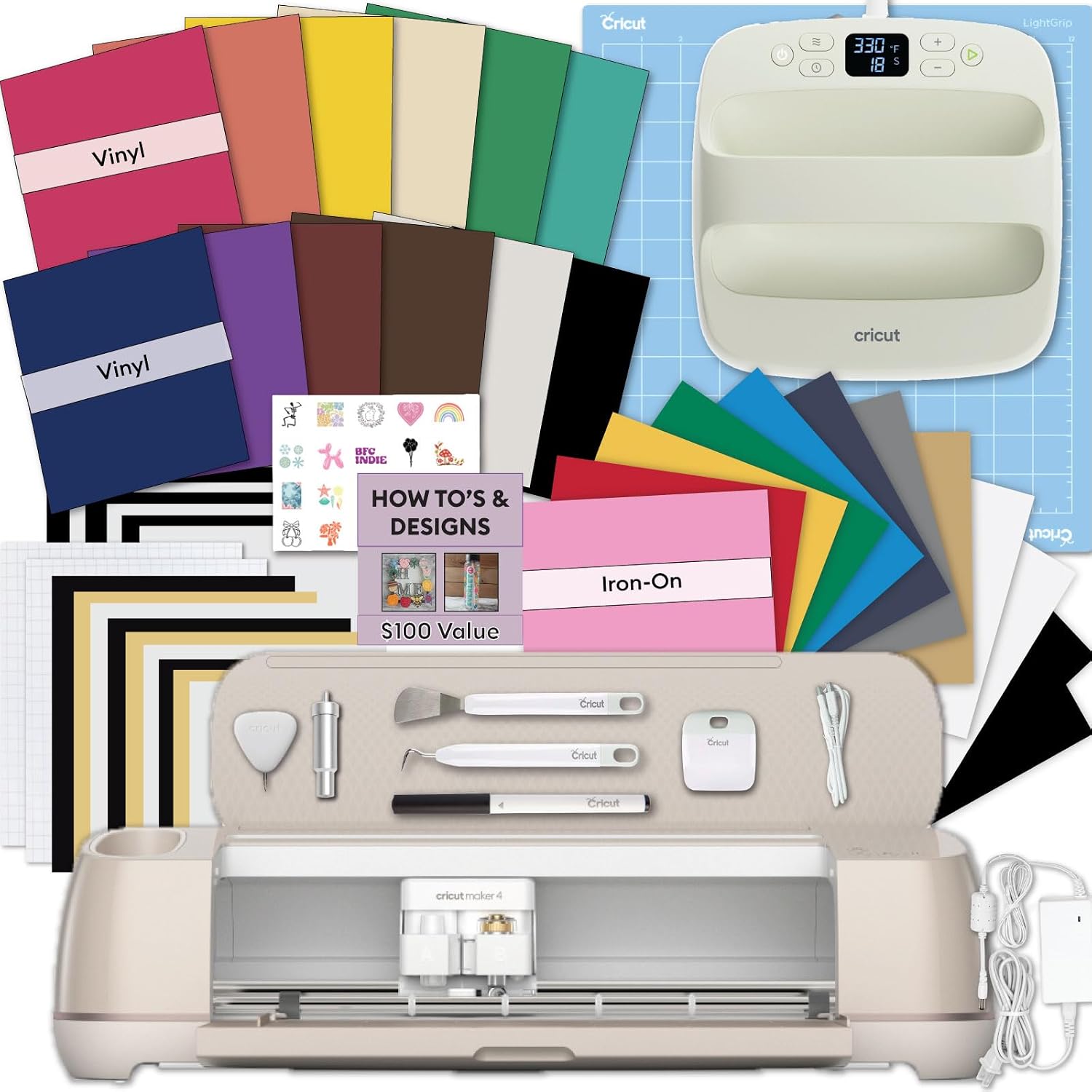
The bundle pairs the cutting machine with an EasyPress SE heat press and a vinyl and iron-on kit. If your goal is custom apparel, tote bags, and DIY projects, the press is the part that matters most and the part beginners always try to skip. Every "my HTV peeled after two washes" complaint I have heard in six years of teaching traces back to one of three things: not enough pressure, not enough heat, or the wrong peel temperature. A household iron gives you none of those with any repeatability. A press gives you all three.
The cutter itself does what a Maker does. It cuts vinyl, it cuts iron-on, it cuts paper, and with the right blade it cuts thicker stuff. My honest position on the Maker line has not changed: the Maker is genuinely good, and the rest of the lineup is a price ladder built to upsell you. The extra tools are worth it only if you already know what you would use them for. If you are cutting 50 stickers a year, buy the cheapest machine that will do the job and never open the paid tier of Design Space.
What I would flag before you buy: the machine is the cheap part of the hobby long term. Blades, mats, vinyl, and the subscription are where the money goes. Price the bundle against buying a cutter and a press separately, and check current Amazon price on the day you decide, because this is the kind of listing that moves. If the bundle is within about the cost of a press of buying the two apart, take the bundle.
Best Value Add: 60 Degree Deep Cut Blade and Housing
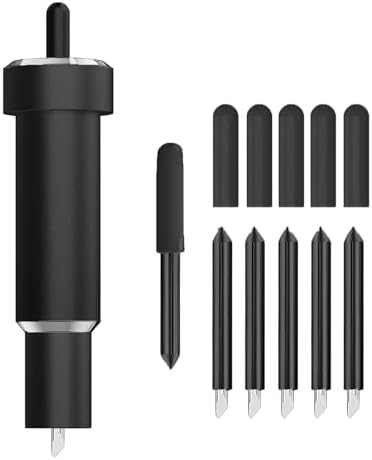
This is a deep point blade at a 60 degree angle with its own housing, and the angle is the entire point. A steeper blade meets thick material at a sharper attack and actually gets through it instead of riding on top and shredding the edges. The listing puts it against metallic leather, genuine leather, craft and EVA foam, aluminum foil, and magnetic sheet. That matches what the tool is for. It is not a sharper version of the fine point blade, and it will not improve vinyl or paper one bit.
The machine compatibility list is long, covering the Maker 3 and 4, the original Maker, Explore 3 and 4, Air 2, Air, One, and Venture. Read it against your own machine before ordering, because the housing is half of what you are buying and a housing that does not seat correctly is worse than no upgrade at all.
Two things I tell every class. First, keep blade housings labeled. Once you have a fine point and a deep point sitting next to each other on the table, you will grab the wrong one at least twice a week, and you will blame the machine for a bad cut. Second, deep cut work is slower by design. Foam and leather want more passes and a firmer mat, and if you rush it you get a fuzzy edge that no amount of weeding fixes.
The other reason I like this as the first add-on is price. Check current Amazon price and compare it to what Cricut charges for a single branded blade. Third-party blades and housings have gotten genuinely good, and this is one of the few places in this hobby where the cheap option is not a compromise. I buy third-party blades and third-party mats and I have not noticed a difference worth paying for.
Best Small Fix: LOPASA Tool Organizer for Maker 4 and Maker 3
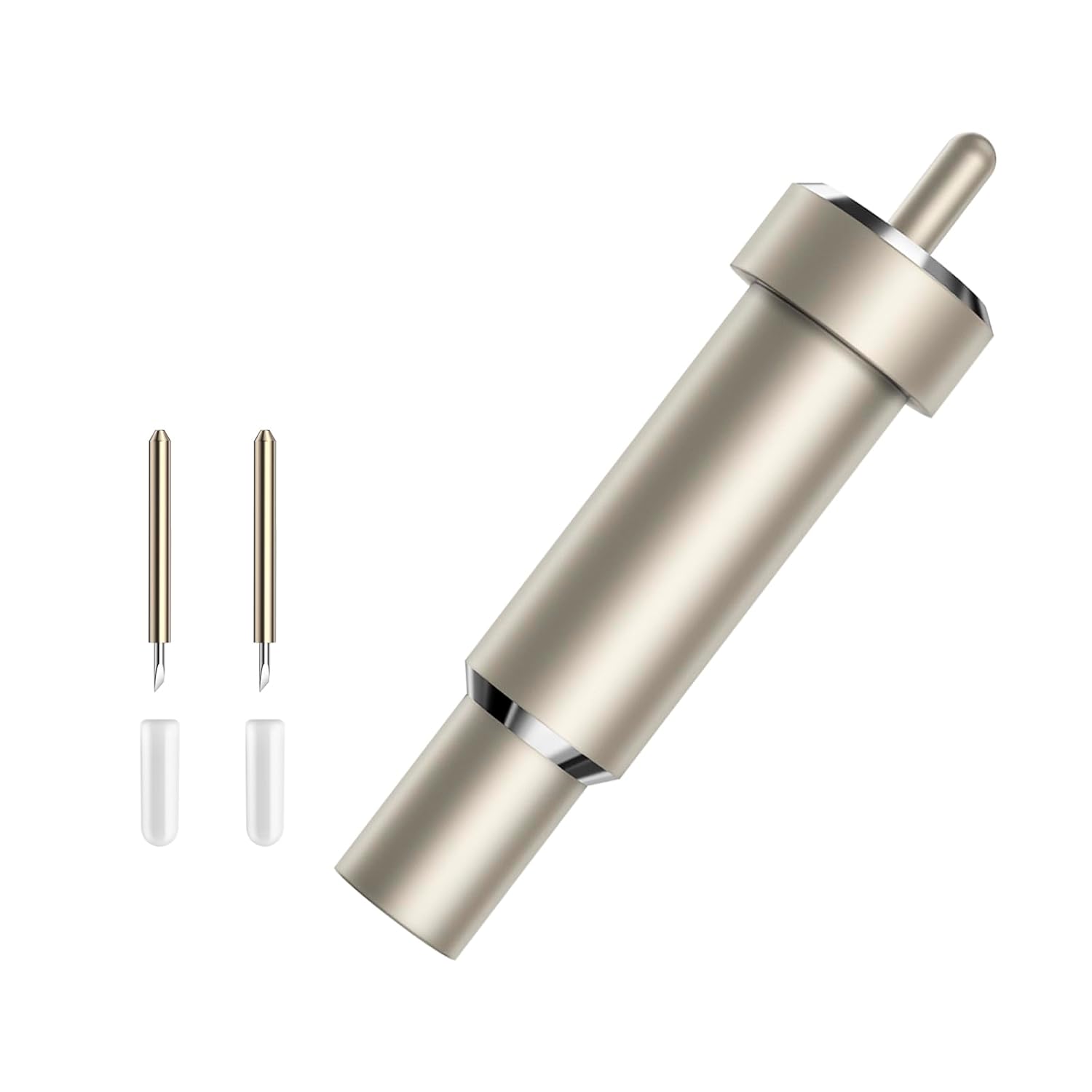
This is a tool organizer built for the Maker 4 and Maker 3, with a blade storage design at the center of it. It sounds like the least important thing on this list. It is not. The single most common cause of a ruined cut in my classes is a tool that was not where it was supposed to be, so somebody grabbed the wrong housing, or a weeding hook, or a pen, and ran the wrong thing through the carriage.
Blade housings are small, round, and roll. They roll off tables, into couch cushions, and behind the machine. A holder that keeps them upright and visible ends that whole genre of problem. It also keeps the tools you use every session, the spatula, the scraper, the tweezers, in one place instead of scattered across a cutting mat.
It is a third-party accessory, and I want to be clear that this is fine. Cricut-brand storage is priced for convenience, and a piece of plastic that holds blades is not a place where brand loyalty pays you back. Check current Amazon price before you commit, because the value here depends entirely on whether it fits your table setup. If your machine lives on a shelf and comes out for class, this matters less. If it has a permanent spot, it pays for itself the first time you do not lose a housing.
Best Workspace Upgrade: AOOIIN Extension Tray, 12x12 Cutting Mat Holder
An extension tray does one job. It holds a 12x12 mat level as it feeds through the machine, so the mat is not hanging off the front edge, dragging, and tilting the material as it goes. If you have ever watched a long cut drift and come out with a wavy line near the bottom of the mat, you have met the problem this solves.
It fits Cricut and Explore machines. That covers most of the installed base, and it means this is one of the few accessories that travels between an old Explore and a newer Maker without complaint.
I will be honest that this is the least essential item here. You can support a mat with a book, a box, or your hand. But your hand is not free, and holding a mat steady for a four minute cut gets old fast. If you cut long or full mat designs, this is the cheapest quality-of-life upgrade in the hobby. Check current Amazon price and decide based on how often you run 12x12 projects rather than small scraps.
How I judge Cricut accessories
I keep a notebook of blade types, pressure settings, and which materials lie about their thickness. That notebook is the actual product of six years of cutting, and it is what I use to sort accessories into three piles.
The first pile is the machine itself, which you buy once. The second pile is consumables, meaning blades, mats, vinyl, and transfer tape, which you buy forever. The third pile is everything else, and most of it is a solution to a problem you do not have yet.
I run the same questions against every accessory. Does it remove a step I repeat every session? Does it prevent a mistake that costs me material? Does it survive being used badly, because it will be? And what is the cost per cut once I spread it across a year of real work?
An extension tray that stops one ruined mat a month has already paid for itself, since a mat is a consumable and a ruined full sheet of vinyl costs more than the tray. A tool organizer that stops one wrong-blade cut a month does the same math. A deep cut blade that unlocks leather and foam opens a product line, which is a different kind of return.
What fails that test is anything that only works with Cricut-brand materials, or anything that solves a problem I have never actually had. The hobby is full of those. Skip them.
The Cricut accessory reference table
This is the table I would hand a student on day one. It is short on purpose. The bundle is the purchase, everything else is a fix, and each fix should earn its place by removing a repeated annoyance or a repeated cost.
| Accessory | What it solves | Works with | Notes |
|---|---|---|---|
 Visit on Amazon → Visit on Amazon →Cricut Maker 4 T-Shirt Making Bundle |
Cuts, presses, and starts you on apparel in one box | Machine plus EasyPress SE heat press plus vinyl and iron-on kit | The only big decision on this list |
 Visit on Amazon → Visit on Amazon →60 degree deep cut blade and housing |
Gets through leather, foam, foil, and magnetic sheet | Maker 3, Maker 4, Maker, Explore 3, Explore 4, Air 2, Air, One, Venture | A second blade, not an upgrade to the first |
 Visit on Amazon → Visit on Amazon →LOPASA tool organizer |
Ends the hunt for blade housings and weeding tools | Maker 4 and Maker 3 | Blade storage is the point |
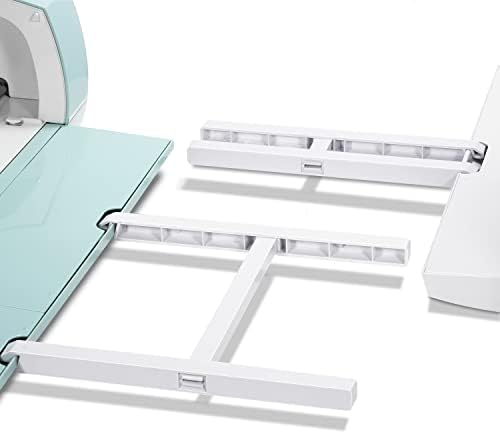 Visit on Amazon → Visit on Amazon →AOOIIN extension tray |
Holds a 12x12 mat level while it feeds | Cricut and Explore machines | Cheap insurance for long cuts |
What the table does not tell you
The table cannot tell you how fast a blade dulls, because it depends on what you cut. Vinyl is gentle. Glitter cardstock and heavy chipboard are not. I keep a running count of cuts per blade and I still get surprised when a fine point blade that felt fine yesterday starts skipping through HTV.
What I can tell you is the pattern. Blades dull faster than the packaging admits, and most "machine problems" are blade problems. If your cuts start leaving fuzzy edges, dragging, or not fully separating, change the blade before you change any setting. Nine times out of ten that is the whole fix.
The subscription math
Design Space is slow, cloud-dependent, and the subscription is the real product. I say that as somebody who uses it daily. Before you add accessories, decide what you are willing to pay monthly, because that number is the one that keeps going after the hardware is paid for. If you only cut occasionally, stay on the free tier and buy your files elsewhere. If you sell, budget the subscription as a cost of goods, the same as vinyl.
Should you buy the Cricut Maker 4 T-Shirt Making Bundle?
If you want to make shirts, totes, and custom apparel, yes. The heat press is the reason. A cutter without a press means household irons and guessing at pressure, and that is how people end up with peeling shirts and a bad first impression of a hobby they would otherwise love. The bundle gets the machine, the press, and the starter materials into one order, and the starter kit is enough to learn on before you buy vinyl by the roll.
Price it against the pieces separately and check current Amazon price on the day you buy. If the bundle lands near the cost of a press plus a cutter, take it. If it is far above, buy the two separately and put the difference into blades and mats, which is where the money actually goes.
Should you buy the deep cut blade and the small accessories?
Buy the deep cut blade if you cut leather, foam, foil, or magnetic sheet. It is the cheapest way to add a product line to what your machine can do, and third-party blades have closed the quality gap enough that brand loyalty buys you nothing here.
Buy the extension tray if you run full 12x12 designs, and buy the tool organizer if your machine has a permanent home. Both are small, both are boring, and both stop the specific annoyances that make people quit. If your budget is tight, buy the blade first. Then buy the tray, then the organizer, and skip everything else Cricut is advertising at you.