Cricut's lineup looks like a straight ladder, and that is exactly the problem. The machines in this guide cut different project sizes, use different mat formats, and arrive with different amounts of gear in the box, yet the marketing copy around them reads almost the same. If you are shopping for Cricut machines for beginners, the questions that actually decide the purchase are narrower than the product pages suggest: what size project will you make most weeks, which materials do you genuinely need to cut, and how much of the budget should go to the machine versus the mats and blades you will replace inside the first year.
This guide compares six items: three cutting machines and two consumables that quietly eat a beginner's budget. It sticks to what the product listings state, plus the practical math of owning a cutter, and it does not quote prices, because they move. Every card links out to the current Amazon listing instead.
Related: Cricut Blade Types and When to Replace Them
Quick answer
The Cricut Explore® 5 Essential Bundle + Digital Content, Taupe is the strongest fit for a first machine because it pairs a full-size Explore cutter with digital content in one purchase, so you can start cutting without assembling a separate supply order. Choose the Cricut Maker 3 instead when you already know you need matless cutting with Smart Materials and the 300+ material range.
Cricut machines and starter supplies worth comparing
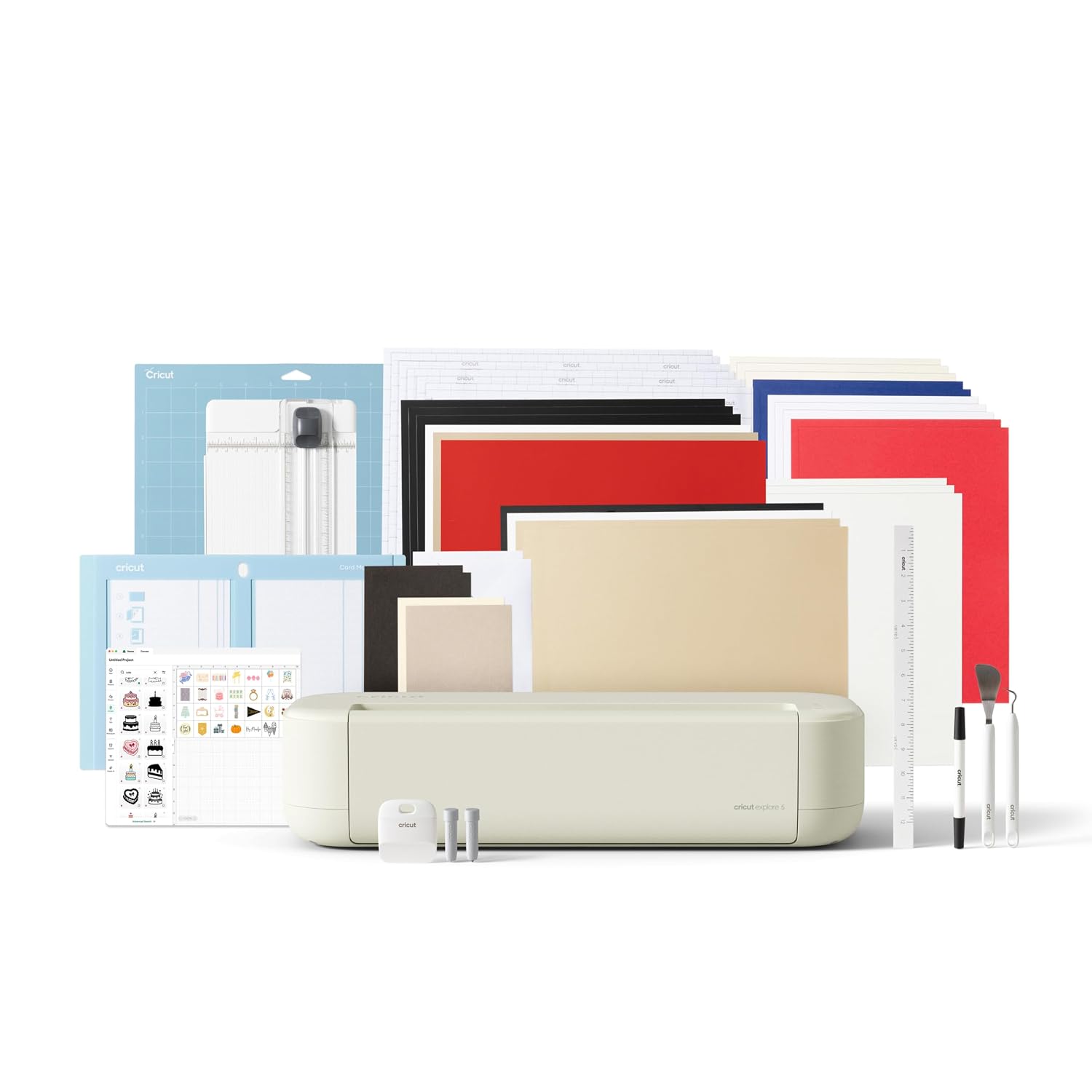
Cricut Explore® 5 Essential Bundle + Digital Content, Taupe
A full-size Explore machine sold as a bundle with digital content included, in the Taupe colorway. This is the middle of the Cricut range and the most straightforward starting point for someone who wants one machine plus a set of projects to learn on.
Visit on Amazon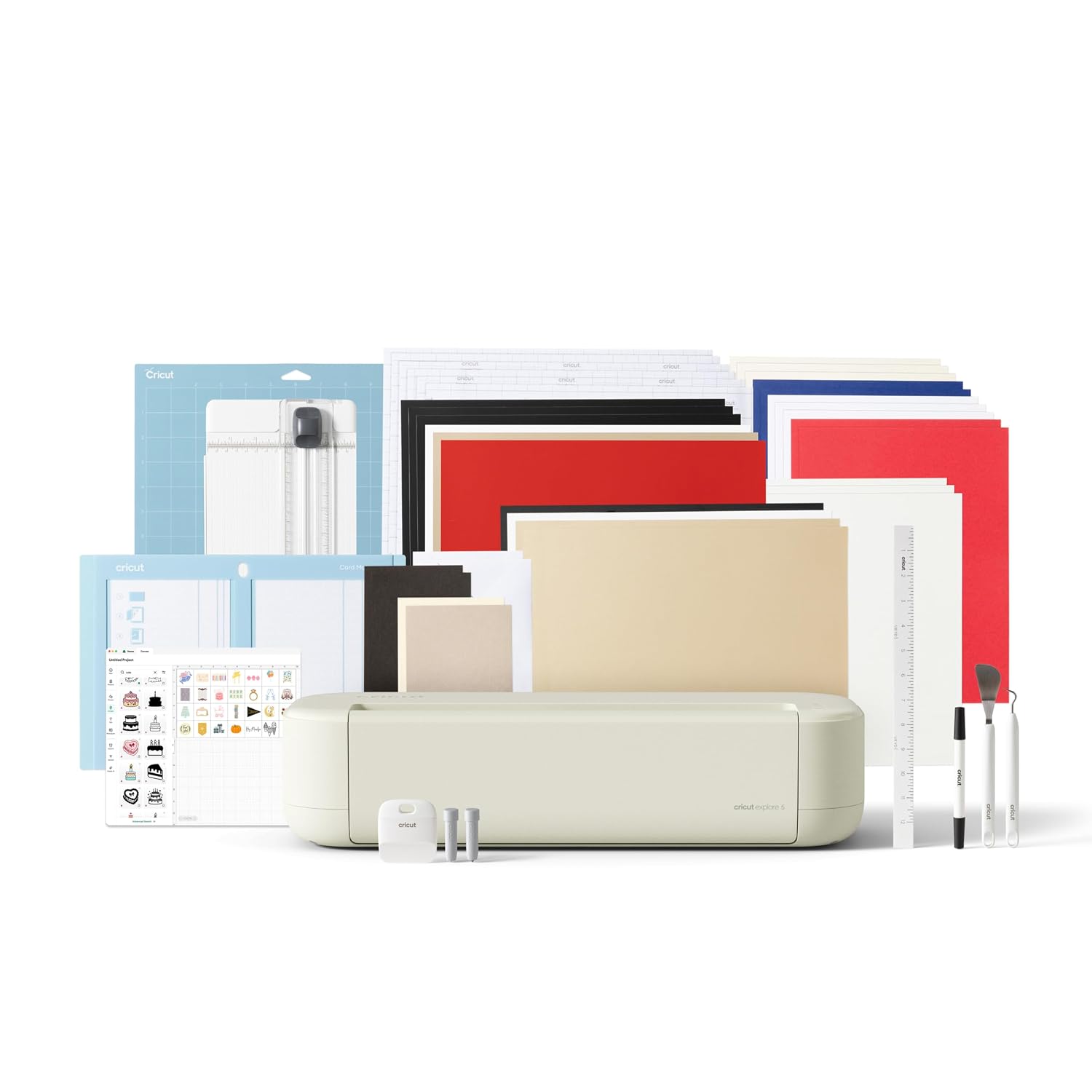
Cricut Joy™ 2 Essential Bundle + Digital Content, Blue
The compact Joy format, bundled with digital content and finished in Blue. Built for small vinyl decals, cards, and labels rather than full-size mat work, which makes it the least intimidating machine here.
Visit on Amazon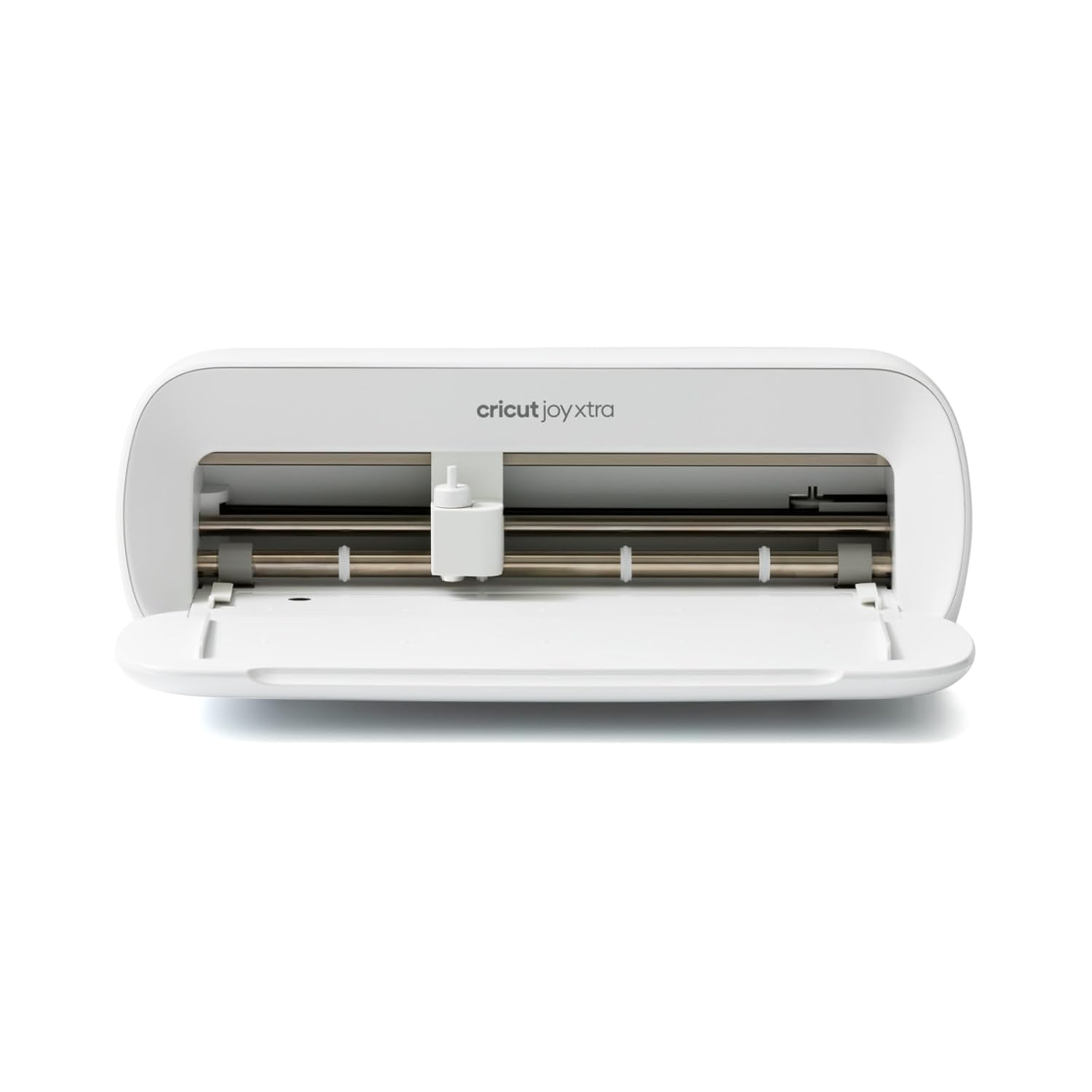
Cricut Joy Xtra Smart Cutting Machine
Check current Amazon price
A wider take on the Joy format, sold as the machine on its own. Worth a look when the standard Joy feels too narrow for your projects but a full-size machine is more capacity than you will use.
Visit on Amazon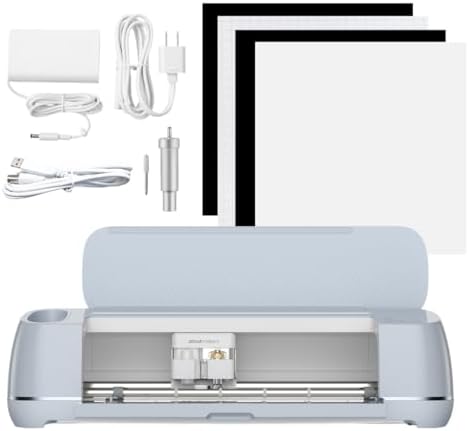
Cricut Maker 3 - Smart Cutting Machine, 2X Faster & 10X Force, Matless Cutting with Smart Materials, Cuts 300+ Materials, Bluetooth Connectivity, Compatible with iOS, Android, Windows & Mac
Check current Amazon price
The most capable machine in this group. The listing cites 2X faster cutting, 10X force, matless cutting with Smart Materials, a 300+ material range, Bluetooth connectivity, and compatibility with iOS, Android, Windows, and Mac.
Visit on Amazon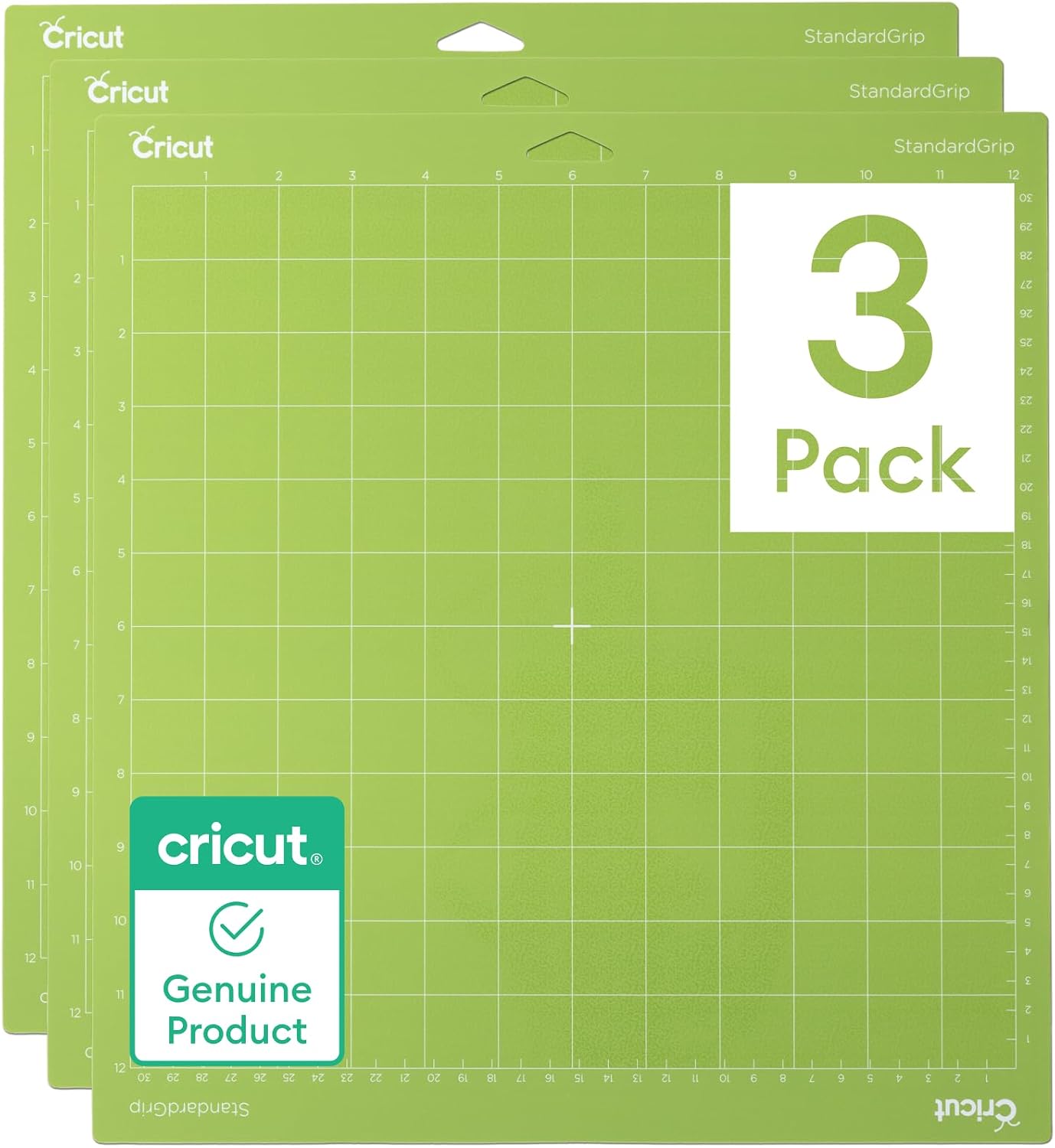
Cricut StandardGrip Adhesive Cutting Mat (12in x12in) - 3 Pack, Green
A three-pack of 12 inch by 12 inch StandardGrip adhesive mats in green, sized for full-size Cricut machines. Mats are a consumable, and this is the accessory most beginners end up rebuying first.
Visit on Amazon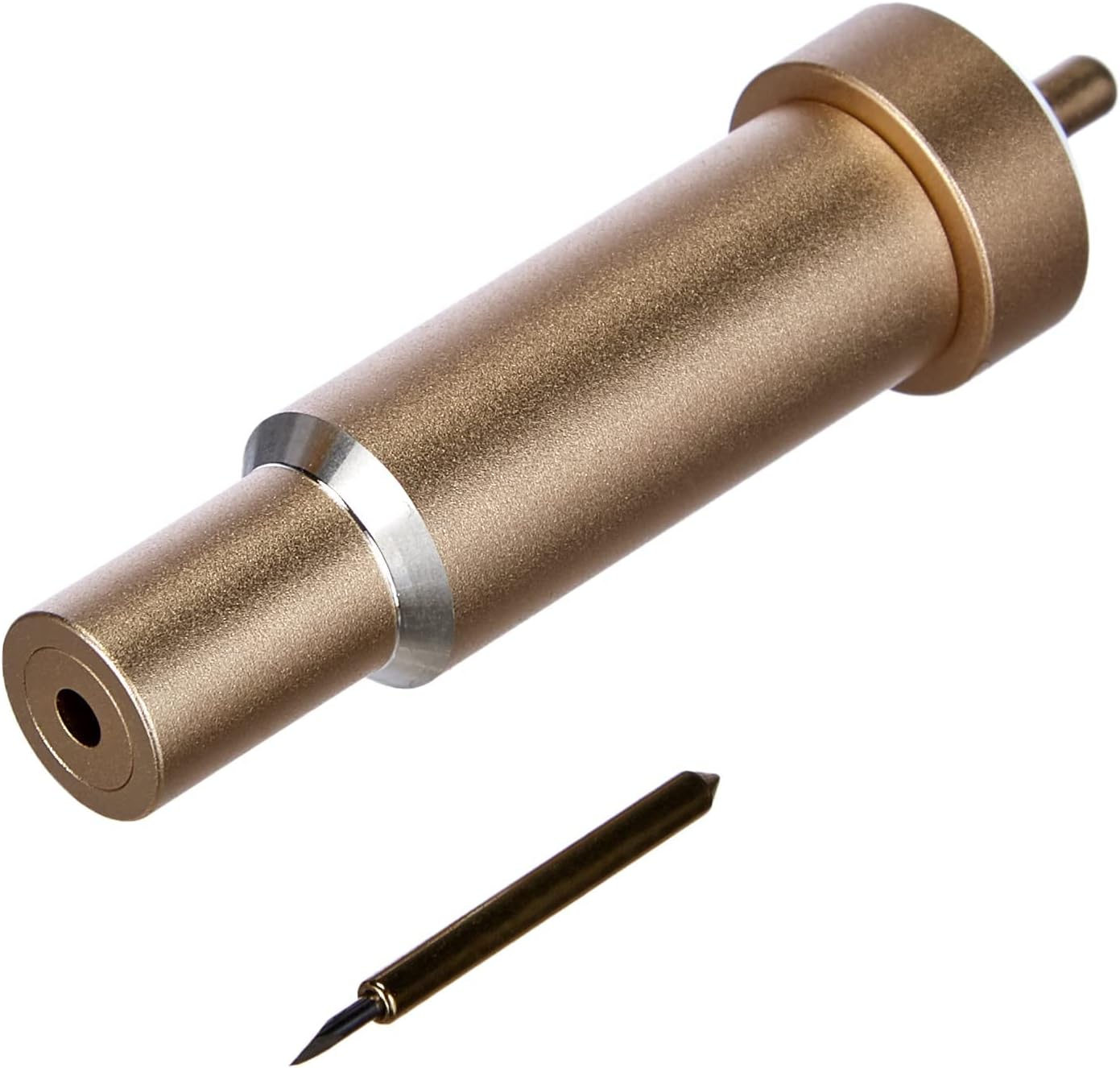
Cricut Premium Fine-Point Blade + Housing, Gold
The Premium Fine-Point Blade supplied with its housing, in Gold. Keeping a spare blade and housing on hand is how you tell a dull blade apart from a machine that has actually stopped working.
Visit on AmazonPrices and availability may change. Check the retailer for current details.
How these products were compared
This guide compares machine format and the mat size each machine works with, listed material range, connectivity and app compatibility, what each bundle includes versus what it leaves out, and the replacement cost of the consumables a beginner will wear out, meaning mats and blades. Product names, images, and retailer links are matched by ASIN so that every card points to the product shown.
None of this is presented as hands-on lab testing of every unit. The claims here come from the product listings themselves plus general ownership realities that apply to any desktop cutter. Do not treat a listing figure like a material count as a promise about how a specific sheet of vinyl will behave on a Tuesday night. Confirm current price and availability through the retailer link before you buy.
How to choose the right Cricut machine
Start with the size of the thing you actually cut, not the length of the feature list. Full-size machines work with 12 inch by 12 inch mats, which is the format of the StandardGrip mat three-pack in this guide, and that size covers most apparel, signage, and papercraft work. The Joy format is a small-project machine: labels, cards, small decals, and quick personalization jobs. The Joy Xtra widens that same compact approach without stepping all the way up to a full-size bed. If your honest answer is "I want to label jars and make stickers," a compact machine is not a compromise, it is the correct tool.
The second fork is material range. The Maker 3 listing claims 300+ materials, 2X faster cutting, 10X force, and matless cutting with Smart Materials. That matters if you plan to work in fabric, thicker specialty sheets, or long cuts where feeding a roll without a mat saves real time. If your projects live in adhesive vinyl, heat transfer vinyl, and cardstock, that extra capability sits unused, and the Explore 5 bundle covers the same daily work with fewer decisions to make.
Third, look at what ships in the box. The Explore 5 and Joy 2 entries here are bundles with digital content included, which means you can be cutting the same weekend instead of waiting on a separate supply order. The Joy Xtra and Maker 3 are listed as machines, so budget for a mat and a spare blade alongside them. A bundle is not automatically the better deal, but it removes the most common beginner failure: a machine on the desk and nothing to cut.
Finally, treat the software as part of the purchase. Every machine here runs through Design Space, which is cloud-dependent and constantly nudging you toward a paid tier. Decide before you buy whether you are a free-tier crafter or a subscriber, because that decision affects your cost per project more than the machine choice does. If you are still sorting out consumables, the Cricut mats and blades buyer's notes cover what to keep in stock.
Cricut Explore® 5 Essential Bundle + Digital Content, Taupe
The Explore 5 Essential Bundle is the pick here because it is a full-size machine sold with digital content included, in a Taupe finish that will not look out of place on a desk you actually work at. For a beginner, the value is in the completeness of the package: a standard-format cutter plus a starting library of designs, without a second shopping trip to make the first cut happen. It fits the 12 inch mat format, so the StandardGrip three-pack lines up with it and so does the spare fine-point blade.
The trade-off is capability you are choosing not to pay for. This is not the machine with matless cutting, 10X force, or a 300+ material range, and it does not claim to be. If your project list already includes fabric, balsa, or long roll-fed cuts, you will outgrow the Explore's scope sooner than you expect, and the Maker 3 is the honest answer. For everyone else, buying the Explore 5 bundle means spending the difference on materials instead of on capacity you will not use in year one.
Alternatives to consider
The Cricut Joy™ 2 Essential Bundle + Digital Content, Blue is better suited to small-format work and small living spaces, since the Joy format is designed around compact projects and the bundle includes digital content to get started. The Cricut Joy Xtra Smart Cutting Machine is a stronger fit when you want more width than the standard Joy provides but still do not want a full-size machine taking up a table, though it is listed as a machine only, so plan for mats and blades separately.
The Cricut Maker 3, the Cricut StandardGrip Adhesive Cutting Mat (12in x12in) - 3 Pack, Green, and the Cricut Premium Fine-Point Blade + Housing, Gold cover the other two ends of the decision. The Maker 3 is the capability ceiling: matless cutting with Smart Materials, a 300+ material range, Bluetooth, and cross-platform compatibility with iOS, Android, Windows, and Mac. The mat pack and the blade plus housing are the maintenance side of ownership, and they are the two items most likely to determine whether your machine still feels good to use six months in.
Day-to-day use and maintenance
Mats are the first thing to fail, and they fail quietly. StandardGrip mats lose their hold after a run of cuts, and the symptom is a project that shifts mid-cut rather than an error message. Wash the mat gently, let it air dry, and keep the clear cover sheet on it when it is not in use. When a mat stops holding ordinary cardstock, retire it to lighter materials instead of pressing harder, because extra pressure on a tired mat is how you get a crooked cut and a wasted sheet.
Blades are the second consumable, and most "my machine is broken" stories are blade stories. A Premium Fine-Point Blade in its housing is a cheap way to test that theory before you start troubleshooting settings. Swap in a fresh blade, cut the same file, and compare. If the cut cleans up, the machine was never the problem.
On the software side, expect Design Space to update when you least want it to and to prompt for a subscription mid-project. Save your work often, and keep your own copies of anything you cannot afford to lose. Blade housings and blades are sharp, so store them capped or seated in the housing and keep them away from kids and pets. Follow the manufacturer's cleaning and care instructions for the machine itself, and keep the mat flat rather than rolled up under a pile of paper.
Buying checklist
- Measure the space where the machine will live, including clearance for a mat to feed in and out.
- Choose the machine format based on the size of your typical project, not an occasional oversized one.
- Confirm that the exact listing includes the accessories you need, since bundles and machine-only listings look similar.
- Add a spare fine-point blade and housing, plus at least one spare mat, to the same order.
- Decide your Design Space tier before your first project, not after the subscription prompt appears.
- Read the cleaning and maintenance instructions for the mat and blade you buy.
- Verify the current retailer price, availability, and return terms before checkout.
Final recommendation
Choose the Cricut Explore® 5 Essential Bundle + Digital Content, Taupe when you want a full-size machine, digital content in the box, and a straightforward path from unboxing to a finished project. Choose the Cricut Maker 3 when your material list already includes fabric, specialty sheets, or long matless cuts with Smart Materials, and you would rather buy capacity once than upgrade later. If your projects are small and your workspace is smaller, the Joy 2 Essential Bundle is the sensible starting point, with the Joy Xtra as the middle option when you want a bit more width. Buy the mat pack and a spare blade with whichever machine you pick, because those two items will decide how much you actually enjoy the first six months.