Nobody buys a cutting machine and stops there. The machine arrives, and within a week you are shopping for mats, a spare blade, transfer tape, maybe a heat press, and a subscription prompt is already asking for a monthly fee before you have finished your first project. A workable Cricut starter kit is not the biggest box on the shelf. It is the smallest set of pieces that gets a real project finished, built around the material you actually plan to cut rather than the accessory display at the craft store.
This guide looks at six products that cover the different jobs a new owner runs into: the machine itself, the mats you will wear out, a tool that extends what the machine can do, a guide for learning the software, a case for moving everything around, and one older machine that keeps appearing in search results and deserves a plain explanation. I ran an Etsy sticker and vinyl shop for six years and now teach weekend classes, so I care less about what a box advertises and more about cost per cut and how long a part lasts before it needs replacing.
Related: Replacement Mats and Blades: What to Buy After the Machine
Quick answer
The Cricut Explore 5 Essential Bundle with Multicolor Sampler + EasyPress 9x9 is the strongest fit for a first machine that needs to handle both vinyl decals and heat-transfer projects, because it pairs the cutter with a multicolor material sampler and a 9x9 EasyPress in a single purchase. Choose the AOOIIN Cutting Mat for Cricut Explore 5/4/3/Air 2/Air/One/Maker 4/Maker 3/Maker, 3 Packs Cut Mats Replacement Accessories for Cricut, Variety instead when you already own a machine and only need fresh mats.
Cricut starter kit components worth comparing
The first thing worth comparing is machine class, because that decides which tools you can ever use. A machine that accepts QuickSwap tool housings can engrave, score, and cut heavier materials. A machine that does not accept them is a vinyl and paper cutter, full stop, and that is perfectly fine for most people.
The second thing is what comes in the box. A bundle that includes a material sampler and a heat press saves you a separate purchase, but only if you plan to press heat-transfer vinyl onto shirts and bags. If your whole plan is papercraft and stickers, that press is shelf space.
Third, treat mats as a consumable line item rather than a one-time purchase. Mat stickiness fades, and the replacement cost adds up faster than most beginners expect, which is why third-party mats are worth a look.
Fourth, decide whether you learn from a book or from video tutorials. Some people want a reference they can prop open next to the machine, and there is a title here for that.
Fifth, think about where the machine lives. If it moves between a kitchen table, a classroom, and a market stall, storage and transport matter more than another accessory.
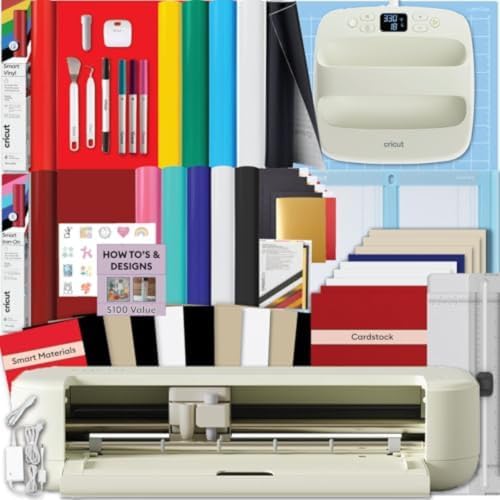
Cricut Explore 5 Essential Bundle with Multicolor Sampler + EasyPress 9x9
A bundled setup that pairs the Explore 5 cutting machine with a multicolor material sampler and an EasyPress 9x9 heat press, so cutting vinyl and pressing heat-transfer projects are both covered in one purchase.
Visit on Amazon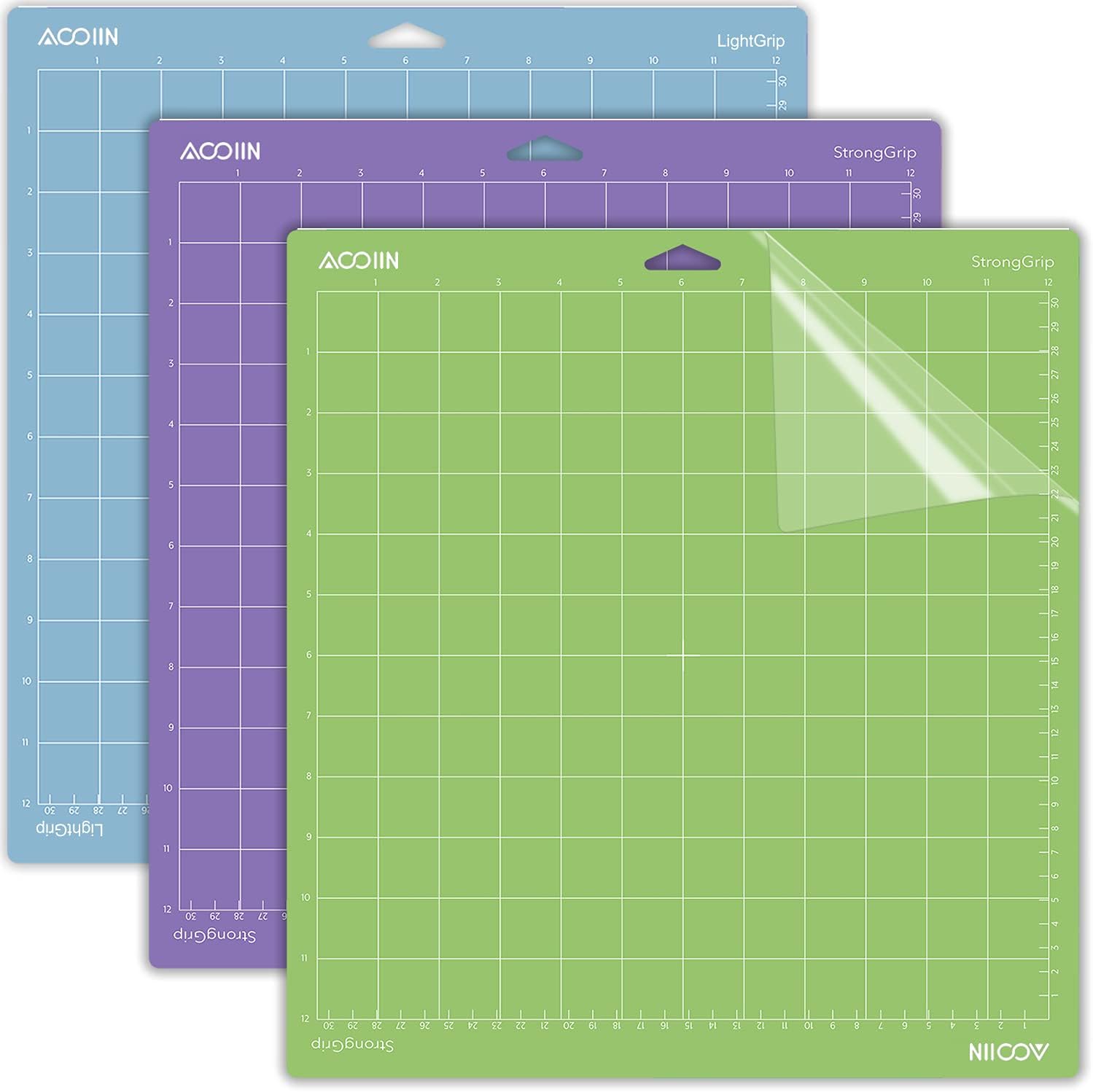
AOOIIN Cutting Mat for Cricut Explore 5/4/3/Air 2/Air/One/Maker 4/Maker 3/Maker, 3 Packs Cut Mats Replacement Accessories for Cricut, Variety
A three-pack of replacement cutting mats listed as compatible with Explore 5, 4, 3, Air 2, Air, One, Maker 4, Maker 3, and Maker, supplied as a variety pack so you have different grip levels on hand.
Visit on Amazon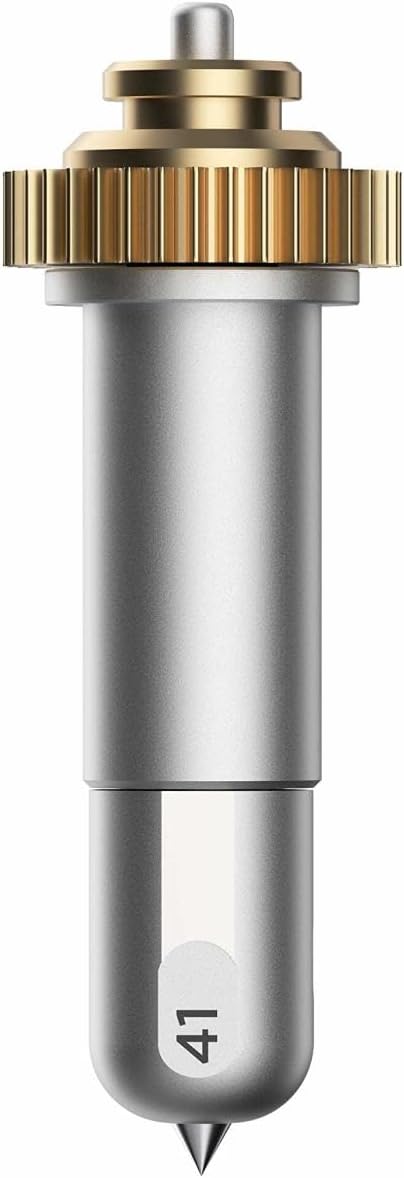
Cricut Engraving Tip + QuickSwap Housing, Silver
An engraving tool supplied with a QuickSwap housing, which is the tool system used on Cricut machines that accept interchangeable housings. Check your own machine's tool compatibility before buying.
Visit on Amazon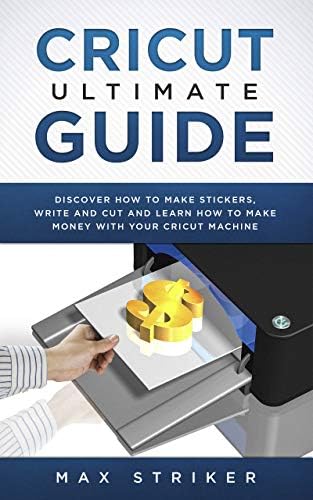
Cricut Ultimate Guide: Discover how to make stickers and write and cut paper, and learn how to make money with the Cricut machine
A beginner-oriented reference covering sticker making, writing and cutting paper, and the basics of earning money with a Cricut machine.
Visit on Amazon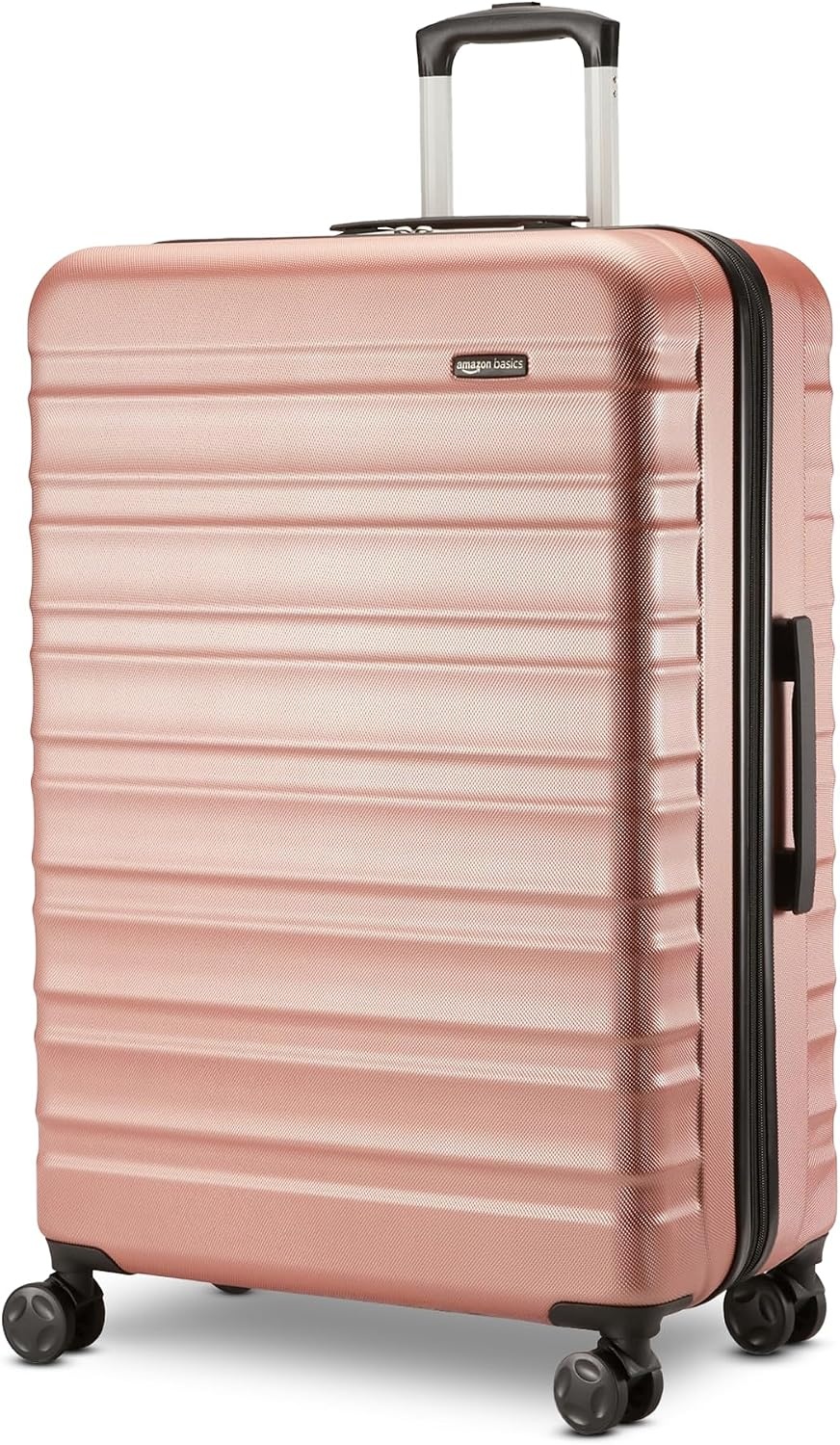
Amazon Basics 30" Hardside Large Checked Luggage, Expandable For Up to 15% More Space, Scratch-Resistant Surface, Four Multi-directional Wheels, Rose Gold
A 30-inch expandable hardside checked case with a scratch-resistant shell and four multi-directional wheels, the kind of thing crafters use to move a machine, materials, and finished inventory to classes and markets. Measure your machine against the interior before committing.
Visit on Amazon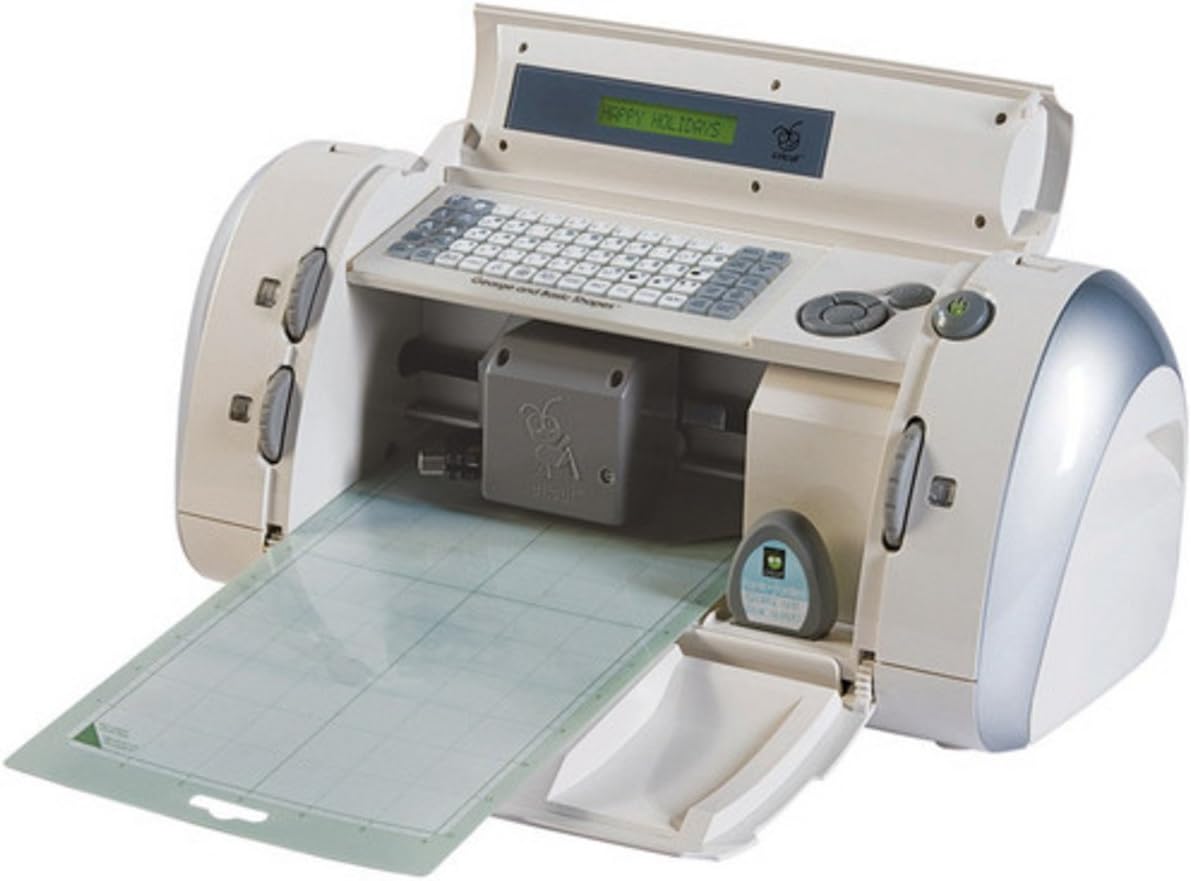
Cricut 29-0001 Personal Electronic Cutting Machine
An early cartridge-era personal cutting machine. It is a legacy and collector purchase rather than a modern vinyl and heat-transfer workhorse, so read the listing carefully if a current-generation cutter is what you actually want.
Visit on AmazonPrices and availability may change. Check the retailer for current details.
How these products were compared
Every product here was judged on the same five things: what class of machine or accessory it is, whether the listing states compatibility with the machines a beginner is likely to own, what actually comes in the box, how it fits into a first project from start to finish, and how easily it stores or travels between a kitchen table and a classroom.
This is a comparison of what the listings and product documentation describe, not a lab test. No ratings, review counts, or measured performance numbers are quoted here, because those belong to the retailer's page and change over time. Product names, images, and links are matched to the same listing, so the card you click is the product described above it. Every card sends you to the retailer to confirm the current price and availability rather than printing a figure that will be stale by next month.
How to choose the right Cricut setup
Start with the material, not the machine. If you are cutting adhesive vinyl for cups, decals, and stickers, a mid-range Explore-class machine will do everything you need, and the extra tool capacity of a top-tier machine buys you nothing. If you are pressing heat-transfer vinyl onto shirts, bags, and totes, the heat press matters as much as the cutter, which is the argument for buying them together. If you want to engrave acrylic or metal, score heavy cardstock, or cut leather and balsa, then tool compatibility becomes the deciding factor, and you should confirm that the machine you are considering accepts the housing you plan to buy.
Then do the subscription math before you buy anything. The machine is a one-time cost. The design software is where the ongoing money goes, and it is easy to spend more on a monthly plan over two years than you spent on the cutter. If you cut fifty stickers a year, stay on the free tier and buy your files or draw your own. If you sell what you make, the paid tier is a business expense, so treat it like one and track it.
One more note for anyone buying mats: they are a consumable, and mat stickiness fades with use. Buying a multi-pack of replacement mats up front is cheaper than buying one at a time every time a project slides, and it keeps you from cutting when you should be re-mating the material. If you want to go deeper on consumables, our replacement mats and blades guide covers when to replace rather than repair.
Cricut Explore 5 Essential Bundle with Multicolor Sampler + EasyPress 9x9
This bundle is the most complete starting point in the group because it answers the two questions a beginner usually asks in the same week: what do I cut with, and how do I press what I cut. The Explore 5 handles the cutting, the multicolor sampler gives you material to learn on rather than a single sheet you are afraid to waste, and the EasyPress 9x9 covers heat-transfer work on shirts, totes, and small home decor.
For a hobbyist who wants to make gifts, sell a few items at a market, or teach themselves the workflow from design to finished product, that combination removes the second shopping trip. It also removes the most common beginner stall, which is owning a cutter and no way to finish a wearable project.
The trade-off is that a bundle commits you to the brand's own materials for the first round of projects, and the sampler will not include everything you eventually want to cut. If your interest is papercraft and stickers only, the heat press is weight you paid for and may rarely use. If you already own a press, buy the machine alone and spend the difference on mats and vinyl.
Alternatives to consider
The AOOIIN Cutting Mat for Cricut Explore 5/4/3/Air 2/Air/One/Maker 4/Maker 3/Maker, 3 Packs Cut Mats Replacement Accessories for Cricut, Variety is better suited to someone who already has a working machine and is tired of buying mats one at a time, while the Cricut Engraving Tip + QuickSwap Housing, Silver is a stronger fit when you own a machine that accepts QuickSwap tool housings and you want to move beyond vinyl into engraved acrylic, metal, or leather.
The Cricut Ultimate Guide: Discover how to make stickers and write and cut paper, and learn how to make money with the Cricut machine, the Amazon Basics 30" Hardside Large Checked Luggage, Expandable For Up to 15% More Space, Scratch-Resistant Surface, Four Multi-directional Wheels, Rose Gold, and the Cricut 29-0001 Personal Electronic Cutting Machine cover three very different needs. The first is a learning resource for someone who prefers a written reference to video tutorials. The second is a transport solution for crafters who haul equipment and inventory to classes, markets, or a friend's house, and it is only worth buying if your machine and materials actually fit inside it. The third is a legacy cartridge-era machine that belongs in a collection or a very specific old-school workflow, not in a beginner's cart.
Day-to-day use and maintenance
The habits that keep a machine running are boring and cheap. Store mats sticky-side up with the clear cover on, and wipe them with a lint roller before each cut, because dust is what kills stickiness faster than cutting does. When a mat stops holding material, wash it before you replace it. When cuts start tearing instead of slicing, change the blade before you touch the pressure settings, since most "machine problems" are blade problems.
Keep a small notebook or a note on your phone with the pressure and blade settings that worked for each material you use regularly. Every material lies about its thickness, and the settings that worked on one brand of glitter cardstock will shred the next brand. Write it down once and you stop re-testing the same sheet.
Clean the machine's rollers and the area around the carriage with a dry, soft cloth, and follow the manufacturer's care instructions for anything more involved. Keep small blades and tool housings away from children, and unplug the machine before you go poking around inside it. If you buy a heat press, read its own instructions for temperature, pressure, and cool-down, and never press on a surface that cannot take the heat.
Buying checklist
- Measure the space where the machine will live, and the interior of any case you plan to carry it in.
- Choose the machine class based on the materials you cut most often, not the one edge case you might try once.
- Confirm that the exact model you are buying accepts the tools and housings you want to use.
- Budget for mats and blades as recurring costs, not one-time purchases.
- Read the cleaning, storage, and safety instructions for the machine, the press, and any cutting tools.
- Verify the current retailer price, availability, and return terms before you check out.
Final recommendation
Choose the Cricut Explore 5 Essential Bundle with Multicolor Sampler + EasyPress 9x9 when you want one purchase that covers cutting and pressing, and you plan to make wearables or sellable goods rather than paper crafts alone. Choose the AOOIIN Cutting Mat for Cricut Explore 5/4/3/Air 2/Air/One/Maker 4/Maker 3/Maker, 3 Packs Cut Mats Replacement Accessories for Cricut, Variety when the machine is already on your desk and mats are the thing running out.
The honest summary is that most beginners need a machine, a few mats, and one good source of instruction, and nothing else for the first six months. Add the engraving tool when you have a project that needs it, add a case when you start traveling with your gear, and skip the legacy machine unless you know exactly why you want it.