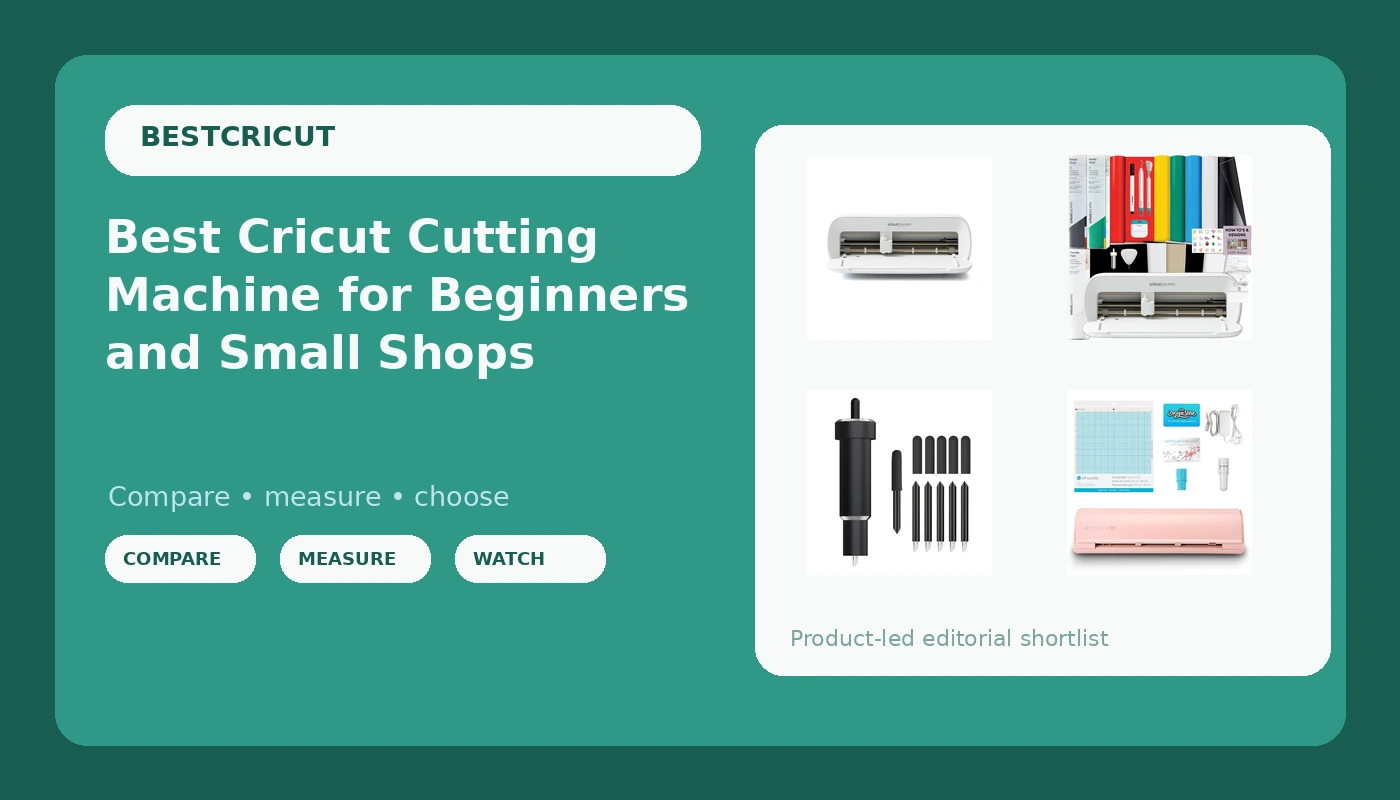
Most people shopping for a cutting machine start with the machine and end with the accessories. That order is backwards. The best Cricut cutting machine for your bench is the one whose blades, mats, and software costs you can still live with a year from now, not the one with the longest feature list on the box. This guide covers four verified products: two versions of Cricut's compact smart cutter, one bundled with vinyl and tools and one sold on its own, a print-and-cut machine from Silhouette for people who need that specific workflow, and a 60 degree deep point blade and housing for anyone cutting leather, foam, foil, or magnetic sheet. Nothing here is ranked by sticker price. It is ranked by what each product actually does on a kitchen table or in a small shop.
Related: How to Choose Your First Cutting Machine
Quick answer
The Cricut Joy Xtra Smart Cutting Machine is the strongest fit for hobbyists and small shop owners who mostly cut vinyl, labels, and decals, because it is the simplest entry into the Cricut workflow in this group and it leaves every accessory decision in your hands. Choose the Cricut Joy Xtra Cutting Machine and Smart Vinyl Bundle instead when you would rather have vinyl, transfer tape, tools, and design guides arrive in the same box.
Cutting machines and accessories worth comparing
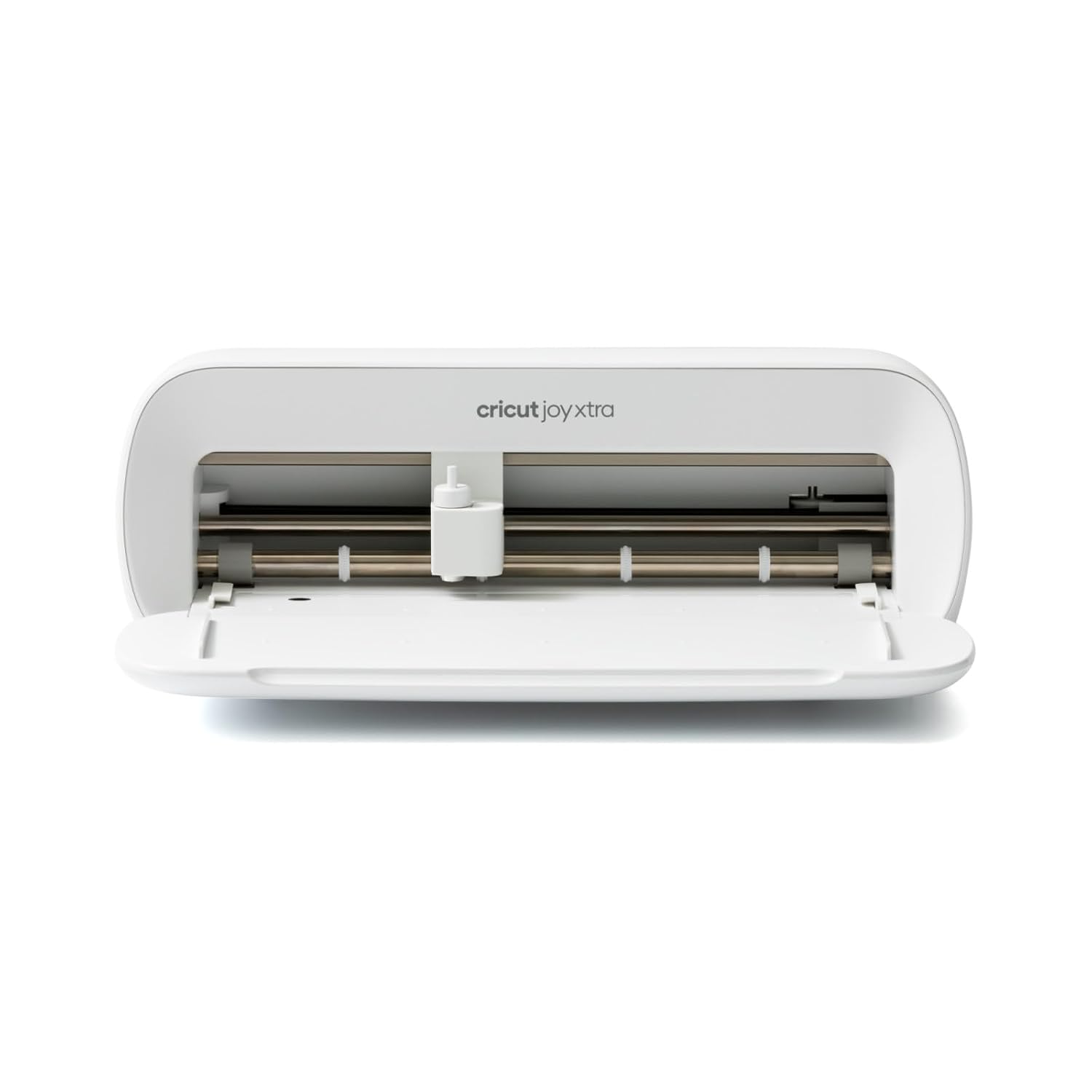
Cricut Joy Xtra Smart Cutting Machine
The compact Cricut smart cutting machine in this group, aimed at labels, decals, and small vinyl projects. This is the machine to buy if you want the Cricut workflow without paying for supplies you did not pick yourself.
Visit on Amazon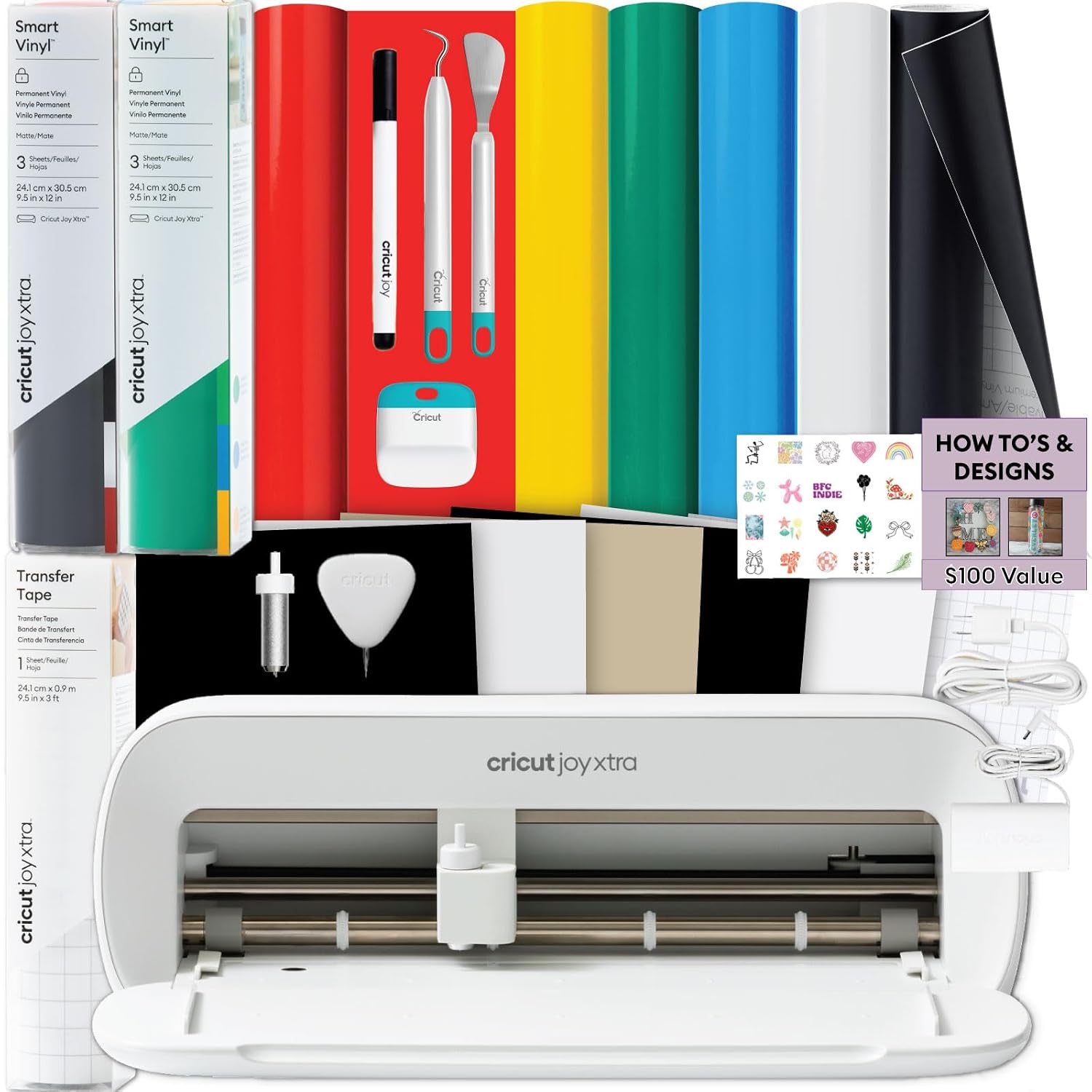
Cricut Joy Xtra Cutting Machine and Smart Vinyl Bundle for Labels, Decals & Custom Projects - Includes Rainbow Permanent Vinyl, Transfer Tape, Tools & Design Guides
The same compact Cricut machine paired with rainbow permanent vinyl, transfer tape, tools, and design guides, so the first project can happen the day the box arrives instead of after a second order.
Visit on Amazon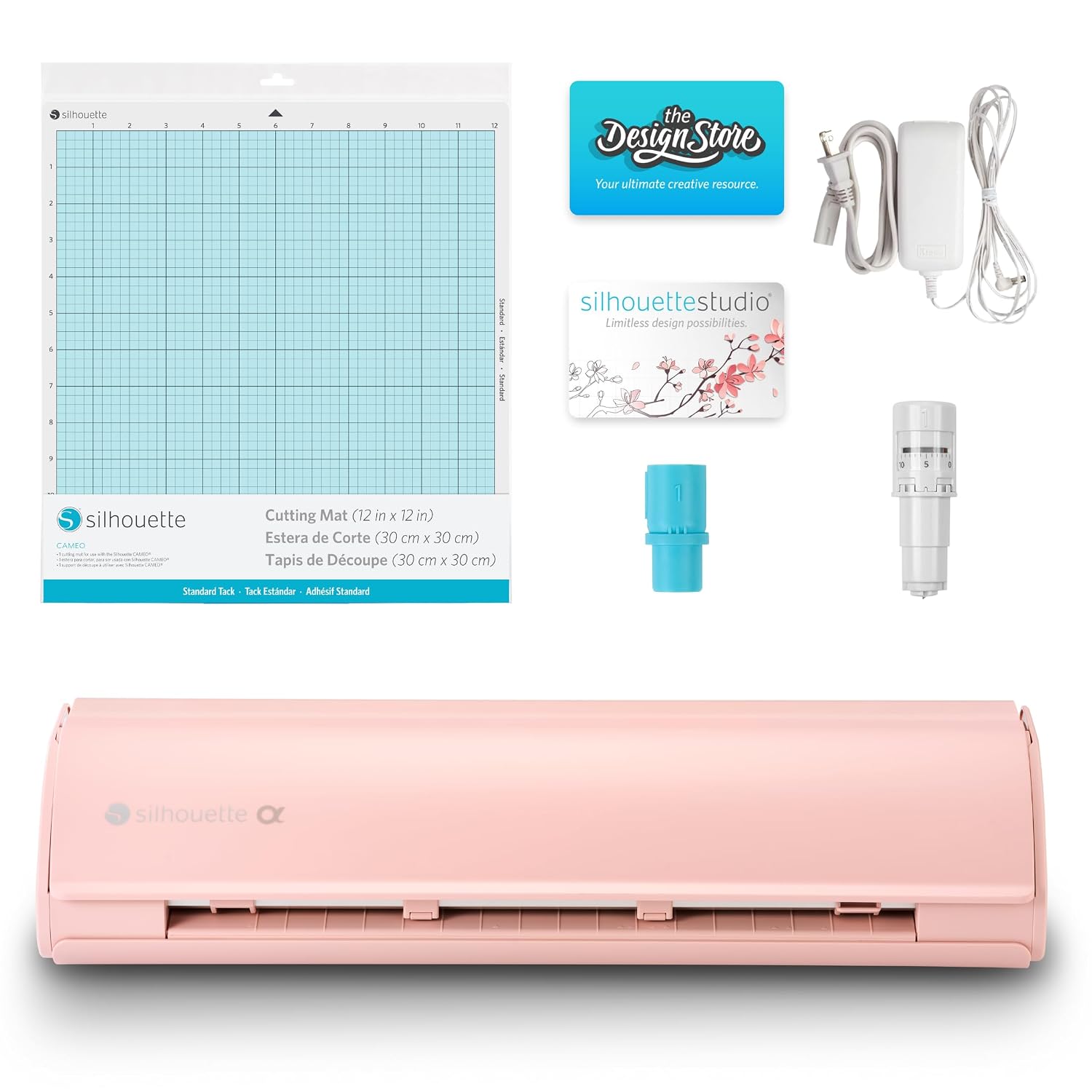
Silhouette America Cameo 5 Alpha (α) - Smart Cutting Machine for Print & Cut - Quiet Operation with AutoBlade, Studio Software, Cutting Mat- Vinyl, Paper & Fabric Compatible - Matte Pink
A print-and-cut machine from Silhouette with quiet operation, an AutoBlade, Studio software, and a cutting mat, listed as compatible with vinyl, paper, and fabric. It is the alternative for anyone who needs to print a design and cut around it.
Visit on Amazon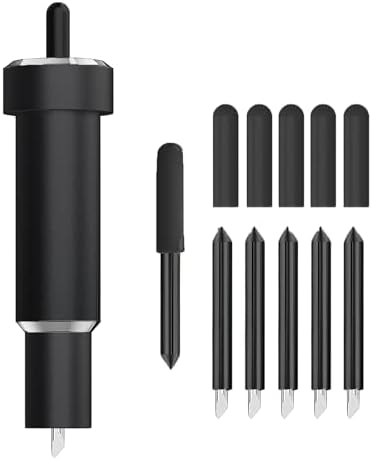
Deep Cut Blade for Maker 3/4/Maker/Explore 3/4/Air 2/Air/One/Venture,60° Deep Point Blade and Housing for Cutting Metallic/Genuine Leather, Craft/EVA Foam, Aluminum Foil, Magnetic Sheet,Etc
A 60 degree deep point blade and housing listed for Cricut Maker 3, Maker, Explore 3, Air 2, Air, One, and Venture, intended for metallic and genuine leather, craft and EVA foam, aluminum foil, and magnetic sheet.
Visit on AmazonPrices and availability may change. Check the retailer for current details.
How these products were compared
This guide compares machine type and workflow, what ships in the box, stated material compatibility, whether the item is a machine or a consumable accessory, and how each product fits a beginner versus someone already selling finished goods. Product names, images, and retailer links are matched to the same product record, so every card points to the product shown above it. The two compact machines here come from the same family and share a workflow. The Silhouette machine is included because print and cut is a different job, not because one brand beats another. The blade is here because blade choice decides what a machine can physically cut, and no amount of software fixes the wrong blade.
How to choose the right cutting machine
Start with the material, not the machine. If your projects are labels, decals, small heat transfer vinyl logos, and cardstock, a compact smart cutter covers the work and takes up less desk space. If you regularly cut full sheets, run long stretches of apparel vinyl, or need to print a design and then cut around the printed outline, you are shopping in a different category, and a print-and-cut machine with an AutoBlade and its own studio software belongs in that conversation. Write down your last ten projects before you buy anything. That list usually settles the question faster than a spec sheet does.
Then do the subscription math. Cricut machines run through Design Space, and the free tier is workable but limited, so budget for either a subscription or for designing somewhere else and importing your files. This is the cost that never appears on a comparison chart, and it is the one that changes the math on an inexpensive machine. My rule for students is simple: if you cut fewer than 50 projects a year, buy the least expensive machine that handles your material and never open the paid tier. If you sell, treat the subscription as a line item the same way you treat vinyl, because it is a recurring cost with no finished product attached to it.
Then count the accessories you will actually replace. Blades dull faster than packaging admits. Mats lose their stickiness. Transfer tape disappears. A bundle that includes vinyl, transfer tape, and tools is worth more to a beginner than a slightly better machine specification, because those are the items you would order in week one anyway. And for anyone cutting leather, EVA foam, aluminum foil, or magnetic sheet, a deep point blade and housing is not an upgrade, it is a requirement. Check the compatibility list against the machine already on your desk before ordering, because the list covers a wide range of Cricut models but not every cutter ever made.
Cricut Joy Xtra Smart Cutting Machine
The Cricut Joy Xtra is the compact smart cutting machine in this lineup, and it matches how most people actually work: short runs of vinyl, labels, decals, and small paper projects, in a footprint that does not take over the room. It is the pick here for the reader who wants the Cricut workflow and the Cricut tutorial ecosystem, which remains the strongest reason to stay inside this brand. If you have watched a tutorial for a project you want to make, the odds are good it was filmed on a Cricut machine, and that shared vocabulary of pressure settings, mat stickiness, and weeding is genuinely useful when you are learning.
The trade-off is that it is a compact machine, so it is the wrong tool for full-sheet production or long-format work. It also ships without supplies, which means your first order is not finished when you check out. That is not a flaw, it is a choice: buying the bare machine lets you pick your own vinyl and tools instead of accepting whatever a bundle includes. If you would rather not think about that yet, the bundled version below solves it for you. And if you object to the software ecosystem in principle, no accessory purchase fixes that. The Silhouette machine with Studio software is the alternative to look at instead.
Alternatives to consider
The Cricut Joy Xtra Cutting Machine and Smart Vinyl Bundle is better suited to a first-time buyer who wants to start cutting without a separate supply run, since it pairs the same machine with rainbow permanent vinyl, transfer tape, tools, and design guides. The Silhouette America Cameo 5 Alpha is a stronger fit when you need print and cut, quiet operation, and a machine that works with vinyl, paper, and fabric through its own studio software.
The Deep Cut Blade for Maker 3/4/Maker/Explore 3/4/Air 2/Air/One/Venture covers what a standard fine-point blade will not touch: metallic and genuine leather, craft and EVA foam, aluminum foil, and magnetic sheet. It is the cheapest way to widen what an existing machine can do, but it only helps if your model is on the compatibility list, so match the blade and housing to the machine in front of you rather than to the project photo you liked online.
Day-to-day use and maintenance
Two habits keep a cutting machine predictable. First, test on scrap. Run the smallest possible version of a cut on the same material before committing a full sheet, especially the first time you use a new vinyl, foam, or leather. Second, treat blades as consumables with a short life, not as permanent parts. When cuts start tearing instead of separating cleanly, or when a blade starts dragging through vinyl it used to release, replace it. Most problems people describe as machine problems are blade problems.
Mats are the other recurring cost. Keep them covered when they are not in use so dust and lint do not bond to the adhesive, and accept that stickiness is a finite resource. Wipe debris off the blade housing, and store the housing capped when it is not loaded. Blades are sharp, so keep them capped and out of reach of children, and follow the manufacturer's instructions for the specific materials you cut, particularly foam, leather, foil, and magnetic sheet, which behave differently from vinyl and paper. If a cut goes wrong on a new material, change one variable at a time rather than adjusting pressure, blade, and mat all at once.
Buying checklist
- Measure the desk, shelf, or cabinet space you can give the machine before you shop.
- Choose the machine type based on the materials you cut most, not on the one project you have in mind.
- Confirm the model you own appears on the blade compatibility list before ordering a deep point blade and housing.
- Decide whether you want a bundle with vinyl, transfer tape, and tools, or a bare machine plus your own supply order.
- Read the cleaning and maintenance instructions for the blade, the housing, and the mat.
- Verify the current retailer price, availability, and return terms before you check out.
Final recommendation
Choose the Cricut Joy Xtra Smart Cutting Machine when you mostly cut vinyl, labels, decals, and small paper projects and you want to pick your own supplies rather than inherit someone else's bundle. Choose the Cricut Joy Xtra Cutting Machine and Smart Vinyl Bundle when you want the same machine with vinyl, transfer tape, tools, and design guides in one box. Choose the Silhouette America Cameo 5 Alpha when print and cut, quiet operation, and Studio software matter more to you than staying inside the Cricut ecosystem. Add the Deep Cut Blade for Maker 3/4/Maker/Explore 3/4/Air 2/Air/One/Venture only when the materials you actually cut require it and your machine appears on the compatibility list. Buy the machine that matches the work you do now, and let the accessories follow the projects instead of the other way around.