I have cut through more than 200 rolls of vinyl in six years of running an Etsy sticker shop out of a spare bedroom in Nashville, and the machine that gets the most use in my house is not the expensive one. It is the small one parked on the corner of my desk that never gets unplugged. That is the whole reason this comparison of Cricut Joy machine bundles exists. The Joy family is where most hobbyists should start, and the bundles are where the money gets confusing.
Related: Cricut Blade Types and When to Swap Them
The bundle I would buy with my own money is the Cricut Joy 2 + Ultimate Bundle in Coral, because it is the current generation of the machine and the extras in the box are the ones a beginner actually reaches for. If you want to spend the least possible to find out whether you like this hobby at all, the original Joy with the Digital Content Library is the smarter entry point. The deep cut housing is a different purchase entirely, and I will explain why it does not belong in a Joy cart.
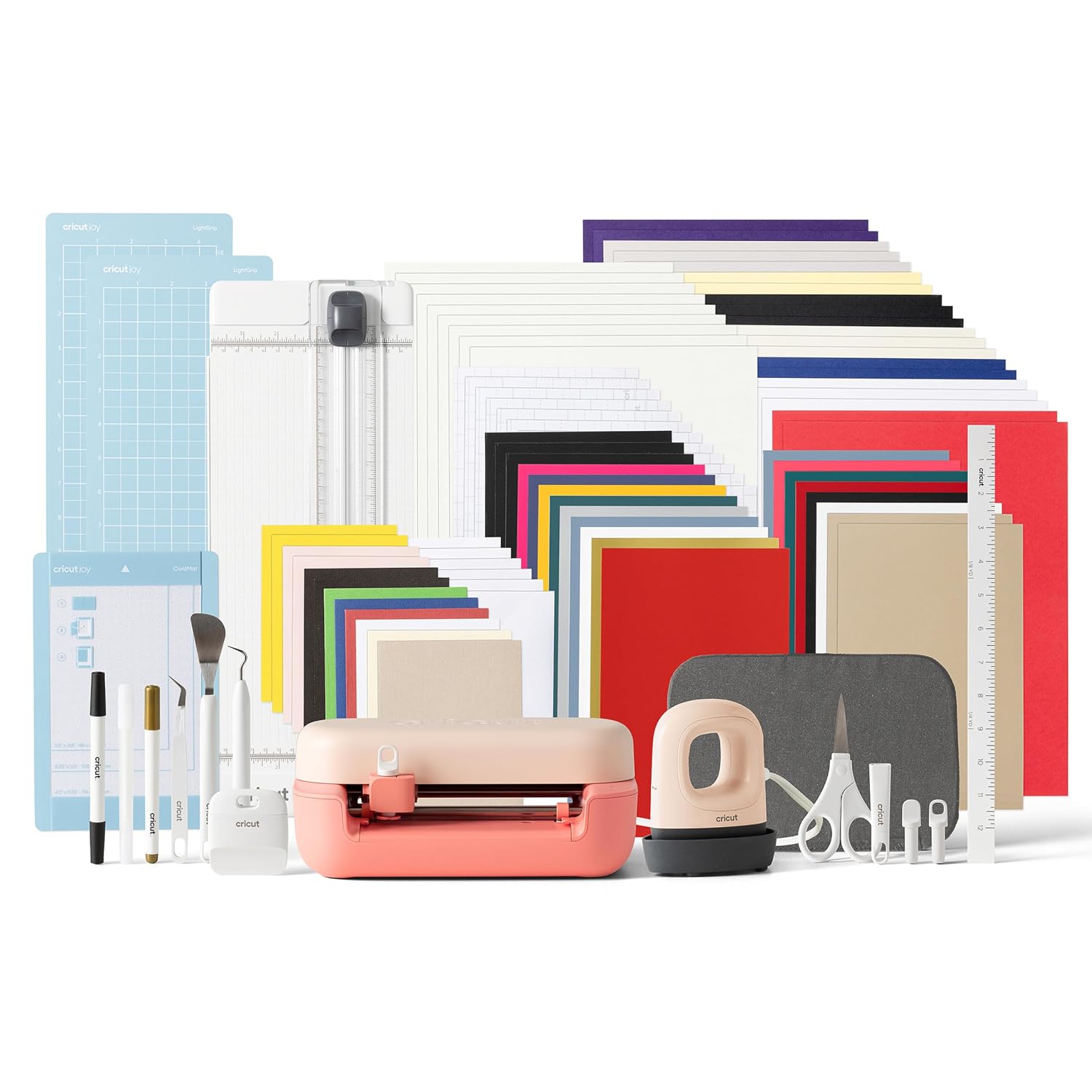
Cricut Joy 2 + Ultimate Bundle, Coral
Current generation Joy, the fullest accessory pile of the four, coral shell is genuinely pleasant on a desk
Still a narrow machine, and the bundle is where the price climbs fastest
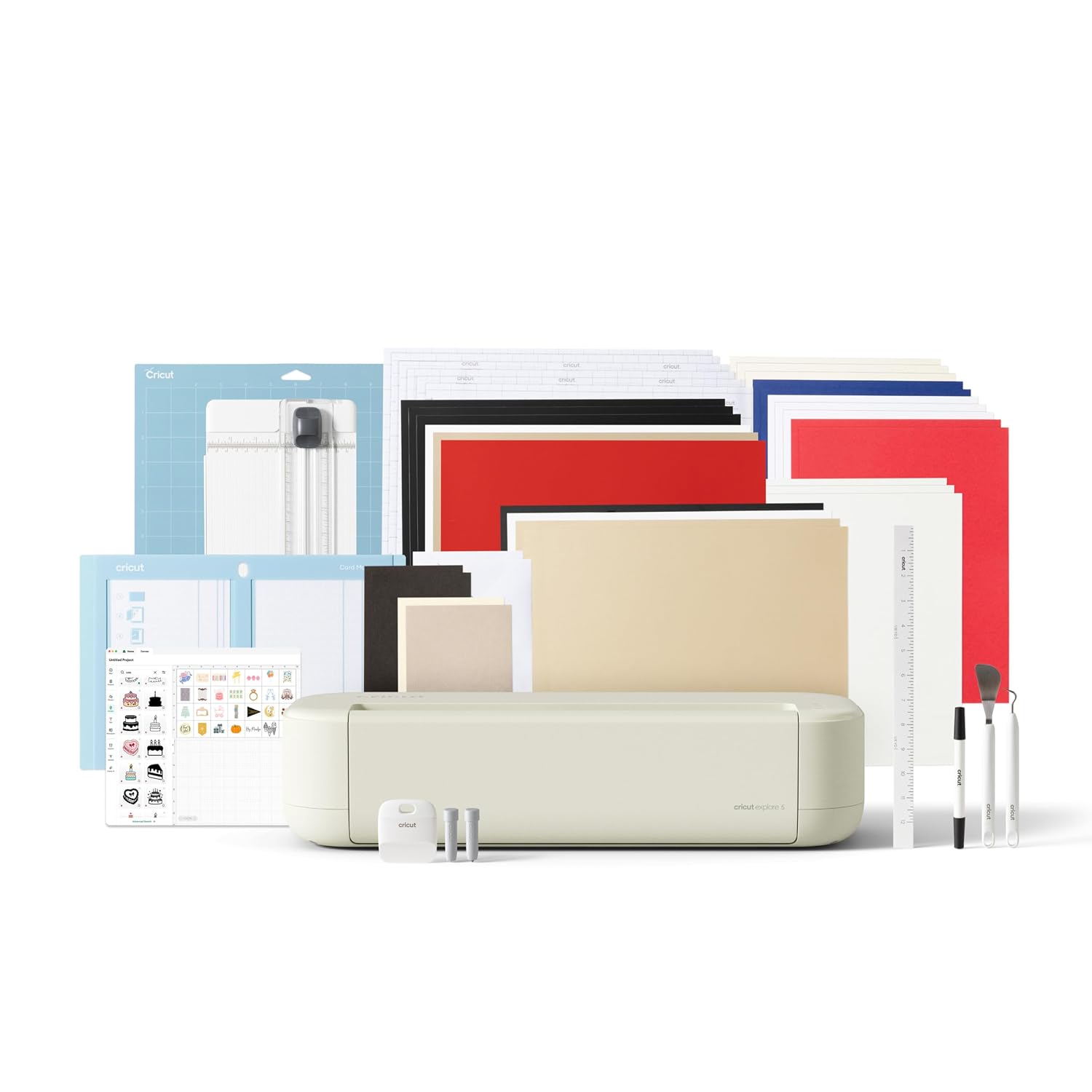
Cricut Joy Machine & Digital Content Library Bundle
Cheapest real door into the Joy ecosystem, and the digital library gives you finished projects to cut on day one
Oldest machine in this group, no heat press, no iron-on materials included
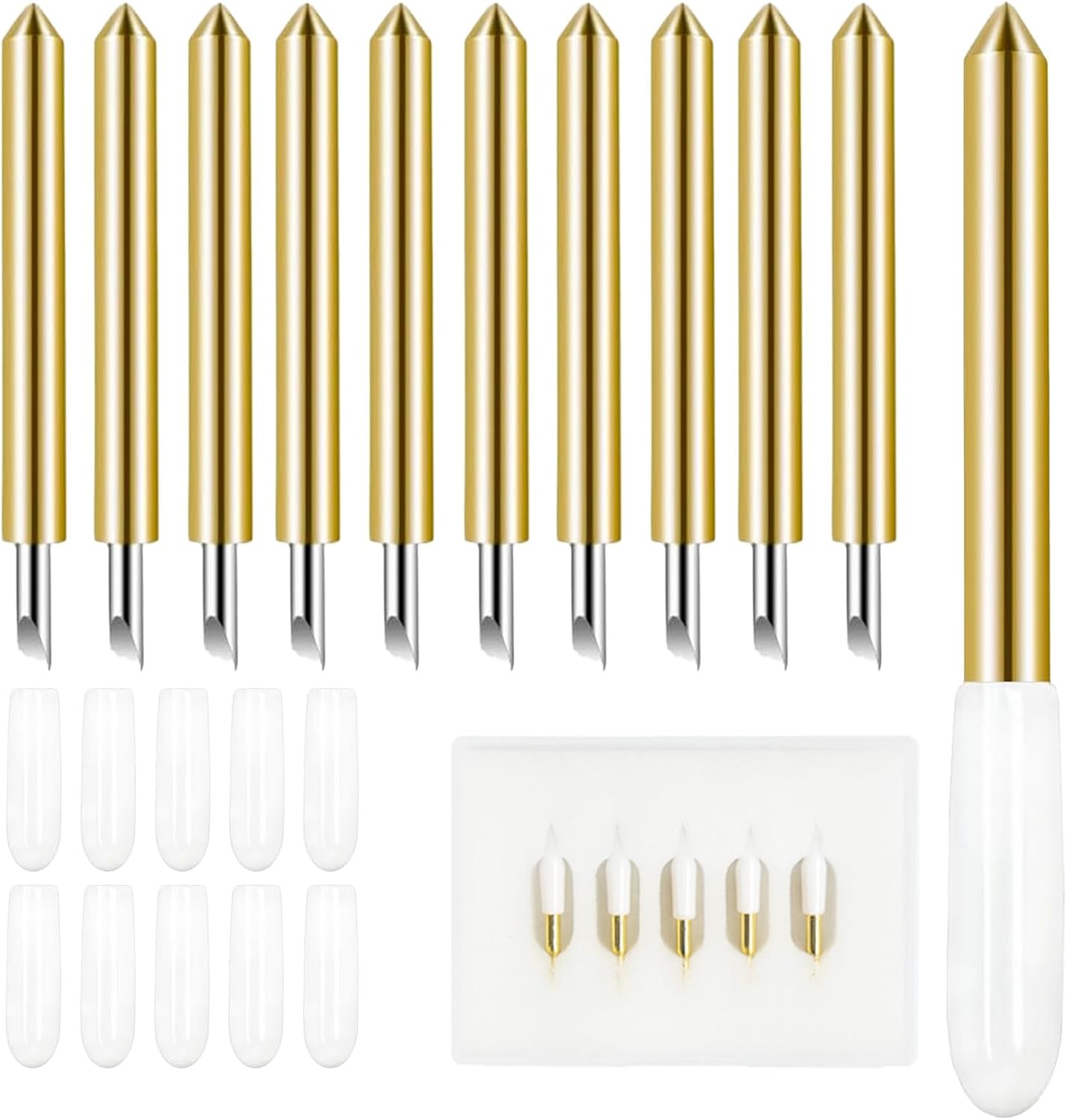
Deep Cut Housing + 5 Pcs Deep-Point Blade, AUNKZL Replacement Deep Cut Blade
Five blades plus a housing, opens up materials up to 1.5mm thick, costs less than a single branded housing
Fits Explore and Maker family machines only, completely useless if you buy a Joy
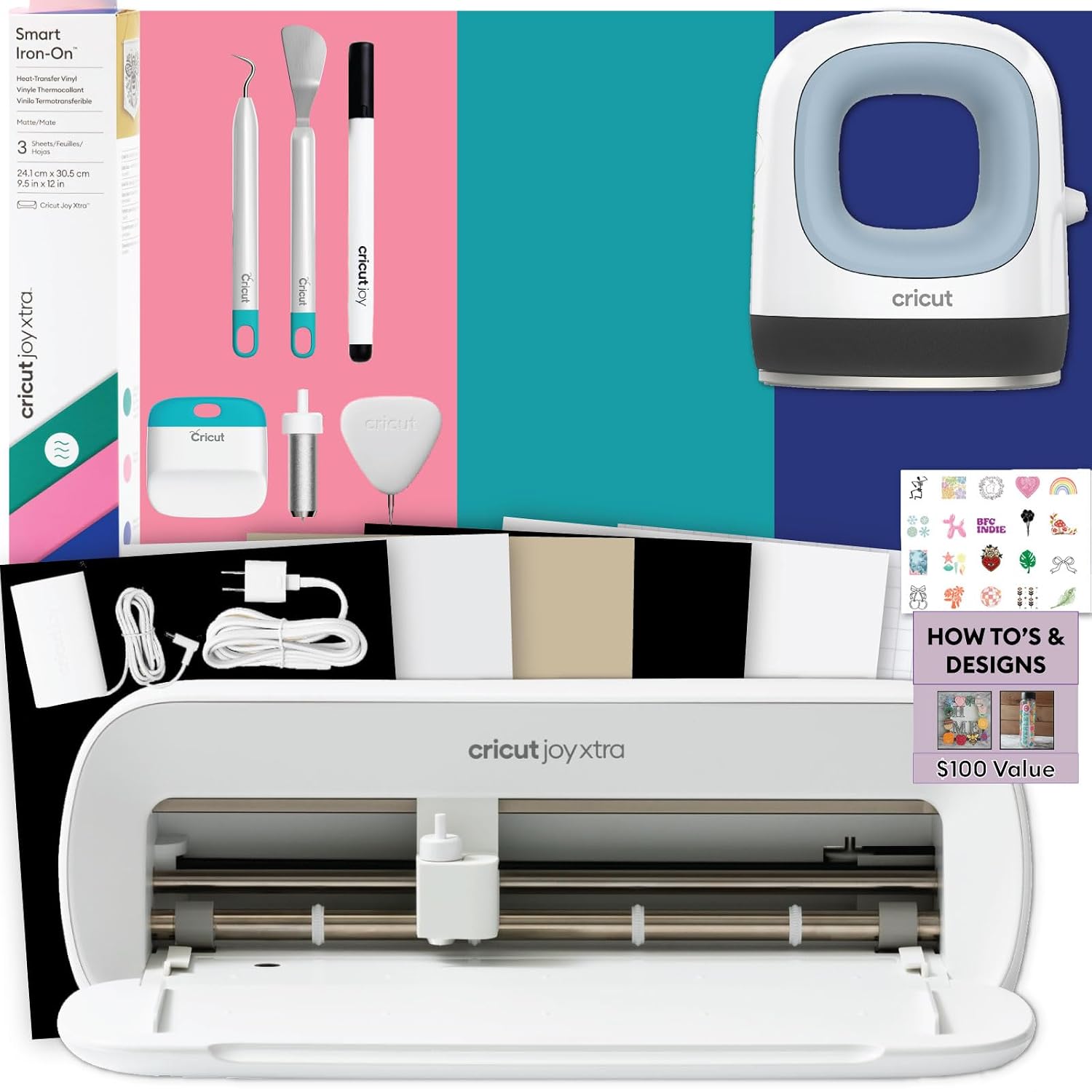
Cricut Joy Xtra Cutting Machine T-Shirt Making Bundle with Mini EasyPress Heat Press
The only bundle here that takes you from cut to pressed shirt in one order, includes Smart Iron-On and design guides
Mini EasyPress is small, and you pay a bundle premium for HTV you could source cheaper
Prices and availability were captured from Amazon Creators API and may change.
How I judge a Cricut bundle
Three things matter to me when I look at any bundle, and none of them is the sticker on the box.
First, generation. A bundle built around an older machine is a discount on a machine that will feel old sooner. Second, what is actually in the box. Consumables like iron-on, vinyl, and transfer tape run out. Tools like a weeding hook, a scraper, and a heat press stay on the shelf for years. A bundle stuffed with consumables is a coupon. A bundle with tools is a real discount on things you would have bought anyway. Third, cut width and material limits, because those decide what you can sell versus what you can only gift.
The thing I do not count as value is a Design Space subscription trial. That is not a gift, it is a demo. More on that below.
Cricut Joy 2 + Ultimate Bundle, Coral
This is the newest machine in the group and the bundle with the most in it. The Joy 2 is the current small-format Joy, which means the software support and the mat-free Smart Materials ecosystem are aimed at it rather than at the older model. If you are buying once and want the longest useful life out of a tiny machine, this is the one to put on the table.
The coral shell is not a joke of a selling point either. I have watched students buy the grey machine and then buy a cover because they hated looking at it. A machine that lives on your desk should be a machine you like looking at.
What you give up is money, and width. The Joy 2 is still a narrow cutter, and no bundle changes that. If your plan is 12 inch by 12 inch scrapbook pages or large decals, none of the Joy machines will do it, and you should be looking at an Explore or a Maker instead.
Cricut Joy Machine & Digital Content Library Bundle
This is the original Joy, bundled with a pile of ready-made digital content. For a beginner, that library is the underrated part. The hardest thing about a first cutter is deciding what to make, and a library of projects removes that decision entirely. You open the software, you pick something, you cut it, and you learn the machine by finishing something instead of by staring at a blank canvas.
It is also the cheapest way into the family, which matters if you are not sure this hobby will stick. My standing advice to anyone who wants to cut 50 stickers a year is to buy the cheapest machine that does the job and never open the paid tier of the software.
The honest cost: this is the oldest machine here, it has no heat press, and it includes no iron-on materials. If t-shirts are the goal, you are buying the wrong bundle and you will spend the savings on a press anyway.
Cricut Joy Xtra Cutting Machine T-Shirt Making Bundle
The Xtra is the step up in width from the original Joy, and this bundle pairs it with a Mini EasyPress, Smart Iron-On materials, tools, and heat transfer vinyl design guides. That combination is the shortest path from unboxing to a finished shirt. Cut, weed, press, wear. No second order, no waiting on a press to arrive while your iron-on sits in a drawer.
The Mini EasyPress is the part to think about honestly. It is a small press, and small presses are great for onesies, tote bags, and left-chest logos. They are tedious for a full back print, because you press in sections and you learn quickly why people upgrade to a bigger plate. For a hobbyist making gifts and a handful of listings, it is enough. For someone planning to sell apparel at volume, it is a stepping stone, not the destination.
You are also paying a bundle premium for Smart Iron-On you could buy separately, often cheaper. That is the trade: convenience now, better cost per cut later.
Deep Cut Housing + 5 Pcs Deep-Point Blade, AUNKZL
Now the odd one out, and the one most likely to be bought by mistake.
This is a third-party deep cut housing with five deep point blades, made for the Explore Air One, Air, Air 2, Air 3, Maker, and Maker 3. It cuts materials up to 1.5mm thick, which is the range where chipboard, thick leather, and heavy cardstock live. It does not fit a Joy. If you are shopping the three bundles above, this product is not for you, and no amount of clever pairing will make it work.
If you do own an Explore or a Maker, this is exactly the kind of purchase I make. Blades dull faster than the packaging admits, and most of what people call a machine problem is a blade problem. A housing plus five blades for the price of one branded housing changes the math on every thick material project you run. Deep point blades are not delicate precision tools, they are steel, and steel is the one place where third-party competition is real.
What you accept in return is consistency. Buy two of these and the second batch may cut slightly differently than the first. Test on scrap before you cut a customer order. That is true of branded blades too, but it is more true here.
The trade-offs, stated plainly
Buy the Joy 2 Ultimate Bundle and you get the newest small machine with the most accessories, at the highest bundle price, with the same narrow width limit as every other Joy.
Buy the original Joy bundle and you spend the least, get the most guidance built in, and accept the oldest hardware with no pressing capability.
Buy the Joy Xtra t-shirt bundle and you get a wider machine plus a press and iron-on in one order, and you pay a premium for materials you could buy cheaper elsewhere.
Buy the deep cut housing and you get cheap access to thick materials on Explore and Maker machines, and nothing at all if your machine is a Joy.
None of these overlap as much as the listings suggest. Two of them are entry points, one is an apparel kit, and one is a maintenance purchase for a machine you already own.
The subscription question
Every Cricut purchase comes with the same hook, and you should price it before you buy hardware. The machine is sold once. The software is where the recurring money lives, and Design Space will remind you of that at the worst possible moment, usually mid-project.
Here is how I think about it. The free tier will cut everything you design yourself, and it will cut files you own. The paid tier buys you access to the content library and the convenience of not sourcing your own files. If you are a hobbyist cutting gifts, the free tier plus a cheap SVG from anywhere else is a complete workflow. If you sell, the library can pay for itself in saved design hours, but only if you actually use it.
The Digital Content Library bundle is the one place where the subscription math tilts in your favor, because you get a chunk of content up front instead of renting it by the month.
Who should buy which
If you are brand new and want the best current small machine with the fullest box, take the Joy 2 Ultimate Bundle.
If you are brand new and want to spend as little as possible to test the hobby, take the original Joy bundle with the Digital Content Library.
If shirts are the point, take the Joy Xtra t-shirt bundle and accept that the Mini EasyPress is a starter press.
If you already own an Explore or a Maker and you keep stalling on thick materials, buy the deep cut housing and stop blaming the machine.
What I am testing next
I have a stack of heavy cardstock and a sheet of 1.5mm chipboard on the bench, and I am working through blade life on deep point blades versus the branded housing to see how many cuts you really get before the edges start tearing. That write-up is coming, along with a longer piece on which accessories a working Etsy shop actually needs and which ones are just shelf decoration.