Related: Blade Pressure Settings I Keep Taped to My Desk
I have run a sticker and vinyl shop out of Nashville for six years, and I still keep a paper notebook of blade types, pressure settings, and which materials lie about their thickness. So when a student in one of my weekend classes asks me about the Cricut Joy Xtra vs Cameo 5, I do not answer with brand loyalty. I open the notebook.
Short version first. If your goal is shirts, tote bags, and small vinyl decals made on a kitchen table, the Joy Xtra bundle is the one I would hand you. If your goal is print and cut sticker sheets and you are willing to learn a second piece of software, the Cameo 5 Alpha is the machine that earns its counter space. Here is the long version, including the part nobody warns beginners about, which is blades.
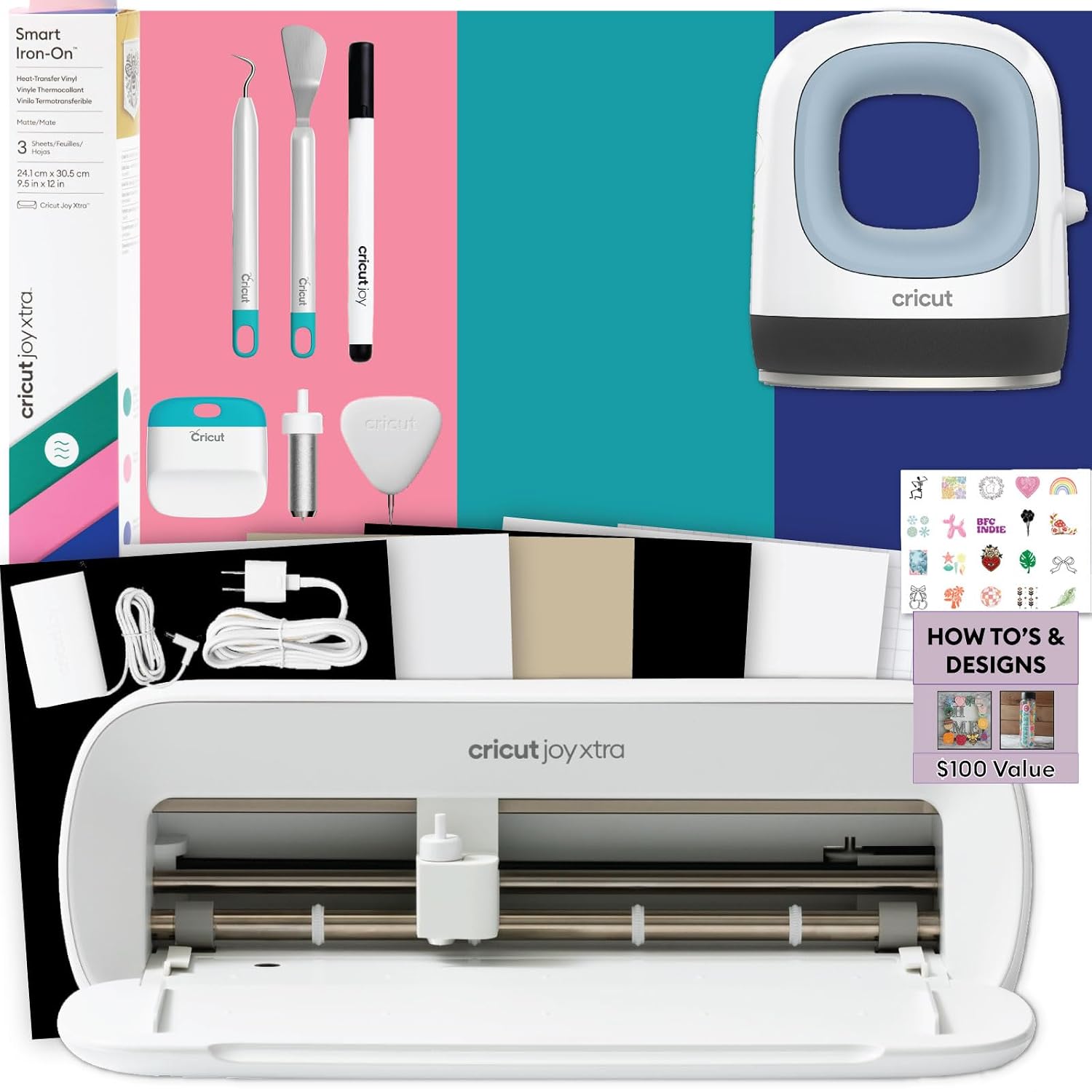
Best for Shirt Making: Cricut Joy Xtra T-Shirt Bundle
This is the bundle I recommend to people who tell me they want to make shirts for their kid's team or a few dozen tumblers for a Saturday market. It ships with the Joy Xtra machine, a Mini EasyPress, Smart Iron-On materials, the basic tool set, and heat transfer vinyl design guides. That combination matters more than it sounds like it should. Most first machines arrive as a machine and nothing else, and then you spend your first week ordering the things you actually needed.
The Mini EasyPress is the piece to think about honestly. It is a small press for small graphics: a chest logo, a sleeve print, a name on a tote bag. It is not the tool for a full back print, and no bundle is going to change that. For the sizes most beginners actually cut, it does the job without a learning curve. You set the temperature, you count, you press, you peel.
What I like most is the footprint. The Joy Xtra sits on a shelf or the corner of a desk, and it cuts the widths that hobby projects need. If you have been avoiding a cutting machine because you pictured a four foot table, this is the answer to that.
The honest downside is software. Design Space is slow, it is cloud dependent, and the subscription is the real product, not the machine. I say that as someone who uses it daily. The free tier will cut everything in this bundle, but you will get subscription pop-ups mid-project, and the updates have broken my saved projects more than once. If you only want to cut fifty stickers a year, stay on the free tier and ignore the upsells.
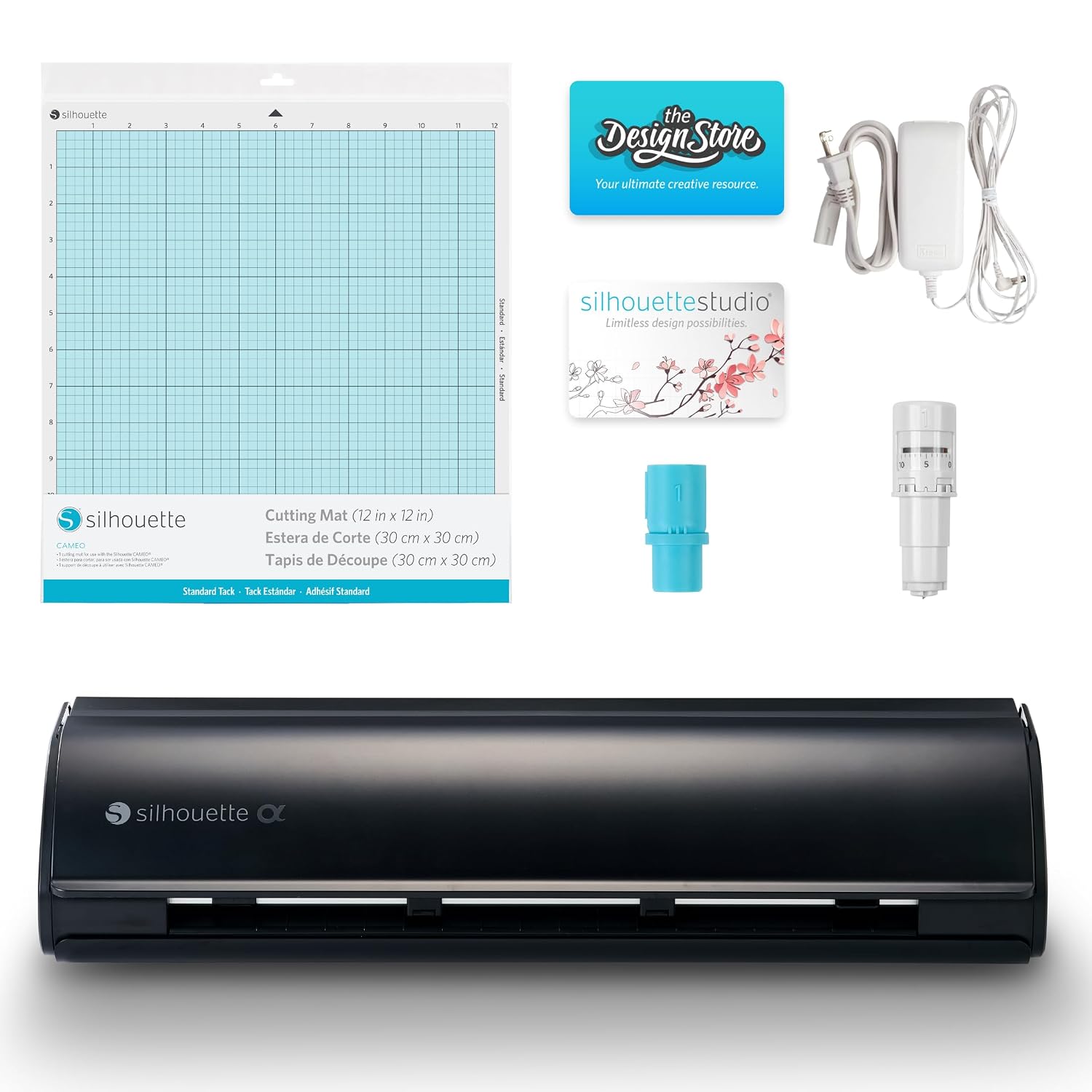
Best for Print and Cut: Silhouette Cameo 5 Alpha in Matte Black
I borrowed a competitor unit for comparison years ago and never fully gave it back, which tells you how I feel about this side of the market. This machine cuts, it uses an AutoBlade that sets its own depth, it comes with Studio software and a cutting mat, and it is genuinely quiet. Quiet enough that I have started a job, turned around to weed the previous one, and forgotten the machine was running.
Print and cut is the feature that matters here. If you sell sticker sheets or planner stickers, you design in Studio, print on your home printer, and the machine reads the registration marks and cuts around your artwork. That workflow is the reason sticker sellers put up with learning a new program in the first place.
Studio is not Design Space, and I mean that as both a compliment and a warning. It is desktop first, it works offline, and the paid upgrades are one-time purchases rather than a monthly subscription. That last part matters to me more every year I pay for software. The warning is the learning curve. Your first hour in Studio will feel clumsy if you already know another cutting program, and the tutorials out there are thinner than Cricut's, which is the one place the other brand still wins.
If you already own vinyl and tools, buy this machine on its own and skip the extras.
The Blades Nobody Budgets For
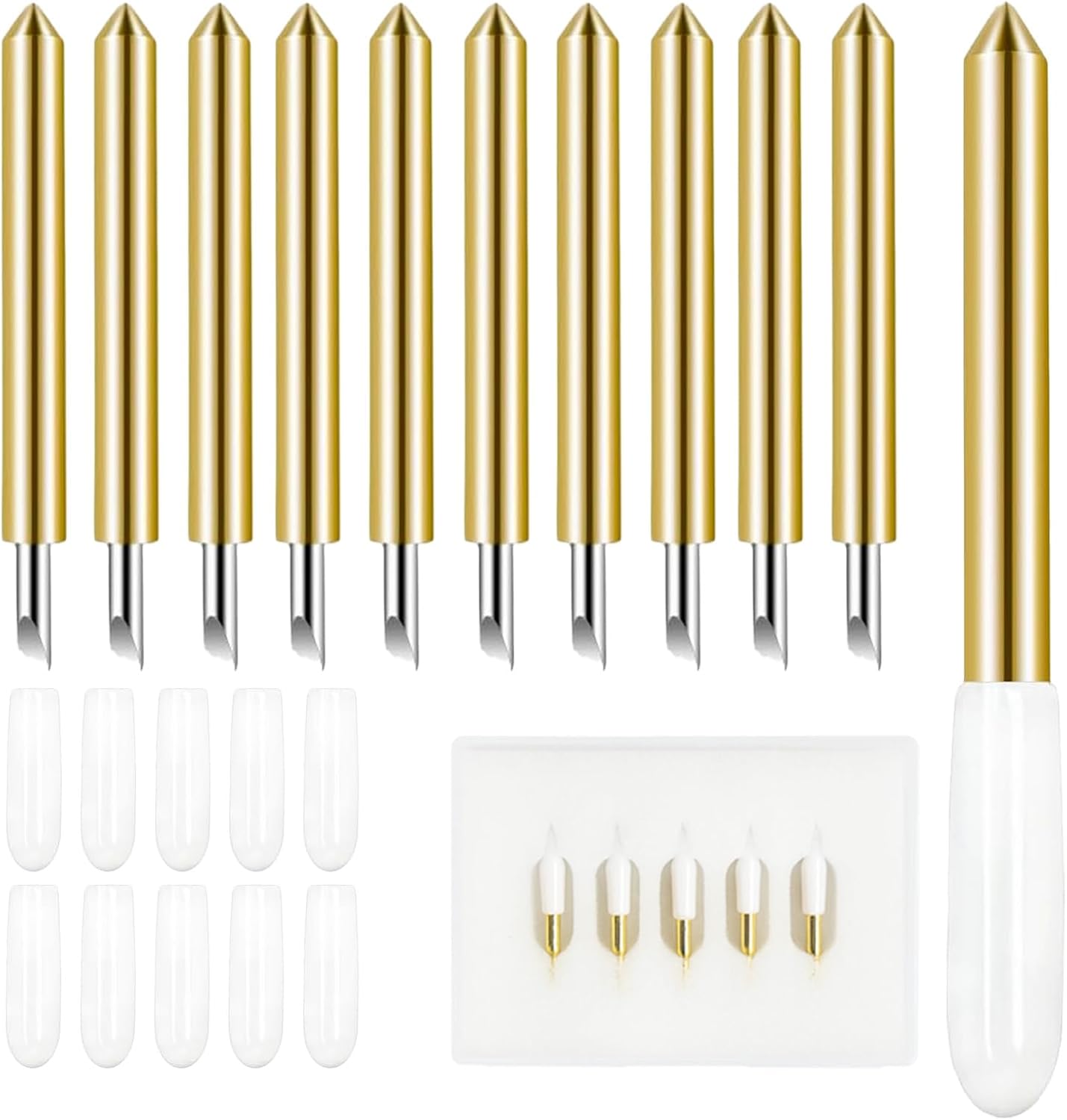
This is the least glamorous item in this article and the one you will buy most often. Five replacement carbide standard blades, made to fit Joy and Joy Xtra machines. If you own the Cricut bundle above, this is your consumable, and you should own it before you need it.
Here is the thing about blades: they dull faster than the packaging admits. Most of the "my machine is broken" messages I get from students are blade problems wearing a machine costume. The blade stops cutting cleanly through HTV, so the crafter cranks the pressure, then the blade drags and tears the carrier sheet, then they decide the machine is bad and start shopping for a new one. Replacing a blade is far cheaper than replacing a machine, and it takes about thirty seconds.
My rule is simple. When a cut that used to peel clean starts leaving fuzzy edges, change the blade before you change any setting. If the new blade fixes it, it was never a settings problem. Keep one spare in the tool drawer and one in the machine case, because blades only die in the middle of a deadline.
Best Bundle Value: Silhouette Cameo 5 Alpha Bianco Carrara Deluxe
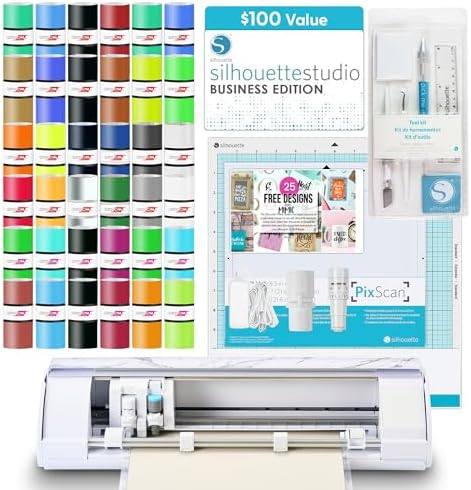
Same machine as the matte black one, in a white Bianco Carrara finish, with a much fuller box: Studio software, 36 vinyl sheets, a PixScan mat, a tool kit, and 25 free designs. If you are starting from nothing, this is the bundle that skips the death-by-a-thousand-orders phase, where you buy the machine and then discover you need sheets, a scraper, a weeding hook, and a mat you did not know existed.
The PixScan mat is the sleeper item. It lets you scan a printed sheet or a photo, then cut around the shape in Studio. Card makers use it to cut around printed sentiments. Paper crafters use it to cut around hand drawn art. Sticker sellers use it to rescue a print run where the registration marks did not read. It is the kind of accessory you do not know you need until the first project that requires it.
Who should buy the deluxe version: sticker sellers, card makers, and anyone whose projects start as a print. Who should not: someone who only wants to cut HTV letters for shirts. For that person, the Cricut bundle in this article is the better spend, and the white finish will not make up the difference.
How I test a cutter
Every machine gets the same three cuts from me. First, a sheet of HTV with fine lettering and a tight curve, because that is where weeding exposes a bad cut. Second, a kiss cut on adhesive vinyl, where the blade should cut the vinyl and leave the backing intact. Third, a thick material, because thickness is where machine capability and marketing numbers start disagreeing with each other.
Then I live with it. I press the finished shirts. I stick the decals on my own laptop and my kid's water bottle. I run the same mat until it stops holding, and I keep notes on blade pressure, mat stickiness, and how many times a job shifted and had to be reloaded.
I do not score machines on the spec sheet. I score them on whether the second job is easier than the first, and whether the third job still cuts clean once the blade has some wear on it. That is the test that predicts whether you will still be using the machine in a year.
Analysis and test results
A clean cut is not a cut that looks clean. A cut can look perfect on the mat and still be ninety percent through the material, and you will only find out when you peel. That is why I peel my test sheets over the trash can, never over the project. It is the same reason I tell students to buy one extra sheet of every material they plan to use, because the first cut is a test whether you planned for it or not.
Software is where these two machines actually separate. Design Space is slow, cloud dependent, and the subscription is the real product. Studio works offline and its upgrades are one-time purchases. Neither program is a joy to learn, but only one of them keeps asking for money every month.
Blade life is the quiet cost in all of this. The blade is a consumable, and once you treat it that way, most of your mysterious cutting failures disappear. I buy third party blades and third party mats, and I have not noticed a difference worth paying extra for. Cricut brand materials are fine, but they are priced for convenience, and HTV, vinyl, and mats are all better bought elsewhere.
Mats are the other money pit. A mat that quits on you after a handful of cuts is not a sign that you bought the wrong machine, it is a sign that you are using the wrong mat for the material. Save the strong grip for heavy stock, keep a standard grip for vinyl, and accept that the mat is a supply, not an investment.
One more thing worth saying out loud. The Cameo 5 Alpha is the quieter machine, and quiet matters more than any spec when your cutting table is in the same room as the rest of your life. I have cut a full sheet of lettering during a phone call and nobody on the other end noticed.
The cutter comparison table
This is the table I would hand a student on day one. It is organized by what you are trying to make, not by which brand you already like, because the brand question is the least useful question in this hobby.
| Pick | Best for | Software | Notes |
|---|---|---|---|
 Visit on Amazon → Visit on Amazon →Cricut Joy Xtra T-Shirt Making Bundle |
Shirts, totes, small HTV graphics | Design Space | Check current Amazon price |
 Visit on Amazon → Visit on Amazon →Cameo 5 Alpha, Matte Black |
Print and cut, quiet operation | Studio | Check current Amazon price |
 Visit on Amazon → Visit on Amazon →Replacement Cutting Blades, 5 pack |
Joy and Joy Xtra blade swaps | None needed | Check current Amazon price |
 Visit on Amazon → Visit on Amazon →Cameo 5 Alpha, Bianco Carrara Deluxe |
Sticker sheets, paper craft, DIY kits | Studio | Check current Amazon price |
The row most people skip is the blade row, and it is the one that decides whether they enjoy month two. A machine with a fresh blade is a good machine. The same machine with a tired blade is the one that ends up in a closet, listed on a resale page with the words "barely used."
Should you buy the Cricut Joy Xtra bundle?
Yes, if your projects are shirts, totes, and small vinyl decals. The bundle covers a real project out of the box, the machine takes up almost no room, and the Mini EasyPress handles the sizes a beginner actually presses. My students who start here finish something in the first week, and finishing something in the first week is what keeps people crafting.
Know the limits going in. Small graphics only, no full back prints, and a software platform that will keep nudging you toward a subscription you do not need yet. If you can live with those three sentences, this is the shortest path from box to a finished shirt.
Should you buy the Silhouette Cameo 5 Alpha?
Yes, if print and cut is on your list. The AutoBlade takes the guesswork out of blade depth, the machine runs quiet enough that you forget it is on, and Studio works offline with one-time upgrades instead of a monthly fee. For sticker sellers, that combination is worth the learning curve.
Choose the deluxe Bianco Carrara bundle if you are starting from zero and want vinyl, a PixScan mat, a tool kit, and designs in the same box. Choose the matte black machine alone if you already own materials and tools, because you are paying for a box of supplies you do not need.
If you want one sentence to carry out of here: buy the machine that matches the projects you already have in mind, buy the blades before you need them, and never let a dull blade convince you that you bought the wrong cutter.