Related: Best Mats and Blades for People Who Cut Every Day
I have cut through more than 200 rolls of vinyl in six years of running an Etsy sticker shop while raising two kids, plus dozens of mats, and I keep a notebook of blade pressure settings that I update every time a material lies to me about its thickness. So when people ask me how to shop for vinyl cutting machines, I give them the same answer I give my weekend class: the machine is the cheap part. Blades, mats, a heat press, and the software subscription are where the money actually goes, and the box never tells you that.
That is the real problem with shopping for a cutter right now. The four products on this page are genuinely different tools with different jobs, and one of them is not a machine at all. It is a scraper set that costs less than a sandwich and does more for your finished work than the last accessory Cricut tried to sell you. Let me walk through each one the way I would with a student standing in my garage.
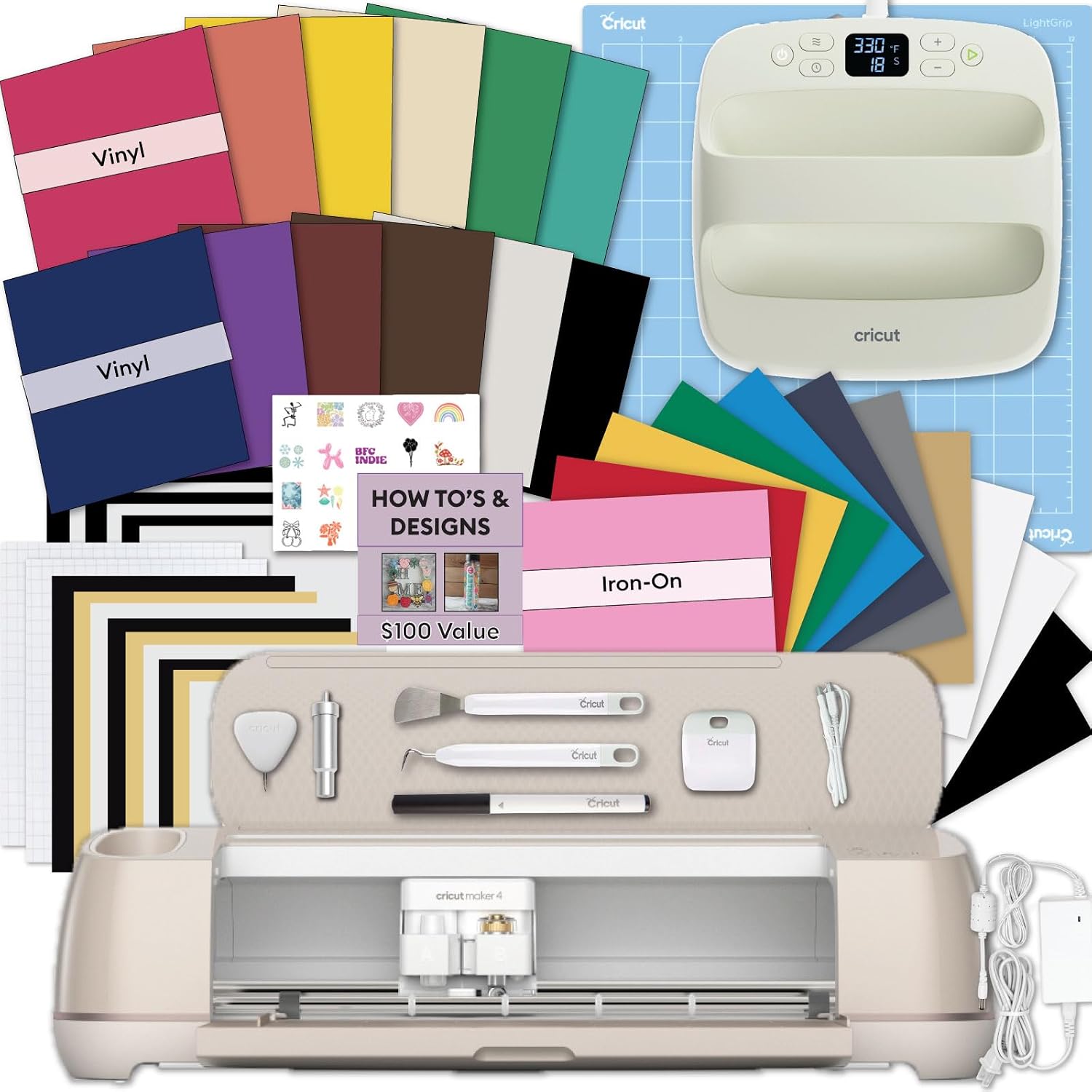
Best for T-Shirts and HTV: Cricut Maker 4 T-Shirt Making Bundle
This is the bundle I point beginners at when the goal is apparel, and the reason is the press, not the cutter. Almost every ruined first HTV project I have ever seen was not a cutting failure. It was a household iron that heated unevenly, so one corner of the design peeled after two washes while the rest of it stuck fine. The EasyPress SE in this box removes that variable before you ever run into it, and the included vinyl and iron-on kit means you can go from unboxing to a finished shirt without a second order.
The Maker line is genuinely good hardware. My honest opinion about the whole lineup is that the Maker is the one machine where the extra money buys you something real, because the tool ecosystem lets you score, engrave, and cut heavier materials when you know exactly why you need that. The catch is the phrase "when you know exactly why you need that." If you are buying the Maker 4 for shirts and tote bags, you are paying for capability you may never open. That is fine, but be honest with yourself about it.
Then there is Design Space. I use it daily and I still call it slow, cloud dependent, and the actual product Cricut wants to sell you. The subscription pop ups land mid project, and an update that breaks a saved project is a real risk you take. My advice for anyone buying a Cricut: budget for blades and mats, treat the subscription as optional until a specific feature forces your hand, and never buy the branded mat multipack at full price.
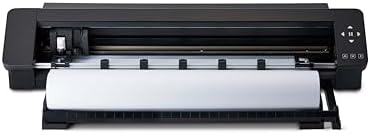
Best for Long Vinyl Runs: Silhouette CAMEO PRO MK-II 24-Inch
Twenty four inches wide and up to 60 feet long is not a hobbyist spec. That is a production spec, and I say that as someone who has spent years trimming 12 inch rolls down to fit a smaller machine, which wastes material, wastes time, and adds a step that can go wrong at 11 p.m. before a market. If you sell wall decals, long banners, shelf labels, or anything that runs in a single continuous piece, this class of machine changes your workday.
The math that matters here is cost per cut. A wider cutter lets you nest more pieces on one sheet, which drops your material waste per finished item. That is the number I track in my notebook, not the sticker price. A machine that saves you a few inches of vinyl on every sheet pays for a chunk of itself over a selling season, and a machine that makes you trim rolls never does.
Two honest warnings. First, 24 inches is a lot of width to manage if you make 4 inch decals, and you will spend more time wrestling material than cutting it. Second, the software side of every brand eventually has a paid tier, so do not buy the wide machine assuming the software will stay free forever. Buy it because the width and the run length solve a problem you actually have.
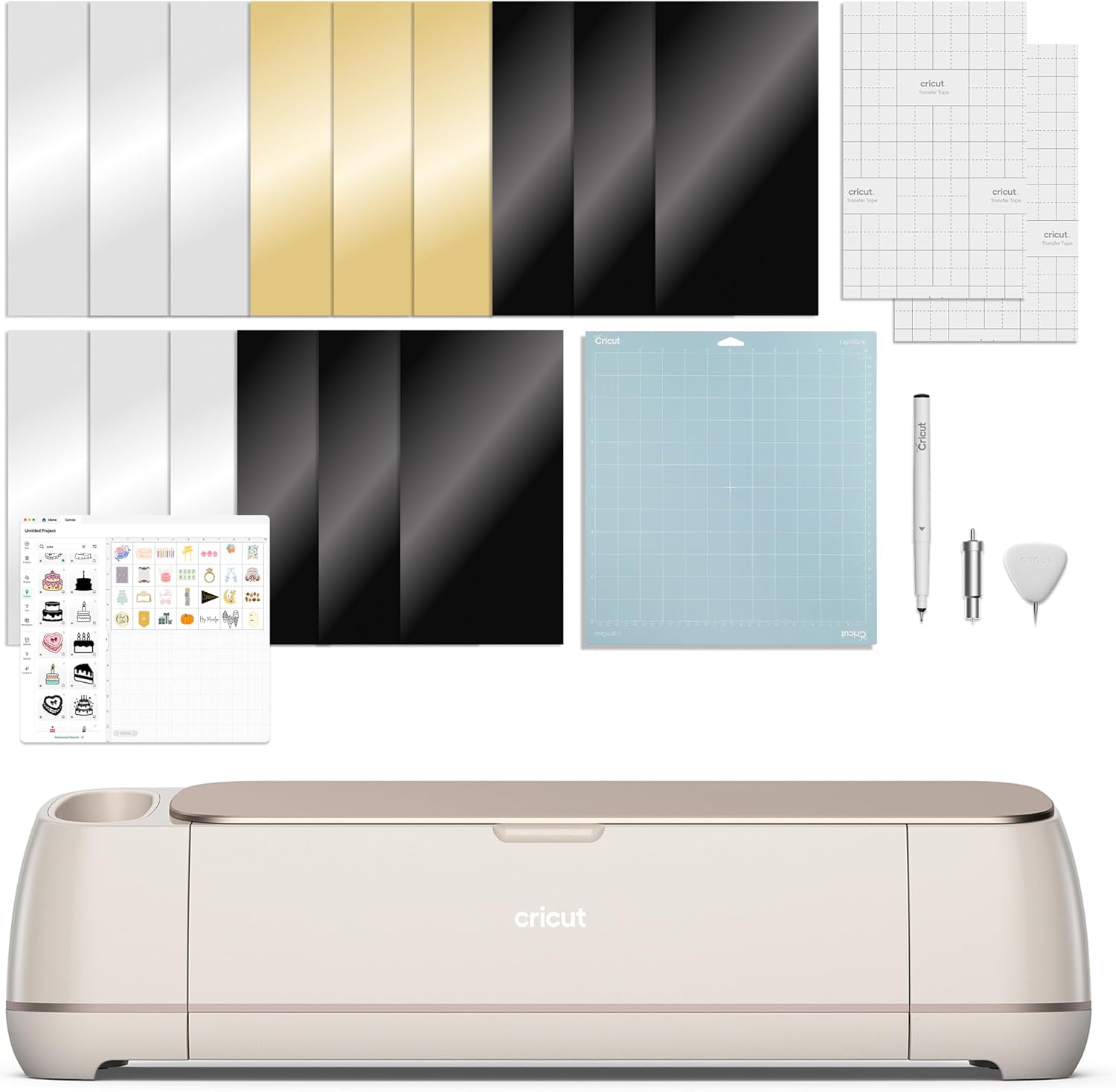
Best for Scanning Without a Computer: Brother SDX125E ScanNCut
The scanner is the entire pitch, and it is a good pitch. ScanNCut machines let you put a printed sheet or a hand drawing under the built in scanner, read it, and cut around the shapes without a computer in the loop. For papercraft, for cutting around printed artwork, and for anyone who has ever lost an afternoon to print then cut alignment, that is a genuine workflow change rather than a marketing bullet.
The second thing this machine solves is the cloud. If you are the kind of crafter who resents being online to cut a shape you already own, a machine that scans and cuts on its own is a quiet relief. I have friends who moved to this line for exactly that reason, and none of them have gone back.
The tradeoff is the community. Cricut's tutorial ecosystem is the moat, and it is not close. Whatever you want to make, somebody has already filmed a Cricut version of it. With Brother you will do more of your own troubleshooting, which is fine if you are comfortable with that and frustrating if you are not. My advice: buy this one if the scanner or the offline workflow is the reason, not as a general purpose first machine.
The Tool Nobody Lists: 6 Pack Putty Knife Set
Six stainless scrapers in 1, 1.5, 2, 3, 4, and 5 inch widths, and yes, they belong in a craft room. Here is why. Applying a large wall decal is 20 percent cutting and 80 percent surface prep, and prep means scraping old adhesive, paint ridges, and leftover wallpaper paste off the wall so the vinyl has something clean to grab. A wide flexible scraper does that better than anything sold in the vinyl aisle.
The narrow ones earn their keep on flat work. A 1 inch blade gets under an edge of transfer tape, presses a bubble out toward the nearest edge, and burnishes a seam flat. It is also the tool I reach for when a roll of vinyl has a crushed edge and I need to square it up before loading it.
One warning, and I mean this: do not scrape your cutting mat with a putty knife. You will gouge the surface and strip the stickiness that you paid for, and a mat that loses tack after eight cuts is already my number one pet peeve. Scrape walls, scrape tables, scrape dried glue off a workbench. Leave the mat alone.
The cutting machine comparison table
| Tool | What it does | Who it is for | Notes |
|---|---|---|---|
 Visit on Amazon → Visit on Amazon →Cricut Maker 4 T-Shirt Making Bundle |
Cuts vinyl and iron-on, includes an EasyPress SE heat press and a starter kit | Shirts, tote bags, custom apparel | Machine and press in one box |
 Visit on Amazon → Visit on Amazon →Silhouette CAMEO PRO MK-II |
24 inch vinyl cutter that handles runs up to 60 ft | Wall decals, long banners, sellers | Feed the roll, skip the trimming |
 Visit on Amazon → Visit on Amazon →Brother SDX125E ScanNCut |
Cutting machine with a built in scanner | Print then cut, papercraft, offline cutting | Scan a sheet, cut around it |
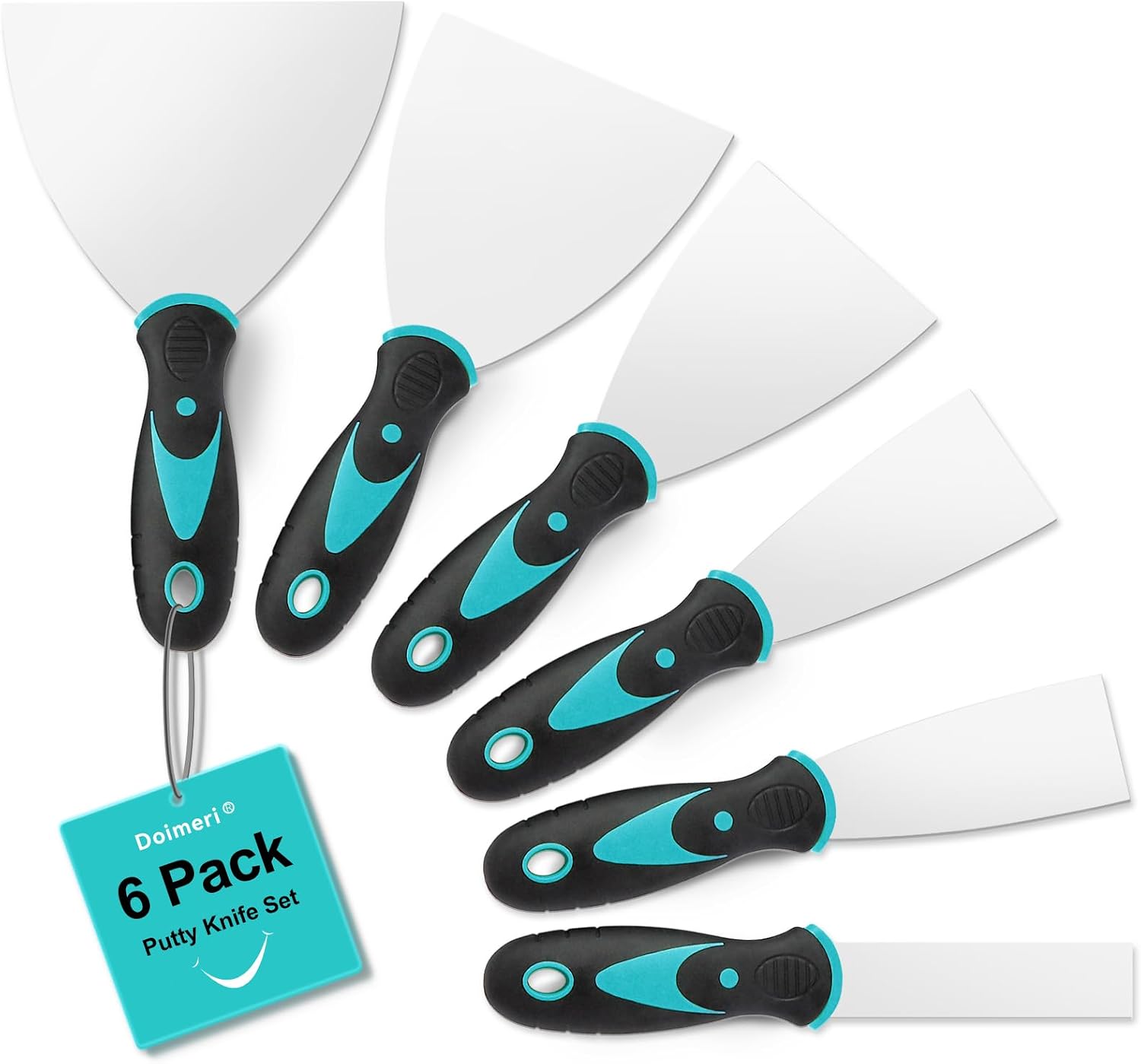 Visit on Amazon → Visit on Amazon →6 Pack Putty Knife set |
Six stainless scrapers from 1 inch to 5 inch | Wall prep, burnishing, edge work | Not a cutting machine |
How I judge a cutter
I do not start with the machine. I start with the job. If you make 50 stickers a year, buy the cheapest machine that cuts clean and never open the paid software tier. That is a real answer, and it is the one most buying guides will not give you because it does not sell anything.
For anything past that, four things decide whether a machine is worth owning. Blade life in actual cuts, because blades dull faster than the packaging admits and most "machine problems" are blade problems. Mat stickiness after eight or ten uses, because the mat is a consumable and a money pit, which is why I buy third party and have never noticed a difference. Material handling, meaning can you feed a roll without fighting it. And software cost over three years, because a machine that requires a subscription forever is not the price on the box.
Notice what is not on that list: brand loyalty. I own three Cricut machines and a borrowed competitor unit for comparison, and I still tell students to buy whichever tool matches the work. The other brands caught up on hardware a while ago. What Cricut still owns is the tutorial ecosystem, and that matters more for a beginner than any spec sheet.
What the specs leave out
Kiss cut versus die cut is the first thing a beginner gets wrong, and no product page explains it. A kiss cut goes through the vinyl and leaves the backing intact, which is what you want for stickers and decals you peel later. A die cut goes through everything, which is what you want for stencils and shapes. Same machine, same blade, different pressure and different blade depth. This is the single setting that decides whether your project works.
Blade housings and pressure settings are the second thing. Every material lies about its thickness, and the preset list in any software is a starting point, not a law. Keep a notebook. Write down the material, the blade, the pressure, and whether the cut was clean. Six months of that notebook is worth more than any accessory bundle.
And then there is the subscription question, which is the one I get asked most. My answer is always the same. Buy the machine for the hardware you need, decide on the software later, and do not let a pop up mid project make that decision for you. The machine is the bait. Design Space is the hook. Knowing that in advance is most of the battle.
Should you buy the Cricut Maker 4 T-Shirt Making Bundle?
If apparel is the plan, yes. Getting a cutting machine and the EasyPress SE in one purchase means you skip the step where you ruin a shirt with an iron and then go buy a press anyway. Add a third party mat and a spare blade and you have a workable setup for shirts, totes, and gifts.
Should you buy the Silhouette CAMEO PRO MK-II?
Yes if you sell, no if you craft for fun. The 24 inch width and the 60 ft run length are production features, and production features only pay you back when you are producing. If your work runs in long continuous pieces, this is the machine that stops the waste.
Should you buy the Brother SDX125E ScanNCut?
Yes if the built in scanner or an offline workflow is what you have been looking for. It is a different philosophy than a cloud first cutter, and for papercraft and print then cut work that difference is the whole point. Just expect to be your own tech support more often.
Should you buy the 6 Pack Putty Knife set?
Yes. It is the least expensive thing here and it solves the least glamorous problems: wall prep before a decal, old adhesive, burnishing seams, squaring a damaged roll edge. Buy the set, keep the 1 inch blade near your work surface, and keep all of them away from your mats.