Related: Best Cricut Blades for Glitter Vinyl and Cardstock
I ran a vinyl and sticker shop out of a spare bedroom in Nashville for six years, and in that time I learned that the machine is almost never the problem. So when someone asks me about Cricut Joy Xtra vs Maker 4, I ask what they want to cut before I answer anything else. Flat vinyl, labels, decals, and small HTV jobs belong to the Joy Xtra. Cardstock, folded cards, invitations, and paper crafts belong to the Maker 4. That one question sorts out most of the lineup.
The four items here are what I would put in front of a new crafter: two ways to buy the Joy Xtra, one Maker 4 card bundle, and a 20-pack of fine point blades that costs less than a takeout dinner. I own an old Explore and a Maker 3, so I have lived through the blade changes, the mats that quit sticking, and the Design Space pop-ups that show up mid-project. Nobody paid me to write this.
Best Starter Bundle: Cricut Joy Xtra with Smart Vinyl
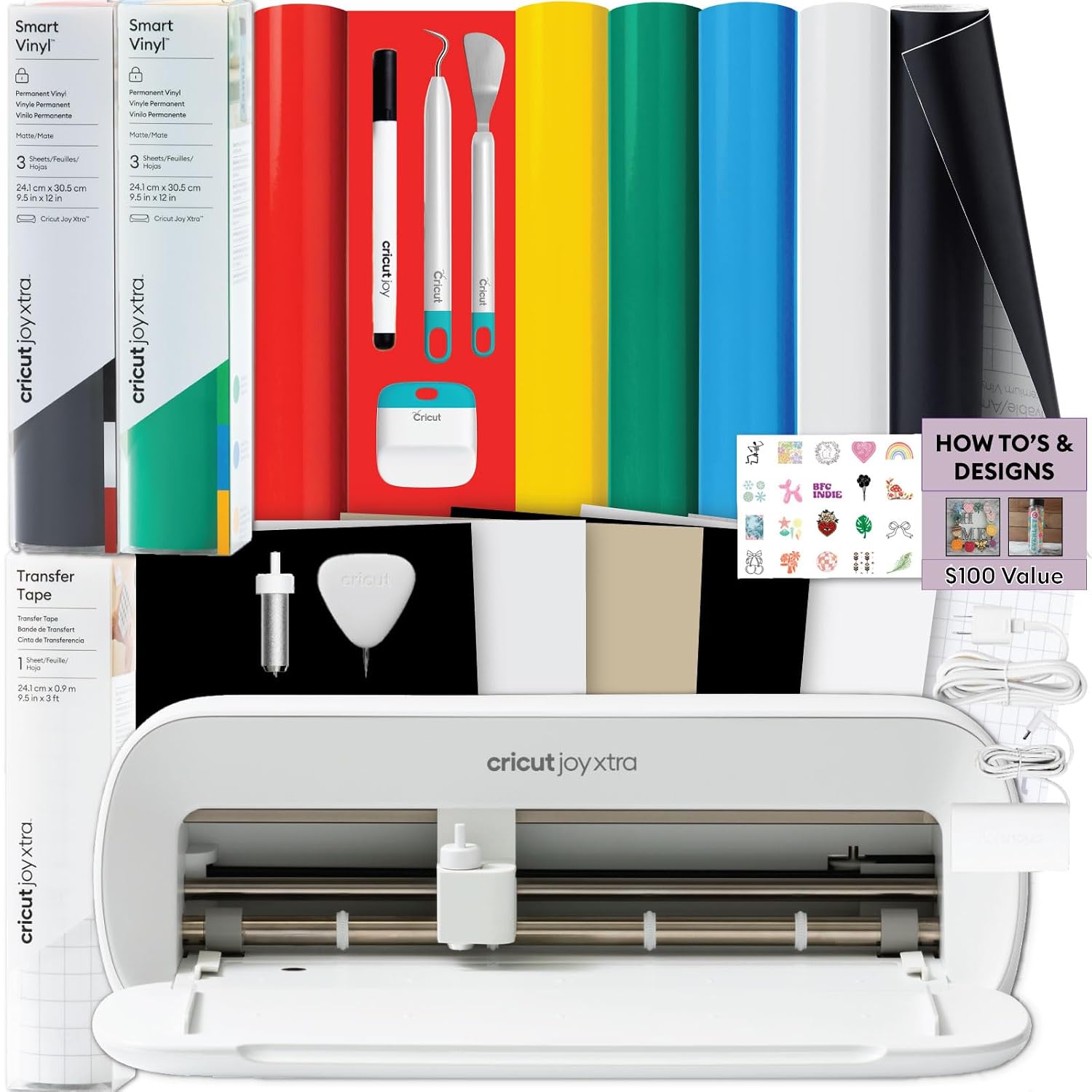
This is the box I would hand a total beginner, because it answers the question every new crafter asks on day two: what else do I need? You get the machine, a roll of rainbow permanent vinyl, transfer tape, the basic tools, and design guides. Nothing on that list is exciting, and that is the point. Your first week with a cutter is spent learning to weed and transfer, not shopping.
The Joy Xtra is the small-format machine, so it is built for labels, decals, tumblers, card fronts, and small HTV designs. It cuts Cricut's Smart Materials without a mat, which sounds like marketing until you have wrestled a sticky mat at eleven at night. The catch is that third-party vinyl, the stuff I actually buy by the roll, still wants a mat. Budget for mats separately and you will not be surprised.
Where this bundle earns its place: you will not stall on day one waiting for transfer tape to show up. Where it does not: the rainbow vinyl is a sampler, not a supply. Check current Amazon price, then add a roll of your own color to the cart while you are there.
Best for Tight Budgets: Cricut Joy Xtra Digital Content Bundle
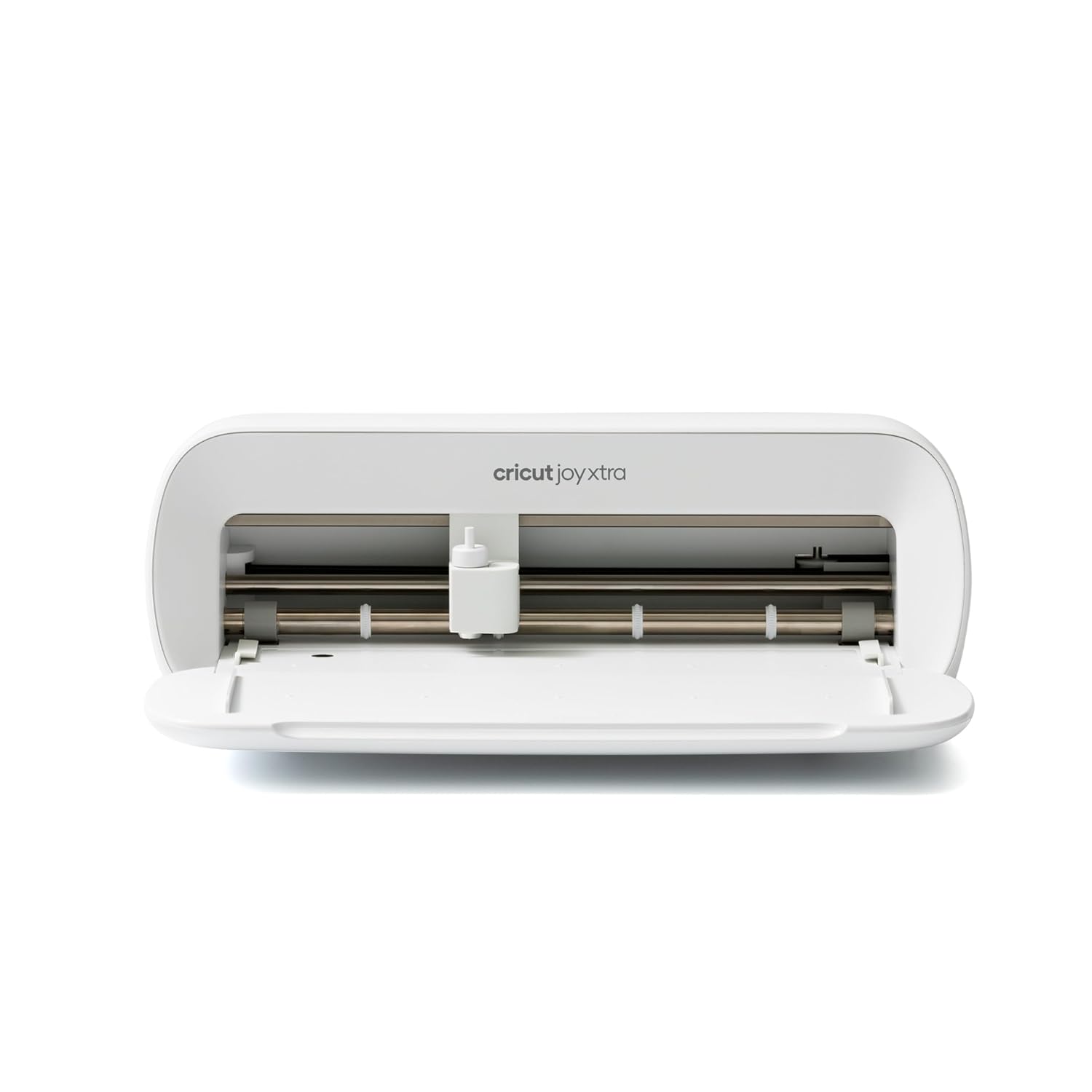
Same machine, different bundle. This configuration leans on digital content instead of physical materials. If you already own vinyl, transfer tape, and a weeding tool, that trade is a good one: you are paying for the cutter and getting design files on top instead of a rainbow roll you will use twice.
If you are starting from nothing, the reverse is true. Digital content is not a material, and no amount of it helps you when you have a design on screen and bare mat in front of you. In that case the bundle above is the better first purchase, and this one is the later upgrade.
Both configurations run in Design Space, which is the part of the ecosystem nobody escapes. The software is slow, it lives in the cloud, and it will happily sell you a subscription in the middle of a project. Budget your patience along with your vinyl. Check current Amazon price before you decide which bundle is actually the cheaper door in.
Best for Paper Crafters: Cricut Maker 4 Card Making Bundle
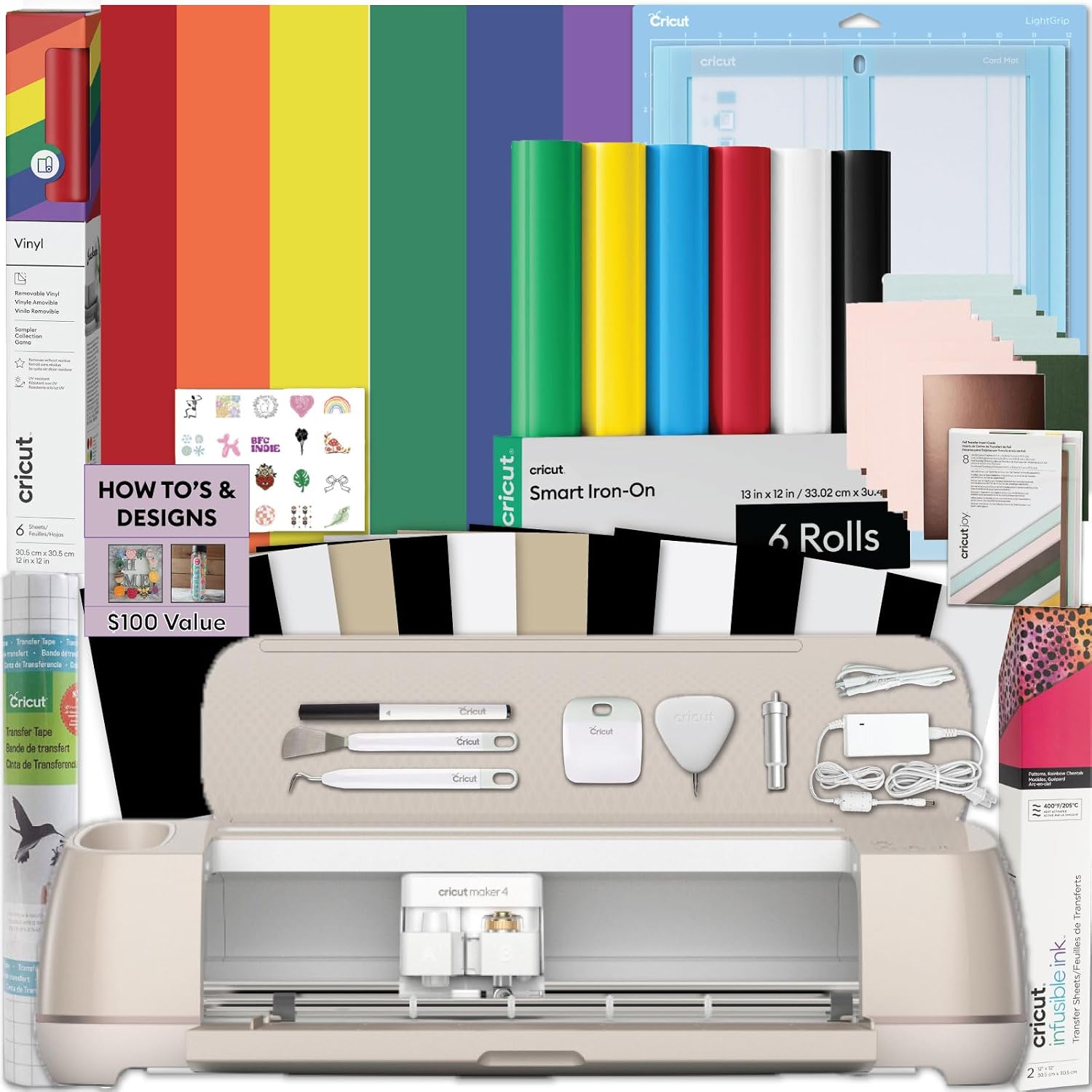
The Maker is the only machine in this lineup I recommend without an eye roll, and the card bundle is the most coherent way to buy one. You get the machine, a card mat, card inserts, and materials aimed at greeting cards, invitations, and paper crafts. The card mat is the piece that turns a cutter into a card machine, and having it in the box means you are not hunting the one accessory that makes the whole project work.
This is the right buy if your answer to "what do you want to make?" involves paper, cardstock, folded cards, or invitations. It is the wrong buy if you only ever cut vinyl. The Maker's extra tools and pressure control are genuinely good, but they are for people who know what they want to do with them. Buying a Maker to cut stickers is like buying a pickup truck to carry groceries.
Check current Amazon price before you commit, and price a pack of replacement mats at the same time. Mats are a consumable, and the one in the box is not a lifetime supply.
The Blade Refill Worth Adding: Viemior Fine Point Blades
If I could change one habit in this hobby, it would be blade hoarding. Blades dull faster than the packaging admits, and most "my machine is broken" complaints are a worn blade pushing material around instead of slicing it. That is why I keep a pack like this in the drawer instead of nursing one blade through a season of cuts.
These are fine point blades listed as compatible with the Maker 3, Maker 4, Maker, Explore 3, Explore 4, Explore Air 2, Air, One, and Venture. They are aimed at slicing cuts in glitter vinyl, cardstock, faux leather, adhesive foil, and vellum. Twenty of them in one pack means you stop rationing. When a cut starts dragging instead of releasing, you swap the blade and get on with your evening.
The honest caveat: a cheap blade is a cheap blade. Steel is steel, and a bargain pack will not outlast a premium single. What it does is remove the mental arithmetic that makes people push a dull blade through one more project and blame the machine. Check current Amazon price and compare it to what you have been paying for singles.
How I judge a cutting machine
Four things, in this order: what it can cut, what it costs per project, what it locks you into, and how annoying the software is. Material range comes first because it decides which projects exist for you at all. A machine that cannot handle your material is not a bargain at any price.
Cost per cut is where bundles flatter themselves. A bundle with materials in it is not cheaper, it is a starter kit. If the included materials are the wrong colors for what you sell, you paid for shelf clutter. That is fine for a first machine and wasteful for a fifth.
Then there is the subscription. Cricut sells a machine once and a subscription forever. The machine is the bait and Design Space is the hook. If you cut fifty stickers a year, stay on the free tier and close every pop-up without guilt. If you sell what you cut, price the subscription into your margins before you launch, not after your first slow month.
What the specs do not tell you
Mats lose their stickiness long before they look worn, and the replacement cost adds up faster than most people expect. I buy third-party mats and have not noticed a difference worth paying for. When a mat stops holding, wash it before you toss it, then toss it anyway if it still curls at the corners.
Cricut-brand materials are fine. They are also priced for convenience, and convenience is a strange thing to pay a premium for when you are already waiting on shipping. Vinyl, HTV, and mats are all better bought elsewhere. The machine is where the brand earns its money.
Blade life is the spec nobody prints. Fine point blades are the workhorse, and the difference between a sharp one and a tired one shows up as fuzzy edges on glitter vinyl and torn cardstock. Change the blade before you change the pressure setting.
The Cricut buying reference table
This is the table I would keep taped inside a cabinet if I were starting over. Match your answer to the first column, then look at what you are actually getting.
| Setup | Best for | What is in the box | Price |
|---|---|---|---|
 Visit on Amazon → Visit on Amazon →Joy Xtra with Smart Vinyl |
First machine, no supplies on hand | Machine, rainbow permanent vinyl, transfer tape, tools, design guides | $229.99 |
| <img src="/images/products/B0DCWDJ2GX.jpg" alt="Cricut Joy Xtra - Smart Cutting Machine | Digital Content Bundle" width="340" style="border-radius:8px;max-width:340px;width:340px;height:auto;max-height:420px;object-fit:contain"> Joy Xtra Digital Content |
Crafters who already own materials | Machine plus digital content |
 Visit on Amazon → Visit on Amazon →Maker 4 Card Making Bundle |
Cards, invitations, paper crafts | Machine, card mat, card inserts, materials | $499.99 |
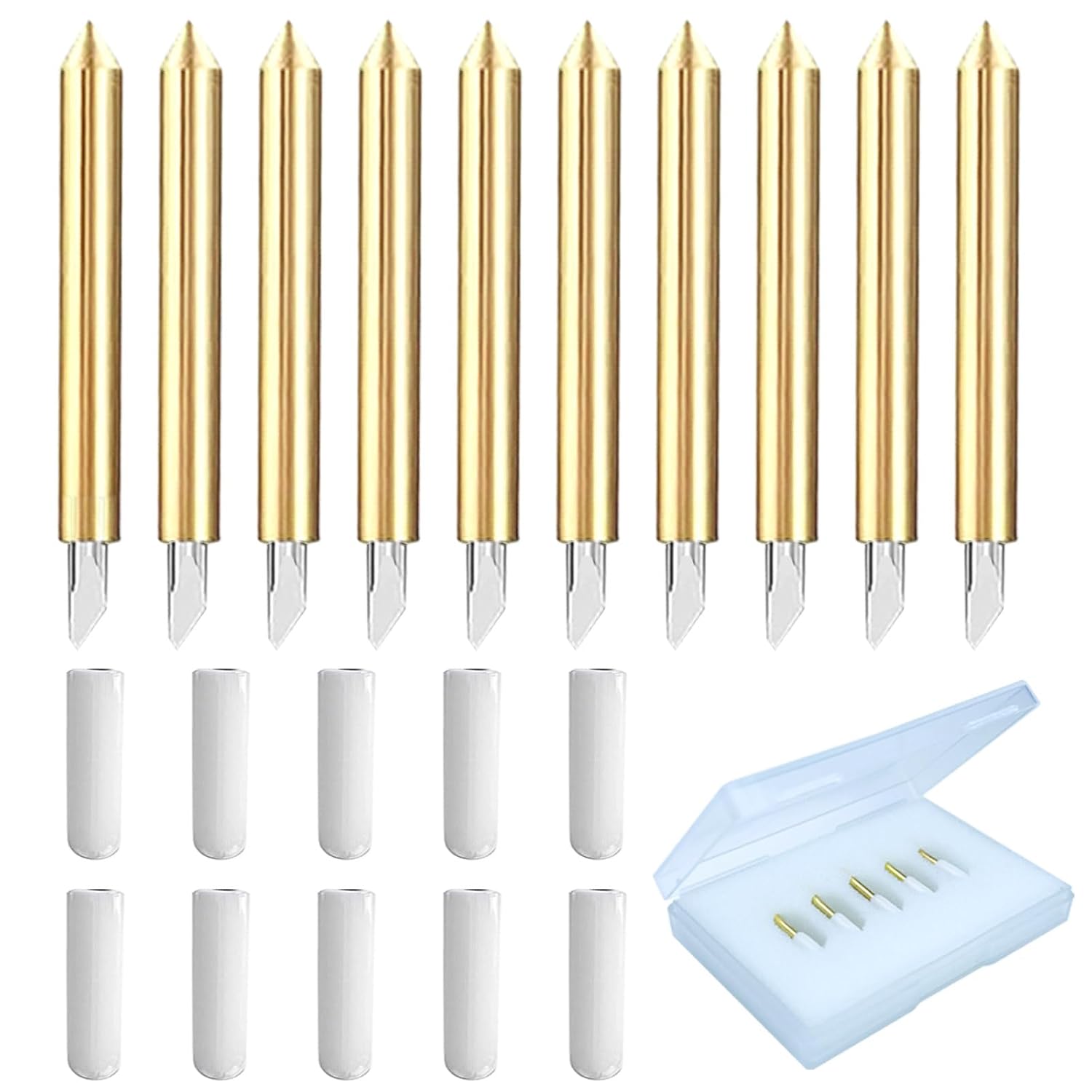 Visit on Amazon → Visit on Amazon →Viemior Fine Point Blades |
Anyone whose cuts are dragging | Twenty fine point blades | $5.98 |
The key is honesty about what you actually make. Almost every bad Cricut purchase I have watched came from buying for the crafter someone hoped to become instead of the crafter they already were.
Where the Joy Xtra stops
Small-format means small format. If your project is wider than a card front or a shirt pocket, you will be tiling and piecing, and tiling is a skill of its own. Labels, decals, mugs, and small HTV are where this machine is comfortable all day.
Where the Maker 4 starts
Paper. The card mat, the inserts, and the tool range are the reason the Maker exists, and the card bundle puts the useful parts in one box. If you are not cutting paper or heavier specialty materials, you are paying for capability you will not touch.
Should you buy the Joy Xtra bundle?
Yes, if you are starting from zero. You get the machine plus the boring items that stall a first project, and you can be weeding vinyl the day it arrives instead of waiting on a second order. Just know the included vinyl is a sampler, and third-party vinyl still wants a mat.
If you already have a drawer full of vinyl and transfer tape, buy the digital content configuration instead and put the difference toward materials in colors you will actually use.
Should you buy the Maker 4 card bundle?
Yes, if your answer to what you want to make involves paper. The card mat and inserts are the pieces that make card projects work, and getting them in the box saves you a scavenger hunt through accessory listings later.
If you only cut vinyl, no. Buy a Joy Xtra, keep the savings, and spend it on blades and mats, which are the two things you will actually run out of.