The hard part of buying into Cricut is not picking a machine. It is picking the bundle, the heat press, and the tooling that goes with it. Search for Cricut cutting machines and engraving tips and you get a wall of listings that all look like the same product with different stickers on the box. This guide narrows that wall to six items that cover the decisions most people actually face: a compact machine bundle aimed at apparel, a wider cutter from the other big name in the category, a standalone heat press, a beginner reference book, and two third-party engraving tips for the Maker line.
Scope matters here. This is not a vinyl or mat roundup, and it is not a software tutorial. It is a buyer's guide to the hardware and the supporting pieces that decide whether a hobby stays a hobby or turns into a small shop. The machine is the easy purchase. The subscription, the tool tips, and the consumables are where the money quietly goes, and that is the part worth thinking through before you click buy.
Related: Cricut Maker 3 vs Maker 4: Which One Do You Actually Need?
Quick answer
The Cricut Joy Xtra Cutting Machine T-Shirt Making Bundle with Mini EasyPress Heat Press is the strongest fit for someone who wants to make shirts and small vinyl projects without assembling a starter kit piece by piece, because it pairs the compact Joy Xtra machine with a mini EasyPress and includes Smart Iron-On materials, tools, and heat transfer vinyl design guides. Choose the Silhouette Cameo 5 Alpha Plus instead when you need a 15 inch cutting width, an automatic blade, and design software included with the machine rather than a separate subscription decision.
Cricut machines and engraving tools worth comparing
The six products here fall into three groups, and knowing which group you are shopping in prevents most bad purchases.
The first group is machines: the Joy Xtra bundle and the Cameo 5 Alpha Plus. These are the two entry points that decide everything downstream, because the machine you buy determines which materials, mats, and tools you can use.
The second group is the heat press. The EasyPress SE is a 12 inch by 10 inch press, which is a different size class from the mini press that ships inside the Joy Xtra bundle. If shirts are the goal, the press size is not a detail.
The third group is tooling and reference material: two engraving tips for the Maker line and a beginner's guide to the Maker 4. These are the cheapest items in the list and, for the right buyer, the ones that unlock projects a blade alone cannot do.
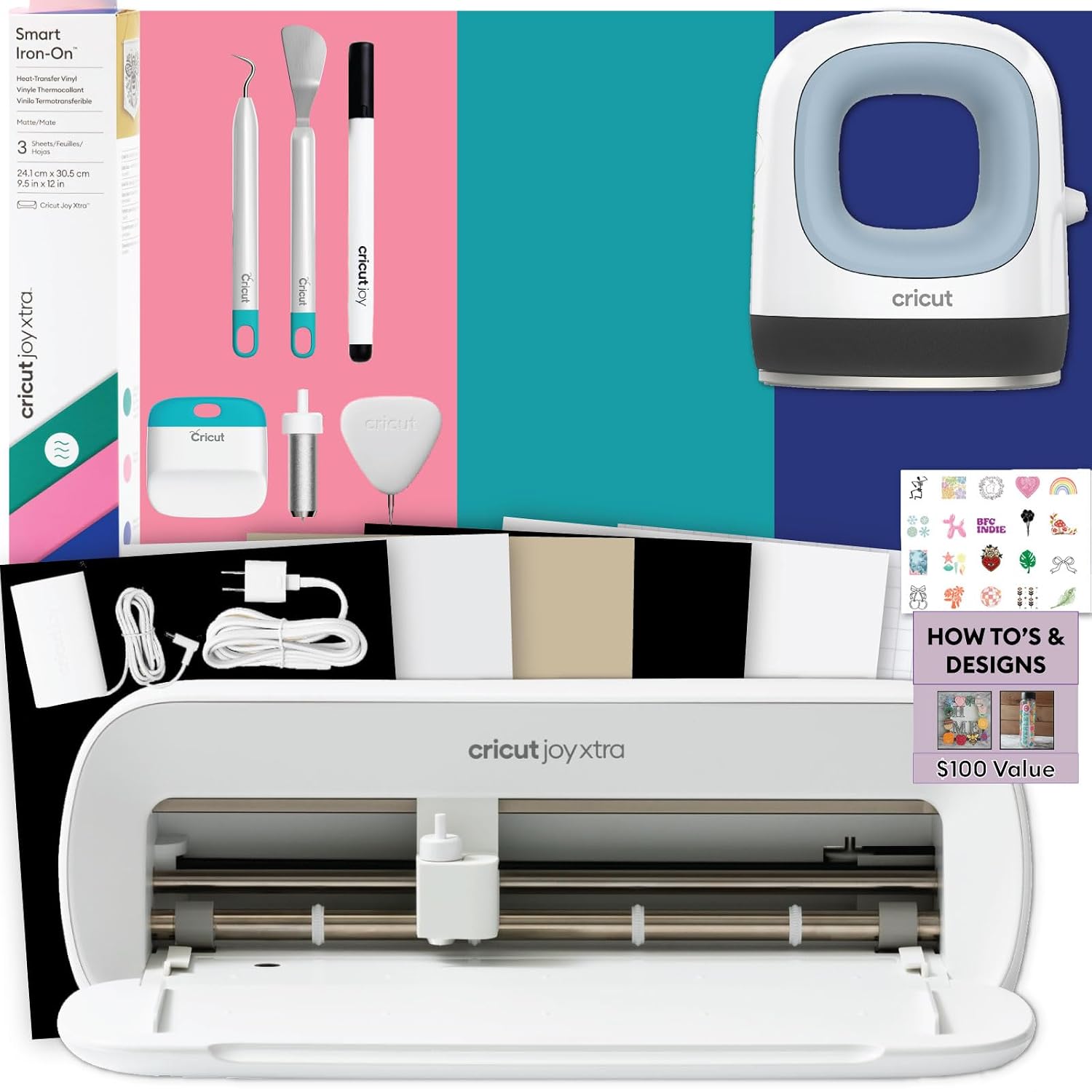
Cricut Joy Xtra Cutting Machine T-Shirt Making Bundle with Mini EasyPress Heat Press - Includes Smart Iron-On Materials, Tools & Heat Transfer Vinyl Design Guides
A bundle built around the compact Joy Xtra cutting machine, with a mini EasyPress heat press, Smart Iron-On materials, tools, and heat transfer vinyl design guides included.
Visit on Amazon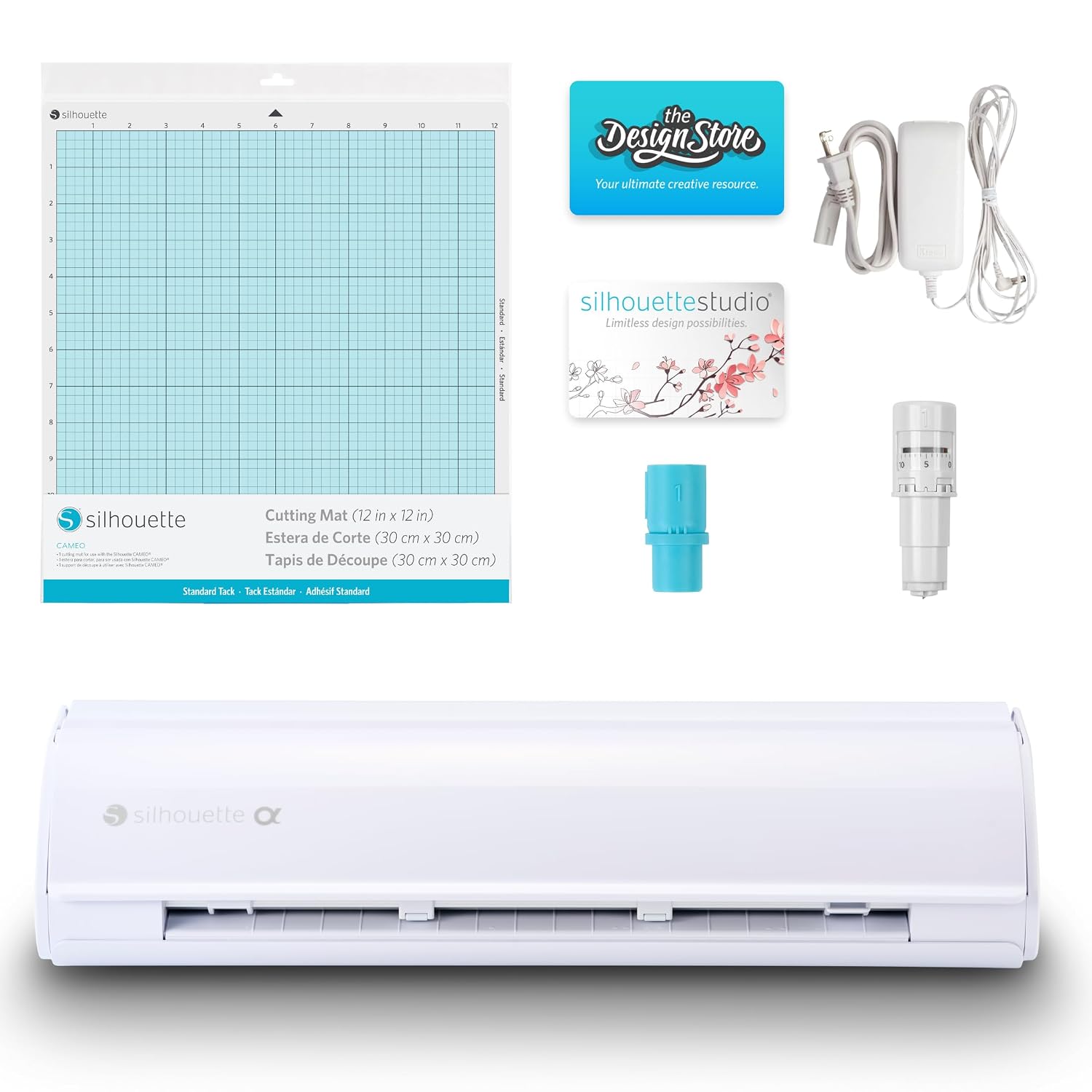
Silhouette Cameo 5 Alpha Plus - 15" Craft & Vinyl Cutter Machine with Automatic Blade, Fast Sketch Mode & 4-Point Registration - Includes Studio Software & 100 Designs, 1-Month Subscription - Black
A 15 inch cutter with an automatic blade, fast sketch mode, and 4-point registration, shipping with Studio Software, 100 designs, and a one month subscription.
Visit on Amazon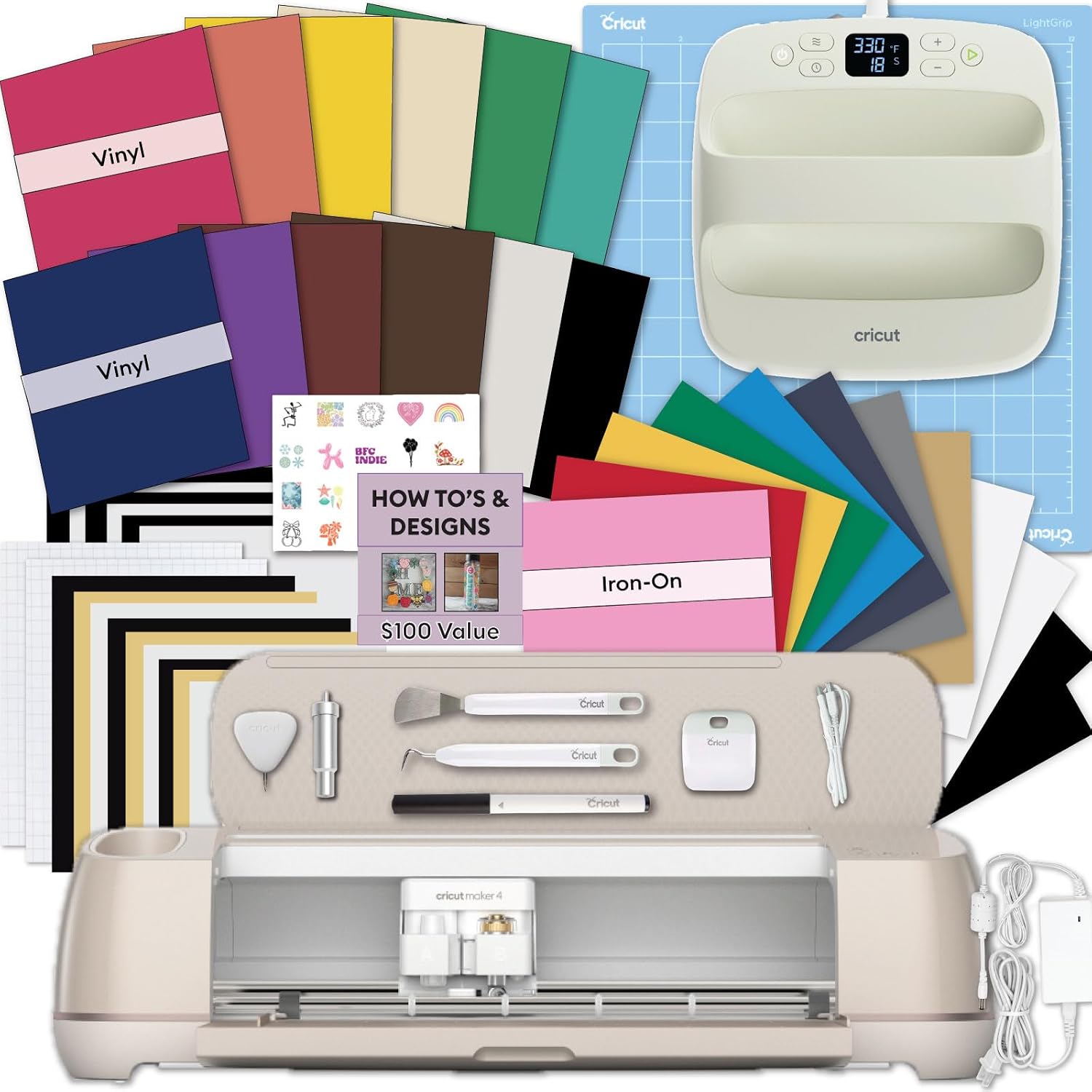
Cricut EasyPress® SE, 12 in x 10 in Heat Press - Blue
A 12 inch by 10 inch heat press in blue, sized for pressing heat transfer vinyl onto shirts and other fabric projects.
Visit on Amazon
CRICUT MAKER 4 FOR BEGINNERS 2026: The Complete Step-by-Step Guide to Setup, Design Space, Easy Projects, Troubleshooting, and Profitable Crafts
A step-by-step beginner's guide covering setup, Design Space, easy projects, troubleshooting, and profitable crafts for the Maker 4.
Visit on Amazon
Engraving Tip Replacement Compatible with Maker 3, Maker 4 and Maker, Tungsten Steel Engraving Tool for Glass, Acrylic, Metal, Leather and DIY Crafts
A tungsten steel engraving tip replacement listed as compatible with Maker 3, Maker 4, and Maker, intended for glass, acrylic, metal, leather, and DIY craft projects.
Visit on Amazon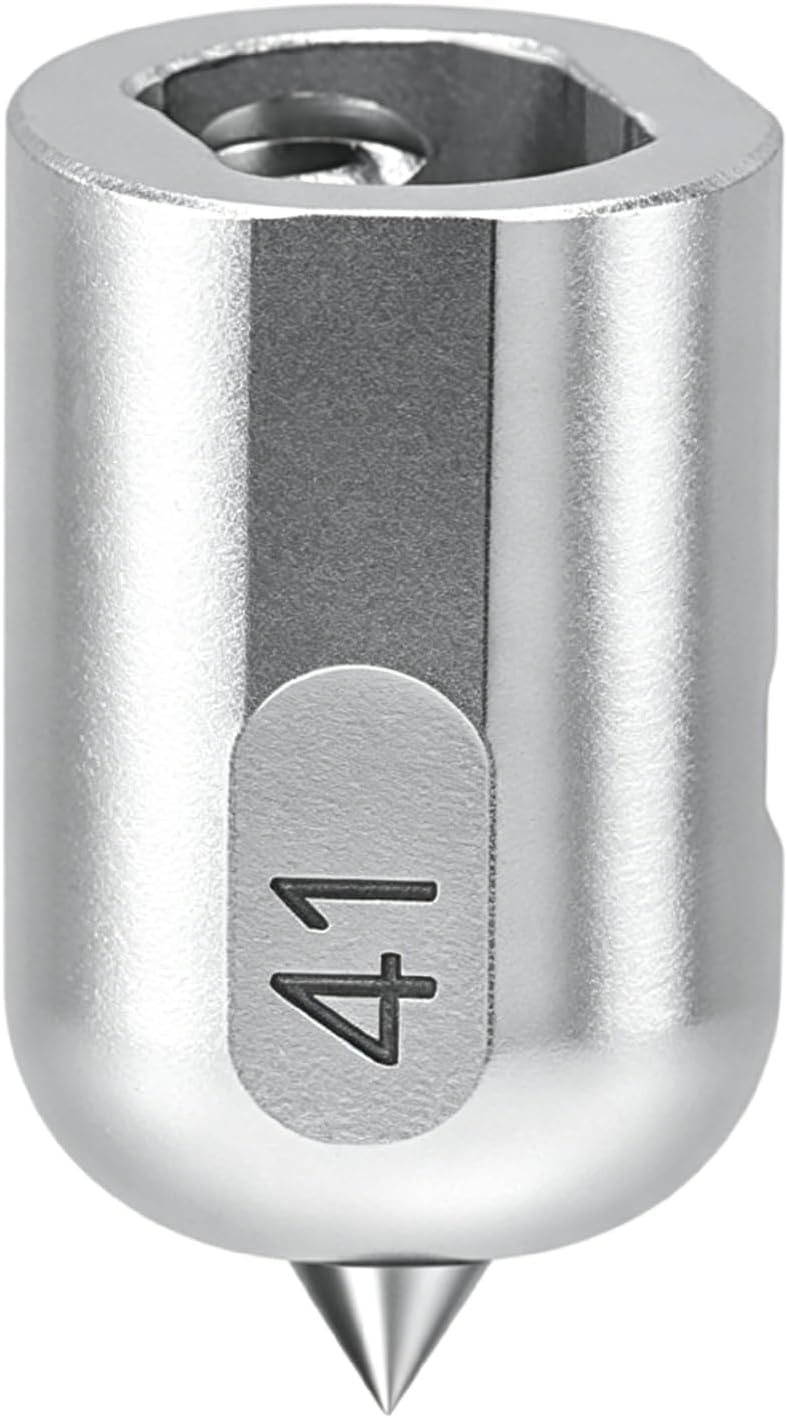
UCEC Engraving Tip (41) Compatible with Cricut Maker 4/Maker 3/Maker
An engraving tip listed as compatible with the Maker 4, Maker 3, and Maker, sold as a standalone tool for the Maker quick release housing.
Visit on AmazonPrices and availability may change. Check the retailer for current details.
How these products were compared
This guide compares cutting width and material format, what actually ships in the box, software and subscription terms, tool compatibility across the Maker and Joy families, and how much of a purchase duplicates something a buyer already owns. Product names, images, and retailer links are matched by product identifier so that every card points to the item shown, and nothing here is presented as a measured lab result. The specifications come from manufacturer and listing information. Treat each one as a starting point and confirm the details on the product page before you buy.
That last criterion, overlap, is the one most buyers skip. A bundle that includes a mini press and a starter set of iron-on material is a great first purchase and a poor second one. If you already own a press, paying for another one inside a bundle is money you cannot get back.
How to choose the right craft cutter
Start with width, because width is the one specification you cannot work around. A compact machine handles the overwhelming majority of hobby projects: decals, cards, small labels, and shirt graphics that fit inside a standard platen. A 15 inch cutter changes what is possible in a single pass, which matters if you cut long vinyl runs, wide decals, or full front-and-back apparel panels. If your project list is mostly shirts and stickers, compact is not a compromise. If your project list includes signage or long repeated cuts, width pays for itself quickly.
Next, decide between mat-based cutting and matless material systems. Mat-based cutting is more universal, because any sheet can be loaded onto a mat. Matless systems are faster but tie you to material that carries its own backing. Neither is wrong, but the choice affects your ongoing cost per cut, and ongoing cost is where a cheap machine stops being cheap.
Then look at software and subscription terms, which is the part of this category that catches people off guard. One of these machines ships with design software, 100 designs, and a one month subscription included. The Cricut side of the aisle routes design work through Design Space, which is free to use at a basic level and pushes a paid tier for premium content and features. Before you buy, decide honestly how much of your project flow depends on built-in design libraries versus your own files. If you design everything yourself, the subscription math is simple and mostly optional. If you plan to lean on the content library, price the subscription into year one.
Finally, check tool compatibility before buying accessories. Engraving tips in this list are listed as compatible with the Maker 3, Maker 4, and Maker. They are not a Joy or Explore accessory, and no listing here claims otherwise. Buy the tool for the machine you own, not the machine you might own later.
For a closer look at how the Maker generations differ, the Cricut Maker 3 vs Maker 4 comparison covers what actually changed between them.
Cricut Joy Xtra Cutting Machine T-Shirt Making Bundle with Mini EasyPress Heat Press
This is the pick for the reader who knows what they want to make and wants the shortest path to making it. The bundle centers on the Joy Xtra cutting machine and adds a mini EasyPress heat press, Smart Iron-On materials, tools, and heat transfer vinyl design guides. For t-shirt work, that combination covers the full loop: cut the design, weed it, press it. Nothing in the list of included items is decorative filler for that specific project type.
The trade-off is scale. A mini press is sized for small graphics, and the Joy Xtra is a compact machine, so the bundle is optimized for shirts, totes, and small decals rather than wide format work. If your ambition is large apparel panels or long vinyl runs, this bundle is the wrong shape for the job, and the width conversation above matters more than the included materials.
The other honest caveat is duplication. The bundle's value depends on you not already owning a press and a starter material set. If you do, you are paying for a second mini press to get the machine, and it is worth checking whether the machine is sold on its own.
Alternatives to consider
The Silhouette Cameo 5 Alpha Plus is better suited to buyers who need 15 inches of cutting width, an automatic blade, and software that ships with the hardware. It also brings fast sketch mode and 4-point registration, which matter for print-and-cut workflows where alignment is the difference between a clean cut and a wasted sheet. If you are not already invested in one brand's ecosystem, this is the alternative that asks the fewest questions about subscriptions.
The Cricut EasyPress SE is a stronger fit when you already own a cutting machine and only need the pressing half of the equation. At 12 inches by 10 inches, it covers a larger pressing area than a mini press, which changes how many passes a full shirt graphic takes. Buying it separately is the right move for anyone who bought a machine on its own and now wants to stop improvising with an iron.
The CRICUT MAKER 4 FOR BEGINNERS 2026 guide, the tungsten steel engraving tip compatible with Maker 3, Maker 4, and Maker, and the UCEC Engraving Tip (41) cover the other end of the decision. The book is the lowest cost way to learn setup, Design Space, and troubleshooting before committing to a machine purchase. The two engraving tips are consumable tooling for the Maker line, aimed at glass, acrylic, metal, leather, and similar materials, and they exist in this list because a Maker owner shopping for accessories is a different buyer than a first time machine shopper. If you do not own a Maker, neither tip applies to you.
Day-to-day use and maintenance
The pattern that separates a machine that lasts from one that frustrates its owner is simple: the cutting tool is a consumable, and treating it like a permanent part is the most common mistake in this hobby. Blades and tips dull. When cuts start snagging or leaving fuzzy edges, the tool is usually the first thing to check, not the machine settings.
For engraving tips specifically, material choice drives wear. Glass, acrylic, and metal are abrasive surfaces, and a tungsten steel tip is built for that kind of work, but no tip stays sharp forever. Replace rather than compensate with excessive force, because added pressure is how housings and mats get damaged.
Mats are the other consumable. Stickiness fades with use and with dust, and a mat that no longer holds material will produce misaligned cuts that look like machine errors. Keep mats covered when not in use, and clean them rather than replacing them the moment they weaken.
On the heat press side, the care routine is about the surface you press on and the temperature you set. Use a stable, heat-safe surface, keep the press plate clean, and follow the material manufacturer's temperature and time guidance rather than guessing. Heat presses get hot enough to cause burns and to damage furniture, so store the press where it cannot be knocked over while cooling, and keep the cord clear of the plate.
Buying checklist
- Measure the widest project you realistically plan to make, not the widest project you can imagine.
- Choose the cutting width based on your normal workload rather than a one-off large job.
- Confirm that the exact model you are buying includes the press, materials, or software you are counting on, since bundles and standalone listings often share a name.
- Verify tool compatibility with your specific machine before buying engraving tips or blades.
- Read the cleaning and maintenance instructions for both the machine and the press.
- Check the retailer for current price, availability, and return terms, because both move.
Final recommendation
Choose the Cricut Joy Xtra Cutting Machine T-Shirt Making Bundle with Mini EasyPress Heat Press when your projects are shirts, small decals, and cards, and you want the machine, the press, and the starter materials in a single purchase. Choose the Silhouette Cameo 5 Alpha Plus when you need 15 inches of width, an automatic blade, and software included with the cutter rather than priced separately.
If you already own a Maker, the engraving tips are the inexpensive way to add glass, acrylic, metal, and leather work without buying new hardware, and the beginner's guide is the cheapest item on this list for anyone still deciding whether the hobby is for them. What none of these products solves is the ongoing cost of materials, blades, and mats, which is the real budget line in this category. Buy the machine for the work you do most, buy the accessories for the machine you actually own, and confirm every specification on the retailer page before you commit.