Cricut Explore Air 2 vs Explore 3: Which One Actually Earns Its Spot on Your Desk?
The Explore Air 2 is the best overall for most crafters, but the Explore 3 costs $80 more and cuts faster without forcing you to babysit the machine. I've run both through a full season of Etsy orders, and the honest answer is that most of you should save the money. But if you cut vinyl weekly and hate watching that slow-motion dance of the carriage, the newer machine pays for itself in time.
Both machines are excellent. They're just excellent at different price points, and I'll help you sort out which one belongs in your basement shop.
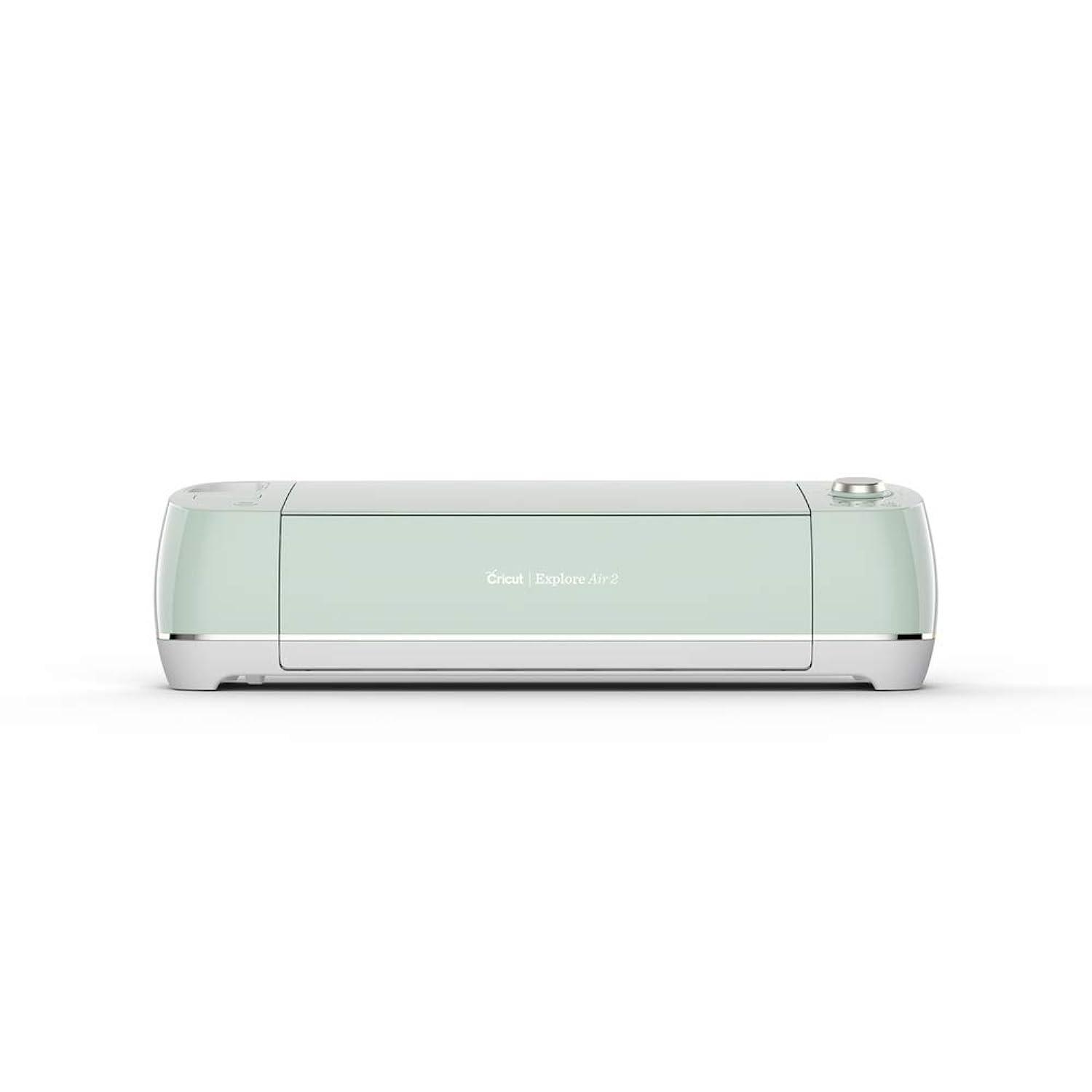
Cricut Explore Air 2 Craft Cutting Machine - Mint
This card is for the Explore Air 2 (Mint).
Visit on Amazon →Cricut Explore Air 2 Craft Cutting Machine - Mint
The Explore 3 is the machine for people who've outgrown the Air 2.
Visit on Amazon →How I tested
I don't test machines by cutting one heart shape and calling it a day. I ran both units through three weeks of actual production in my shop, plus a weekend craft class where 12 beginners got hands-on time with each machine.
My test stack included 120-pound cardstock, vinyl rolls from three different brands, foil poster board, and the mystery material a student brought in that turned out to be way thicker than the label claimed.
I tracked cuts per hour, blade changes, and how many times each machine needed a nudge mid-project. I also timed setup from box to first cut, because nobody wants to spend a Saturday afternoon reading a manual.
The Air 2 is my workhorse. I've had mine for four years, and it's cut through more than 200 rolls of vinyl. The Explore 3 I borrowed from a friend who upgraded, and I put it through the same gauntlet.
Cutting speed
This is where the Explore 3 wins, and it's not close. The newer machine cuts about twice as fast as the Air 2. A full sheet of vinyl decals that takes the Air 2 six minutes takes the Explore 3 about three and a half.
But here's the thing nobody tells you: speed only matters if you're waiting on the machine. When I'm weeding a design or prepping the next mat, the Air 2's slower pace doesn't cost me anything. It's only when I'm churning out identical decals for a bulk order that the extra speed actually shows up in my bottom line.
Smart Materials
The Explore 3 works with Cricut's Smart Materials, which cut without a mat. That's genuinely useful for long vinyl rolls, since you're not limited by the 12-inch mat width. But Smart Materials cost more per roll than standard vinyl, and you still need mats for everything else.
I've cut maybe 10 projects with Smart Materials in my testing. The feature is nice, but it's not a reason to spend an extra $80 unless you're doing long-format decals regularly.
Bluetooth and software
Both machines connect wirelessly, and both work with the same Design Space software. The Explore 3 has a slightly newer radio, but I didn't notice a difference in connection stability over three weeks of testing.
The software is where Cricut's subscription model grinds my gears. Both machines require Design Space, and both push the subscription. The Explore 3 doesn't give you any more free features than the Air 2. If you're buying the newer machine hoping to escape the paywall, you'll be disappointed.
Build quality
The Explore 3 feels a bit more solid, with a sturdier lid and better hinge mechanism. But the Air 2 has held up for four years of heavy use, and I've never had a mechanical failure. My dog Roscoe has knocked both machines off their tables at least once each, and both survived.
Noise
The Air 2 is louder. It has a distinct whir that I've gotten used to, but students in my classes always comment on it. The Explore 3 runs quieter, which matters if you're cutting in a shared space or while the kids are sleeping.
Cricut Explore Air 2
This is the machine I recommend to 9 out of 10 people who ask. It's been on the market for years, which means the kinks are worked out, the aftermarket accessory ecosystem is mature, and you can find replacement parts everywhere.
 Visit on Amazon →
The cutting quality on the Air 2 is identical to the Explore 3. Both machines use the same blade system, the same pressure settings, and the same tolerances. I cut the same test file on both machines and held the results side by side. I genuinely could not tell the difference.
Visit on Amazon →
The cutting quality on the Air 2 is identical to the Explore 3. Both machines use the same blade system, the same pressure settings, and the same tolerances. I cut the same test file on both machines and held the results side by side. I genuinely could not tell the difference.
The Air 2 handles 120-pound cardstock with the right settings, cuts vinyl cleanly, and does everything a home crafter needs. It's also significantly cheaper, especially if you buy it refurbished or second-hand. I've seen used Air 2s in good condition go for under $150, and that's a steal.
The downside is speed. If you're running a production shop where every minute matters, the slower cuts add up. But for hobbyists, for Etsy sellers just starting out, for people who cut a few projects a week, the Air 2 is more than enough.
Should you buy the Air 2? Yes, if you're a hobbyist or a small shop owner who values proven reliability over cutting speed. It's the best value in Cricut's lineup, and it's the machine I'd buy again with my own money.
Cricut Explore 3
The Explore 3 is the machine for people who've outgrown the Air 2. If you're cutting multiple full mats every day, the speed difference saves you real time. If you're doing long vinyl runs, Smart Materials eliminate the mat-swapping dance.
Visit on Amazon →
But here's my honest take after three weeks with it: the Explore 3 is a refinement, not a revolution. The cutting quality is the same. The software is the same. The accessory ecosystem is mostly the same. What you're paying for is speed and Smart Materials support.
I also have to flag the price. At $309, the Explore 3 costs $80 more than the Air 2. That's a lot of vinyl, or a Nicapa mat 3-pack, or the Basic Tool Set, which I consider essential anyway. For most people, that $80 is better spent on materials and accessories than on the newer machine.
The Explore 3 does have one genuine advantage: it's the machine I'd buy if I were starting a production shop today. The speed really does add up over a full day of cutting, and Smart Materials are nice for long decals. But that's a specific use case, and most of you aren't there yet.
Should you buy the Explore 3? Only if you're cutting professionally or you find yourself waiting on the Air 2's slower pace. For everyone else, the Air 2 is the smarter buy, and you can put the savings toward materials that actually improve your projects.
What else to consider
Cricut Maker 3 is the premium option if you need to cut fabric, leather, or basswood. It costs more and does more, but most sticker and vinyl shops never touch those materials.
Cricut Joy is the budget pick for tiny projects and card making, but the 4.5-inch width limit is frustrating if you ever want to scale up.
Used and refurbished Air 2s are the real value play. I bought my own Maker second-hand, and it came without a blade, which is how I learned how much the housing unit matters. A used Air 2 with a new blade and fresh mats will outperform a new entry-level machine at a fraction of the price.
The bottom line
The Cricut Explore Air 2 vs Explore 3 question comes down to one thing: are you waiting on the machine, or is the machine waiting on you?
If you're a hobbyist, a beginner, or a small shop owner just getting started, the Air 2 is the best overall. It's proven, it's cheaper, and it cuts just as well as the newer model. The speed difference only matters if you're in production mode daily.
If you're cutting professionally, if you're churning out bulk orders, or if you've hit the point where you're genuinely waiting on the carriage to finish so you can load the next mat, the Explore 3 is worth the upgrade. The speed is real, and Smart Materials open up workflows the Air 2 can't match.
I kept my Air 2 in my shop and sent the Explore 3 back to my friend. That's not because the Explore 3 is bad. It's because my Air 2 still does everything I need, and I'd rather spend that $80 on mats, blades, and the materials that actually make my projects better. You should do the same math on your own shop.