I have run a small Etsy shop selling stickers and vinyl decals for six years, first between school runs and now as a full time thing with weekend craft classes on top. In that time I have cut through more than 200 rolls of vinyl on three Cricut machines and one borrowed competitor unit, and I keep a notebook of blade types, pressure settings, and which materials lie about their thickness. So when a student asks me for a Cricut cutting machine comparison, they are really asking two questions: which box do I buy, and what does the software cost me after that.
For most people reading this in 2026, the Cricut Explore 5 Essential Bundle is the right machine, because it is current hardware with the current blade housing and it does not make you pay for accessories you will not touch in your first year. The rest of this article is the long version, including the two cases where I would tell you to buy something else entirely.
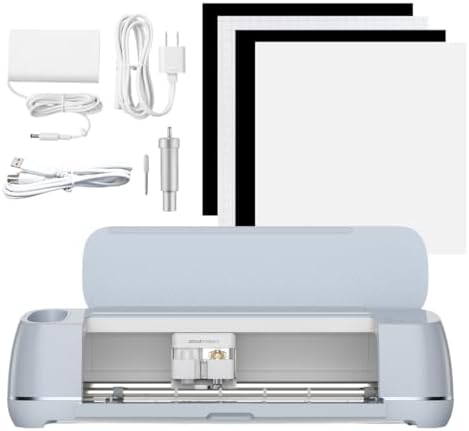
Cricut Explore 5 Essential Bundle + Multicolor Sampler
Current generation hardware, current blade housing, and the sampler means you are cutting the day it arrives
The "essential" kit is genuinely minimal, so mats and spare blades are a second purchase within a month
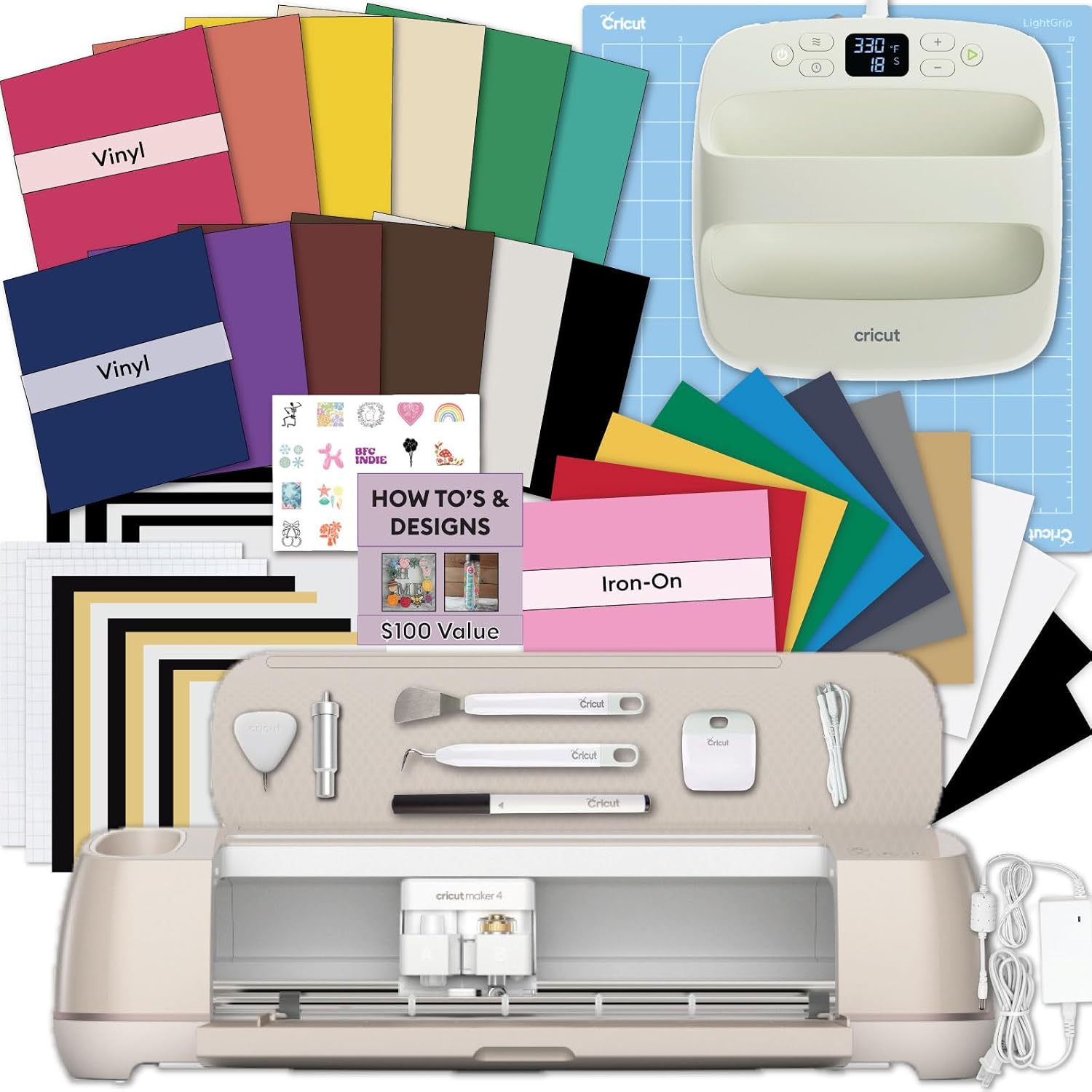
Cricut Explore 5 Machine Bundle with EasyPress 9x9, Smart Vinyl and Smart Iron-On
One order covers cutting and pressing, so HTV shirts happen without a second shipment
The most expensive option here, and if you never press iron-on you paid for a heat press you will store
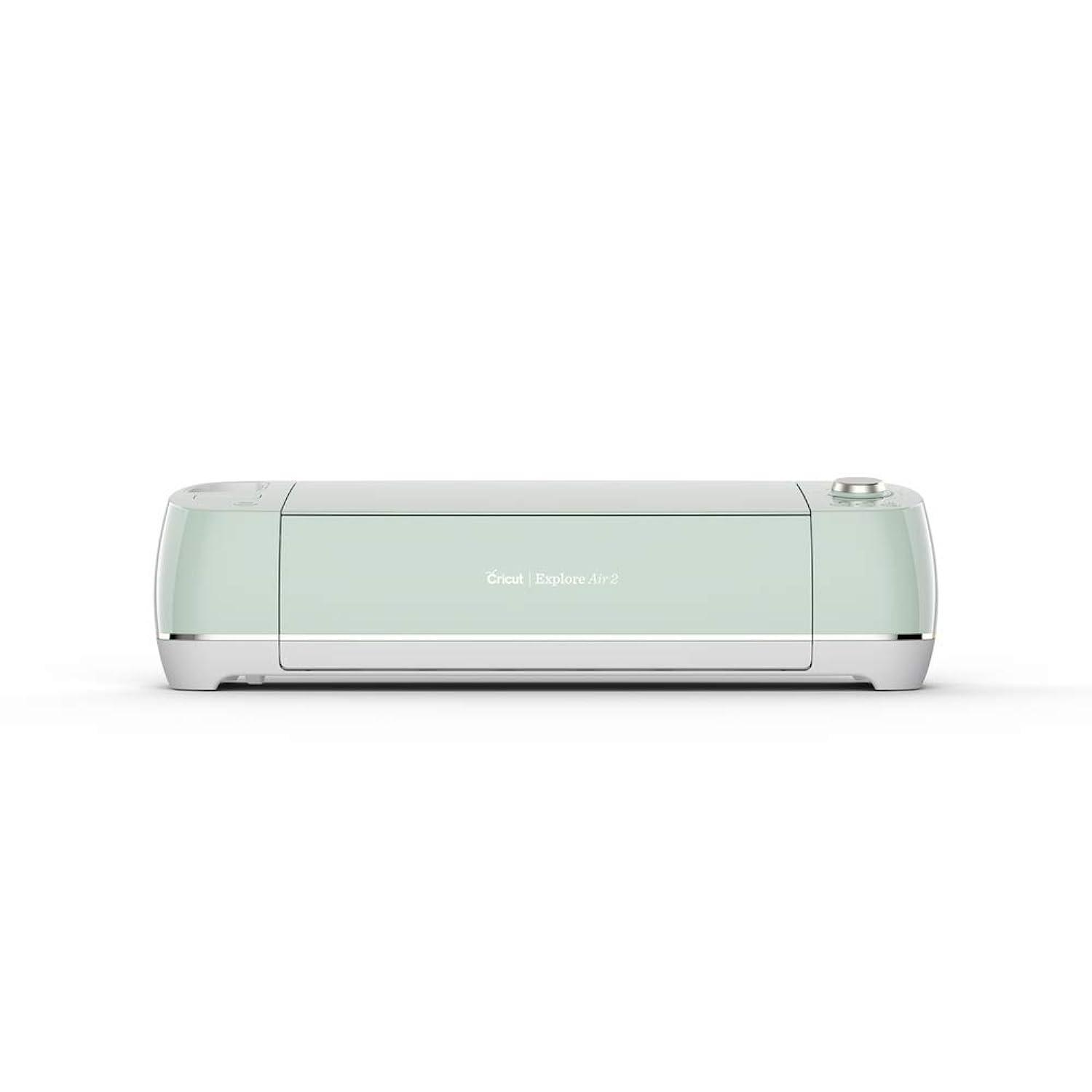
Cricut Explore Air 2 Craft Cutting Machine - Mint
Cheapest way into real Cricut hardware, and every beginner problem already has a written answer
Older generation, slower, and the discontinued status means accessories get harder to find over time
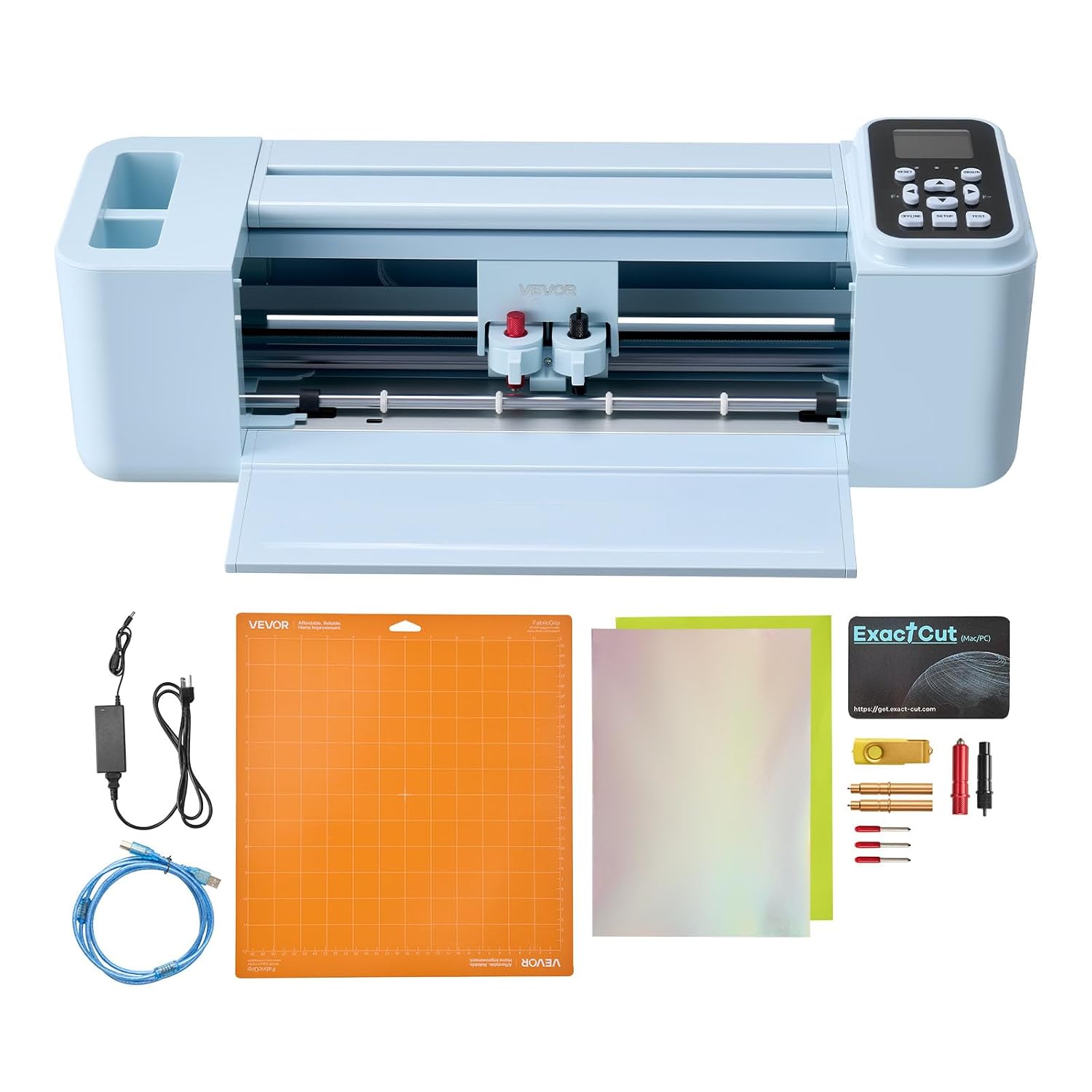
VEVOR Vinyl Cutting Machine, 12 in, Button and Screen Controlled
No subscription in the middle of your workflow, 12 inch width, and it talks to Mac, Windows, Android and iOS
No tutorial ecosystem to fall back on, and HTV apparel is a workflow you have to build yourself
Prices and availability were captured from Amazon Creators API and may change.
What actually separates these four machines
There are five things that matter when you compare craft cutters, and none of them are on the front of the box.
The first is the blade housing and blade life. A machine that takes the current fine point housing keeps getting blades for years. A machine on an older housing is fine until it is not, and then you are hunting. Blades dull faster than the packaging admits, and most "my machine is broken" complaints I hear in class are blade complaints wearing a costume.
The second is cut width and material thickness. Twelve inches is twelve inches, and if you are cutting cardstock, adhesive vinyl, and HTV, almost every machine in this list will do it. The differences show up at the edges, in how the machine handles a dense cut file and whether it re-cuts cleanly on the second pass.
The third is the software. This is where the brands separate hard. Cricut's Design Space is slow, cloud dependent, and the subscription is the real product. I say that as someone who opens it daily. The VEVOR machine routes around that problem by not needing it at all.
The fourth is the ecosystem. Cricut's actual moat is not hardware, it is the thousands of tutorials, the class handouts, and the friend who already owns one and can tell you why your weeding is tearing.
The fifth, and the one I care about most, is cost per cut. A machine is a one time purchase. Mats and blades are forever. Any comparison that ignores that is a spec sheet, not a buying guide.
The VEVOR 12 inch cutter: the option that skips the subscription
If your real objection to Cricut is that you do not want a monthly bill and you do not want your project files living in someone else's cloud, this is the one alternative I would hand a beginner without a warning label. It is a 12 inch cutter with button and screen controls, it advertises more than 20,000 built in design resources, and it is compatible with Mac, Windows, Android and iOS. You never have to open Design Space.
Where it wins: cost per cut on plain adhesive vinyl. There is no subscription sitting in the middle of your workflow, so a roll of vinyl and a blade are your entire consumable cost. For decals, cards, and simple lettering, it does the job, and it does it at a price that leaves room in the budget for materials.
Where it loses: the ecosystem. If you are the type of person who watches one video and then improvises, you will spend a frustrating first weekend working out blade depth by yourself, because there is no deep bench of VEVOR tutorials the way there is for Cricut. Iron-on apparel is also less forgiving here. You can absolutely press shirts with it, but you are building that workflow on your own.
The Cricut Explore Air 2: still the value play
The Explore Air 2 is a discontinued generation, and that is exactly why I still recommend it to people who are testing whether they like this hobby at all. It cuts vinyl, cardstock, and HTV. It does everything a beginner needs to make stickers, decals, and simple shirts. It has been around long enough that every problem you will run into has already been answered in a forum thread somewhere.
The trade offs are real and I will not pretend otherwise. It is slower than the current machines. It is on an older blade housing, so you are buying into a generation rather than the current one. And because it is discontinued, accessory availability will thin out over the years, which matters if you plan to keep the machine for a decade.
But here is my honest position: if you only want to cut 50 stickers a year, buy the cheapest machine you can and never open the paid tier of Design Space. The Explore Air 2 fits that brief better than anything else in this comparison. The mint color is a bonus, not a reason.
Cricut Explore 5 Essential Bundle: the default recommendation
This is the one I would buy with my own money if I were starting today and did not already own three machines. It is current hardware, it takes the current blade housing, and the bundled multicolor sampler means you are cutting the same afternoon it arrives instead of waiting on a separate materials order.
The word "essential" is doing real work in that product name. This is not the bundle that hands you a heat press and a pile of iron-on. It is the machine plus enough material to learn what you are doing. That is the correct first purchase for most hobbyists, because the fastest way to waste money in this hobby is to buy accessories for a workflow you have not tried yet.
My complaint is the same one I have with every Cricut bundle: the mats and blades in the box run out faster than the marketing implies, and the mat is a consumable. Budget for replacements in month one, not month six.
Cricut Explore 5 with the EasyPress: the shirt maker's bundle
If you already know you want to make HTV shirts, this is the bundle that makes sense, because it solves cutting and pressing in one order. The Explore 5 machine is the same current generation hardware as the Essential Bundle, and the addition of the EasyPress 9x9, Smart Vinyl, Smart Iron-On sheets, and the project design eBook turns it into a complete apparel setup.
The case for it is simple: pressing is the step beginners underestimate. You can cut a perfect iron-on design and ruin it with a household iron that heats unevenly, and then you will blame the machine. Having a real press removes that variable.
The case against it is equally simple. It is the most expensive option in this comparison, and if you end up cutting stickers and paper crafts, you paid for a heat press that lives in a closet. Buy this one when you have a specific shirt project in mind, not because it is the bigger box.
The subscription math nobody puts on the box
Cricut sells you a machine once and a subscription forever. The machine is the bait, and Design Space is the hook. That is not cynicism, it is the business model, and it is the single biggest thing missing from most comparisons.
Here is how I think about it in the shop. If you cut occasionally and you are willing to upload your own files, the free tier plus your own designs is genuinely enough. If you want the ready made image library and the convenience features, you are paying monthly or annually, and that number should be added to the machine price when you decide what you can afford. A cheaper machine plus a subscription can cost more over three years than a more expensive machine plus no subscription.
My prediction, and I score these every January: Cricut will keep pushing the subscription harder, the next hardware generation will be a modest bump with a software gate attached, and third party mats and blades will keep improving until someone tries to lock them out. The used market for older machines will stay strong, which is exactly why the Explore Air 2 remains a legitimate purchase.
Blades, mats, and the accessory tax
Blades dull faster than the packaging admits, and premium branding does not change the steel. When a machine starts missing cuts, the answer is almost always a fresh blade, not a new machine. Keep spares.
The mat is a consumable and a money pit. I buy third party mats and I have not noticed a difference worth paying for. If yours is losing stickiness after a handful of cuts, that is normal wear, not a defect.
Cricut brand materials are fine, but they are priced for convenience. Vinyl, HTV, and mats are all better bought elsewhere, and nothing in this comparison changes that.
Which one I would buy
If you are a hobbyist who wants to cut stickers, cards, and the occasional shirt: the Cricut Explore 5 Essential Bundle, plus a pack of spare blades and a second mat.
If you are starting a small shop and want to keep cost per cut down: the Cricut Explore Air 2, bought as cheaply as you can find it, with third party consumables and no subscription until you actually need the image library.
If your whole plan is HTV apparel: the Cricut Explore 5 bundle with the EasyPress, because pressing is the step that ruins beginner projects.
If you do not want a subscription, do not want cloud software, and mostly cut flat vinyl: the VEVOR 12 inch cutter is the honest answer, as long as you accept that you are teaching yourself.
The short version
The machine is not the expensive part. The mats, the blades, and the subscription are. Pick the hardware that matches the material you will actually cut most, buy your consumables somewhere cheaper, and do not let a bundle talk you into a heat press you have no project for. That advice has survived six years of my shop and 200 plus rolls of vinyl, and it will survive whatever Cricut announces next.