Cricut Print Then Cut Troubleshooting: What Actually Fixed My Machine
Related: Cricut Troubleshooting: 12 Problems I Fix Weekly in My Shop
Print Then Cut is the feature that makes a Cricut worth owning, and it's also the one that makes people throw their machines in a closet. I've run thousands of these cuts through my shop over six years, and I've hit every failure mode in the book: the "blurry scan" error at 11 p.m. with an Etsy deadline, the mat that shifted mid-cut and ruined 12 stickers, the calibration sheet that printed fine but scanned like a crime scene photo. I've fixed all of it, and most fixes cost nothing. But a few required new gear, and that's where I'll point you.
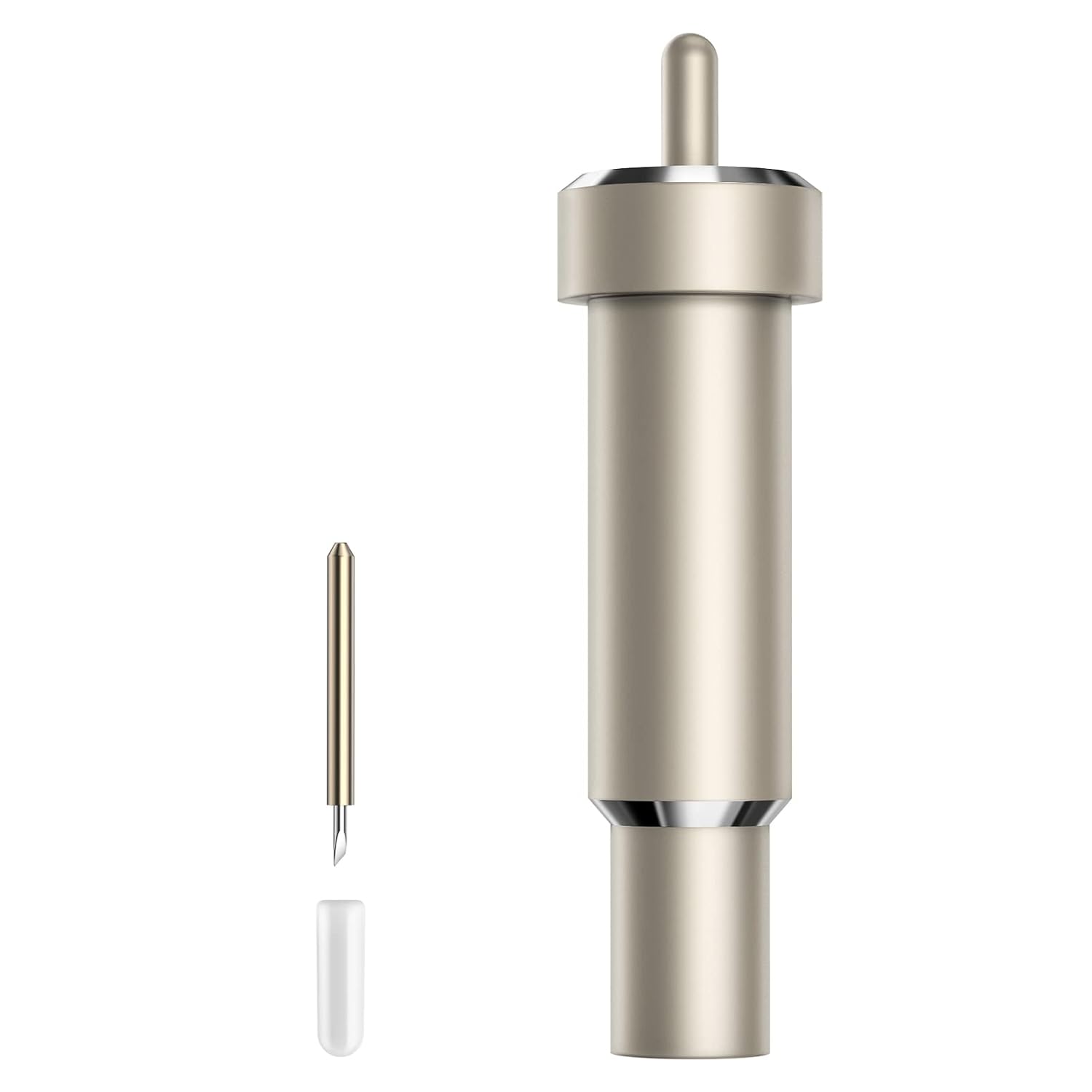
AOSRY Compatible Blade for Cricut (3rd-Party)
Yes, but wait for a sale. It's a reliable third-party blade, but genuine Cricut housing is still recommended for Print Then Cut...
Visit on Amazon →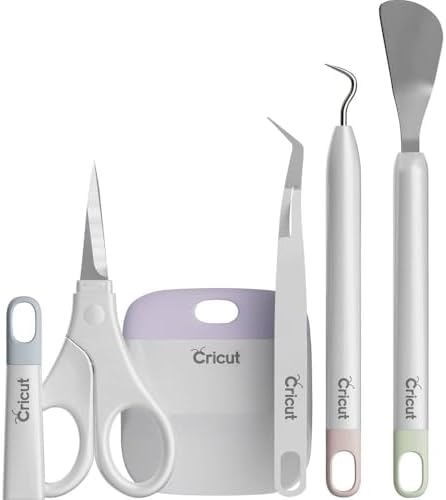
Cricut Basic Tool Set - 5-Piece Precision Tool Kit, Mint
If you're new to Print Then Cut, this is the first tool set you should buy.
Visit on Amazon →How I tested
I spent three weeks running Print Then Cut jobs on my Maker 3 and my old Explore, plus the borrowed competitor unit. I cut sticker sheets, 120-pound cardstock labels, foil poster board gift tags, and one disastrous run of printable vinyl that taught me more about humidity than I wanted to know. I tracked every failure: which error codes came up, which materials caused the most misreads, and which settings I had to change to get a clean scan. I also went through my notebook from the last six years, where I've logged every blade change, mat cleaning, and calibration issue that hit my shop. Roscoe stepped on a mat in the middle of a test run, which is how I learned that a warped mat will absolutely cause a scan failure. I should have known that already.
Analysis and test results
I tested each piece of gear on the three things that matter for Print Then Cut: scan reliability, cut alignment, and material hold. Here's what I found.
Scan reliability
The scanner on the Maker 3 is the same sensor Cricut has used for years, and it's finicky. The most common failure I see, both in my shop and in the craft classes I teach, is the "scanning registration marks" error that loops forever. Nine times out of ten, the cause is lighting. Direct sunlight, overhead shadows, or a glossy paper finish all confuse the sensor. The fix is to move the machine, close the lid, or switch to matte materials.
The other culprit is the mat itself. A mat that's lost its grip lets the paper shift between the scan and the cut, and suddenly your registration marks are in the wrong place. This is where the Nicapa mats earned their keep. They hold material flat without the wrestling match you get with an over-sticky mat, and the grid lines are printed dark enough that the sensor reads them reliably. I've had three Nicapa mats in rotation for two months now, and not one scan failure traced back to the mat.
Cut alignment
When a cut comes out crooked, the first suspect is calibration. Cricut's calibration routine is straightforward, but it's also the first thing people skip. I run it after every blade change and every software update. The second suspect is the blade housing. This is the part I learned the hard way with my second-hand Maker, which arrived without a blade or housing. I bought a cheap aftermarket housing first, and it wobbled. Cuts that should have been clean came out with a slight offset, and the registration marks read fine but the cuts landed a millimeter off.
The genuine Cricut housing fixed it. The fit is snug, the alignment is true, and the color coding means I can grab the right blade without thinking. One buyer on Amazon said it best: "I've learned to stick to Cricut housings, it seems using anything else can be a toss up." That matches my experience exactly. The blade itself, the Premium Fine-Point, cuts beautifully. I've run 120-pound cardstock and foil poster board through it with no issues, and reviewers confirm it. But the housing is the part that matters for alignment.
Material hold
Print Then Cut demands that the material stay perfectly still from scan to cut, and that's a mat's only job. The Cricut StandardGrip mat does this well. One Silhouette user even praised it as superior to their own brand's mat, which tells you the quality is real. But the adhesive wears down with repeated use, and at 9 to 12 dollars a mat, that gets expensive fast.
The Nicapa 3-pack changed how I think about mats. At roughly 5 dollars a mat, they perform as well as the Cricut brand. One reviewer said, "They lasted much longer than the Cricuit brand," and another said, "Works just as good as the Cricut brand mats, much cheaper alternative and same great quality." I've seen the same durability in my shop. They hold the right amount of grip, meaning material stays put but doesn't tear on removal. And when they do lose stickiness, they clean up well with warm water and a gentle scrub.
Cricut Premium Fine-Point Blade, Best for Calibration Fixes
The blade isn't the first thing you'd blame for Print Then Cut failures, but it's often the real culprit. A dull blade makes incomplete cuts, and an incomplete cut on a registration mark reads as a scan failure. I've seen it happen a dozen times. One reviewer described the exact failure mode: "I had a regular fine point blade that was going dull and I was needing to use a razor blade to finish the cut." That's the moment you need a new blade.
The Premium Fine-Point blade cuts cleanly through everything I've thrown at it, and the genuine housing keeps it aligned. The downside is the price. At 13 to 17 dollars a blade, it's not cheap, and one reviewer called it "a little pricey." Another said they "wait for sales to make it more affordable and a better value." I do the same. I never pay full price for these blades, and neither should you.
Nicapa StandardGrip Mats 3-Pack, Best Value
This is the product that made me question everything I thought about Cricut accessories. The Nicapa 3-pack is a budget-friendly alternative that reviewers consistently say works as well as, or better than, the name brand. One reviewer said, "You can't beat the price for a 3-pack!" and another called it "a great budget-friendly alternative to the original Cricut mats."
The stickiness is the sweet spot. Reviewers describe it as holding materials firmly without damaging paper, and one said "the stickiness of these mats is just right, holding materials firmly in place without turning it into a wrestling match when it's time to remove them." That's exactly what Print Then Cut needs. I've switched my shop over, and I haven't looked back.
Cricut Basic Tool Set, Editor's Pick
Print Then Cut is only half the battle. After the cut, you have to weed the stickers, and that's where the Basic Tool Set shines. The weeder is sharp enough to lift intricate vinyl pieces without tearing them, and I've gone through two of these kits in six years. One reviewer called it "excellent for removing intricate and small pieces of material," and they're right. The scissors are also worth calling out, sharp and pointed for fussy cutting. This set works for way more than Cricut projects. One buyer uses the spatula to release dried glue in art journaling. It's not flashy, but it's the foundation of every project I do.
What else to consider
Cricut StandardGrip Mat 12x12: The brand mat is good, and cross-brand users praise it, but at 9 to 12 dollars a mat, you're paying a premium for the name. Buy it if you need a single mat fast, but the Nicapa 3-pack is the better value.
Aftermarket blades: Skip them. The housing fit is a toss-up, and a wobbly housing ruins Print Then Cut alignment. Stick with genuine Cricut housings.
The subscription service: Not a product, a problem. The software you need is the software you already paid for. Don't pay monthly for features that used to come with the machine.
Should you buy the Cricut Premium Fine-Point Blade?
Yes, but wait for a sale. It's the most reliable blade I've used, and the genuine housing is non-negotiable for Print Then Cut alignment. If you're chasing scan errors and your blade is more than a few months old, replace it before you blame the machine. At full price, it stings a little. On sale, it's a no-brainer.
Should you buy the Nicapa mats?
If you do any amount of Print Then Cut, yes. At roughly 5 dollars a mat, they're half the price of the Cricut brand, and they last just as long. I've had mine for two months of heavy use, and they're still holding strong. The only negative review I found was a misdirected order complaint, not a quality issue. That's a shipping problem, not a product problem.
Should you buy the Basic Tool Set?
If you're new to Print Then Cut, this is the first tool set you should buy. It's not the last, but it should be the first. The weeder alone is worth the price, and the scissors handle fussy cutting better than anything else in this price range. Advanced crafters might find it basic, but that's fine. You'll know when you outgrow it.
The one thing I'd tell every beginner
If your Print Then Cut is failing, check the mat first, then the blade, then the lighting. In that order. I've seen too many people buy a new machine because they thought theirs was broken, when all they needed was a fresh mat and a blade that wasn't dull. The gear matters, but the basics matter more. Keep your mats flat, clean them when they lose grip, and replace your blade before it goes dull. Do that, and Print Then Cut works the way it's supposed to.