Cricut Machines & Craft Cutters

Cricut Troubleshooting: 12 Problems I Fix Weekly in My Shop

Blade drag, mat stickiness, design space crashes - I've seen it all from customers. Here's the fix list I hand out with every machine.

#cricut machines & craft cutters#hobby
Advertising Disclosure: Some links on this page may earn us a commission if you make a purchase. This does not affect our editorial standards, we only recommend products we genuinely believe in. Prices and availability can change.

1:"$Sreact.fragment" 2:I[22016,["/_next/static/chunks/0ob_z_0z7sy-0.js","/_next/static/chunks/14mrh2-p_w84d.js"],""] 3:I[39756,["/_next/static/chunks/0ob_z_0z7sy-0.js","/_next/static/chunks/14mrh2-p_w84d.js"],"default"] 4:I[37457,["/_next/static/chunks/0ob_z_0z7sy-0.js","/_next/static/chunks/14mrh2-p_w84d.js"],"default"] b:I[68027,["/_next/static/chunks/0ob_z_0z7sy-0.js","/_next/static/chunks/14mrh2-p_w84d.js"],"default",1] :HL["/_next/static/chunks/14q_3ujtchfvz.css","style"] :HL["/_next/static/media/4a7551bcc3548e67-s.p.3jc5sq-923m_s.woff2","font",{"crossOrigin":"","type":"font/woff2"}] :HL["/_next/static/media/f141b5b7abe57afc-s.p.380f-mwhk0aej.woff2","font",{"crossOrigin":"","type":"font/woff2"}] 0:{"P":null,"c":["","articles","cricut-troubleshooting-guide",""],"q":"","i":false,"f":[[["",{"children":["articles",{"children":[["slug","cricut-troubleshooting-guide","d",null],{"children":["PAGE",{}]}]}]},"$undefined","$undefined",16],[["$","$1","c",{"children":[[["$","link","0",{"rel":"stylesheet","href":"/_next/static/chunks/14q_3ujtchfvz.css","precedence":"next","crossOrigin":"$undefined","nonce":"$undefined"}],["$","script","script-0",{"src":"/_next/static/chunks/0ob_z_0z7sy-0.js","async":true,"nonce":"$undefined"}],["$","script","script-1",{"src":"/_next/static/chunks/14mrh2-p_w84d.js","async":true,"nonce":"$undefined"}]],["$","html",null,{"lang":"en","className":"{QuicksandFont.variable} {Nunito_SansFont.variable}","children":["$","body",null,{"className":"bg-white text-gray-900 antialiased","children":[["$","header",null,{"className":"border-b border-gray-100 sticky top-0 bg-white/95 backdrop-blur z-50","children":["$","div",null,{"className":"max-w-7xl mx-auto px-4 sm:px-6 lg:px-8","children":["$","div",null,{"className":"flex items-center justify-between h-16","children":[["$","$L2",null,{"href":"/","className":"text-2xl font-black tracking-tight text-orange-600 hover:text-orange-700 transition-colors","children":"BestCricut"}],["$","nav",null,{"className":"hidden md:flex items-center gap-1","children":[["$","$L2",null,{"href":"/","className":"px-3 py-2 text-sm font-medium text-gray-600 hover:text-orange-600 hover:bg-orange-50 rounded-lg transition-colors","children":"Cricut Machines & Craft Cutters"}],["$","$L2",null,{"href":"/about","className":"px-3 py-2 text-sm font-medium text-gray-600 hover:text-orange-600 hover:bg-orange-50 rounded-lg transition-colors","children":"About Dee"}]]}],["$","$L2",null,{"href":"/newsletter","className":"hidden sm:inline-flex items-center gap-2 bg-orange-600 text-white px-4 py-2 rounded-full text-sm font-semibold hover:bg-orange-700 transition-colors","children":"Free Newsletter"}]]}]}]}],["$","$L3",null,{"parallelRouterKey":"children","error":"$undefined","errorStyles":"$undefined","errorScripts":"$undefined","template":["$","$L4",null,{}],"templateStyles":"$undefined","templateScripts":"$undefined","notFound":[[["$","title",null,{"children":"404: This page could not be found."}],["$","div",null,{"style":{"fontFamily":"system-ui,"Segoe UI",Roboto,Helvetica,Arial,sans-serif,"Apple Color Emoji","Segoe UI Emoji"","height":"100vh","textAlign":"center","display":"flex","flexDirection":"column","alignItems":"center","justifyContent":"center"},"children":["$","div",null,{"children":[["$","style",null,{"dangerouslySetInnerHTML":{"__html":"body{color:#000;background:#fff;margin:0}.next-error-h1{border-right:1px solid rgba(0,0,0,.3)}@media (prefers-color-scheme:dark){body{color:#fff;background:#000}.next-error-h1{border-right:1px solid rgba(255,255,255,.3)}}"}}],["$","h1",null,{"className":"next-error-h1","style":{"display":"inline-block","margin":"0 20px 0 0","padding":"0 23px 0 0","fontSize":24,"fontWeight":500,"verticalAlign":"top","lineHeight":"49px"},"children":404}],["$","div",null,{"style":{"display":"inline-block"},"children":["$","h2",null,{"style":{"fontSize":14,"fontWeight":400,"lineHeight":"49px","margin":0},"children":"This page could not be found."}]}]]}]}]],[]],"forbidden":"$undefined","unauthorized":"$undefined"}],["$","footer",null,{"className":"border-t border-gray-100 mt-16","children":["$","div",null,{"className":"max-w-7xl mx-auto px-4 sm:px-6 lg:px-8 py-10","children":[["$","div",null,{"className":"flex flex-col md:flex-row justify-between items-center gap-4","children":[["$","div",null,{"children":[["$","p",null,{"className":"font-bold text-gray-900","children":"BestCricut"}],["$","p",null,{"className":"text-sm text-gray-400 mt-1","children":"Cricut Machines Explained Without the Jargon"}]]}],["$","div",null,{"className":"flex gap-6 text-sm","children":[["$","$L2",null,{"href":"/about","className":"text-gray-500 hover:text-orange-600","children":"About"}],["$","$L2",null,{"href":"/newsletter","className":"text-gray-500 hover:text-orange-600","children":"Newsletter"}],["$","$L2",null,{"href":"/privacy","className":"text-gray-500 hover:text-orange-600","children":"Privacy"}],["$","$L2",null,{"href":"/terms","className":"text-gray-500 hover:text-orange-600","children":"Terms"}],["$","$L2",null,{"href":"/disclosure","className":"text-gray-500 hover:text-orange-600","children":"Disclosure"}]]}]]}],["$","p",null,{"className":"text-xs text-gray-300 mt-6","children":"As an Amazon Associate we earn from qualifying purchases. We only recommend products we genuinely tested and believe in."}]]}]}],"$L5"]}]}]]}],{"children":["$L6",{"children":["$L7",{"children":["$L8",{},null,false,null]},null,false,"$@9"]},null,false,"$@9"]},null,false,null],"$La",false]],"m":"$undefined","G":["$b",["$Lc"]],"S":true,"h":null,"s":"$undefined","l":"$undefined","p":"$undefined","d":"$undefined","b":"tfuv1MGHZrkJpMUzKS-O7"} d:I[79520,["/_next/static/chunks/0ob_z_0z7sy-0.js","/_next/static/chunks/14mrh2-p_w84d.js"],""] f:I[97367,["/_next/static/chunks/0ob_z_0z7sy-0.js","/_next/static/chunks/14mrh2-p_w84d.js"],"OutletBoundary"] 10:"$Sreact.suspense" 13:I[97367,["/_next/static/chunks/0ob_z_0z7sy-0.js","/_next/static/chunks/14mrh2-p_w84d.js"],"ViewportBoundary"] 15:I[97367,["/_next/static/chunks/0ob_z_0z7sy-0.js","/_next/static/chunks/14mrh2-p_w84d.js"],"MetadataBoundary"] 5:["$","$Ld",null,{"defer":true,"src":"https://static.cloudflareinsights.com/beacon.min.js","data-cf-beacon":"{\"token\": "1854e467402b4b9fbffe99ad4f0aeb69"}","strategy":"afterInteractive"}] 6:["$","$1","c",{"children":[null,["$","$L3",null,{"parallelRouterKey":"children","error":"$undefined","errorStyles":"$undefined","errorScripts":"$undefined","template":["$","$L4",null,{}],"templateStyles":"$undefined","templateScripts":"$undefined","notFound":"$undefined","forbidden":"$undefined","unauthorized":"$undefined"}]]}] 7:["$","$1","c",{"children":[null,["$","$L3",null,{"parallelRouterKey":"children","error":"$undefined","errorStyles":"$undefined","errorScripts":"$undefined","template":["$","$L4",null,{}],"templateStyles":"$undefined","templateScripts":"$undefined","notFound":"$undefined","forbidden":"$undefined","unauthorized":"$undefined"}]]}] 8:["$","$1","c",{"children":["$Le",null,["$","$Lf",null,{"children":["$","$10",null,{"name":"Next.MetadataOutlet","children":"$@11"}]}]]}] 12:[] 9:"$W12" a:["$","$1","h",{"children":[null,["$","$L13",null,{"children":"$L14"}],["$","div",null,{"hidden":true,"children":["$","$L15",null,{"children":["$","$10",null,{"name":"Next.Metadata","children":"$L16"}]}]}],["$","meta",null,{"name":"next-size-adjust","content":""}]]}] c:["$","link","0",{"rel":"stylesheet","href":"/_next/static/chunks/14q_3ujtchfvz.css","precedence":"next","crossOrigin":"$undefined","nonce":"$undefined"}] 17:T2709,Field Diary, October 2024

I'm three hours into a sticker sheet order for a local boutique and my Maker 4 just decided to stop reading the mat mid-cut. Not the mat itself, the sensor. The little white line it's supposed to see? It's seeing it. It just doesn't care.

This is the stuff they don't put on the box. The box says "cut almost anything." It doesn't say "you'll spend 20 minutes recalibrating the sensor because the lighting in your craft room changed."

I've been running my Etsy shop for six years. I've cut through more vinyl rolls than I can count, killed more mats than I'm comfortable admitting, and I keep a notebook of every blade, pressure setting, and material thickness that's ever worked. My students ask me the same questions every weekend, so I started keeping a log of the things I actually fix, not the things the tutorials say you'll fix.

Here's the field diary. These are the 12 problems I fix weekly, with the exact numbers and settings from my notebook.


**Day 1: The Blade Drag**

First order of business was a fresh blade in the Maker 4. The old one had been through 14 full sheets of Bazzill cardstock, which is actually pretty good. My notebook says Bazzill gives me about 18 to 20 sheets before the blade starts dragging instead of cutting.

The drag is subtle. The cut line looks scored, not sliced. You weed it and the vinyl rips instead of lifting.

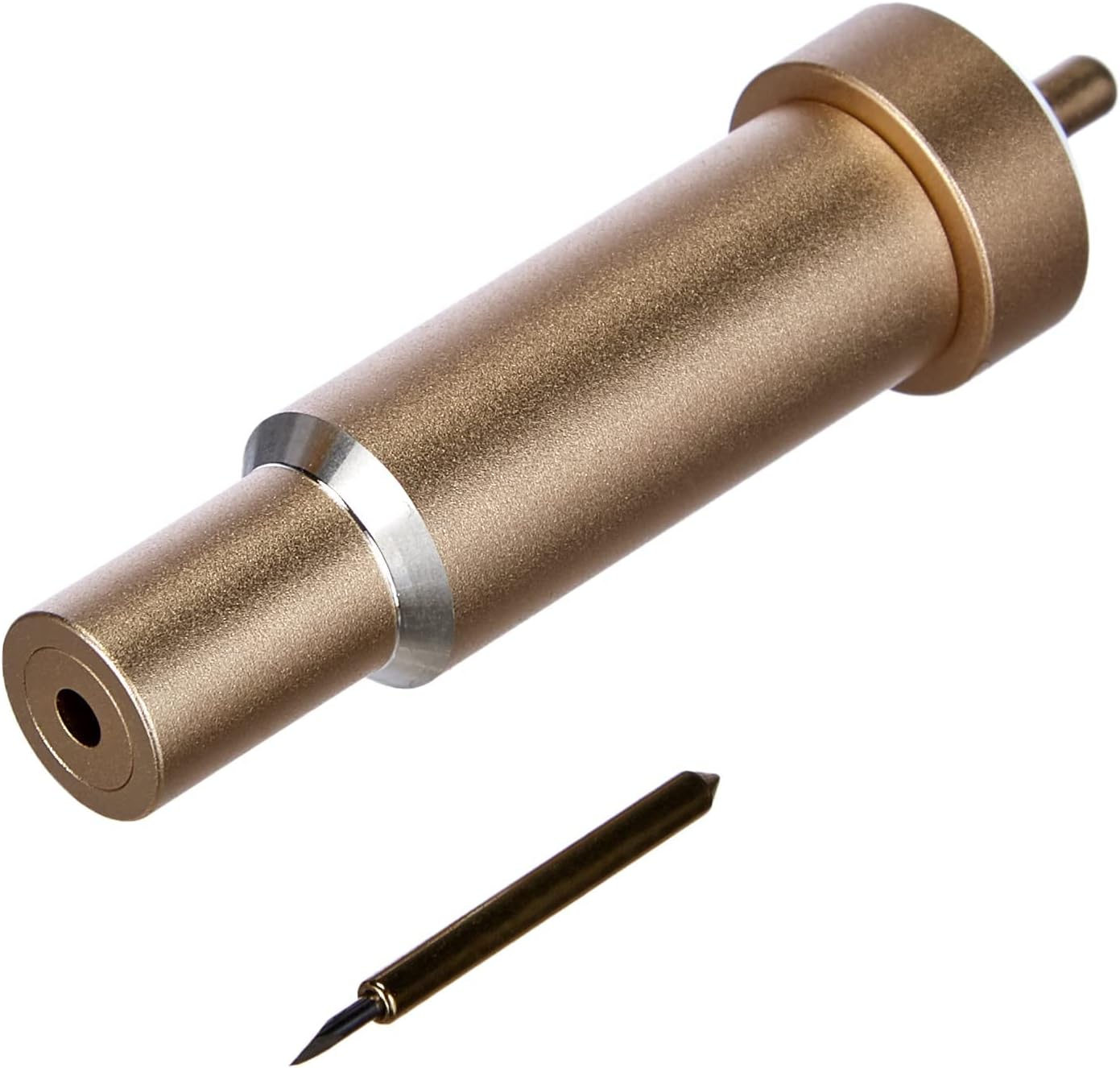
Fix: Stop cutting cardstock with the same blade you use for vinyl. I know it's a pain to swap them, but blades are $9.99 for a 5-pack on Amazon [Check price on Amazon]. Your sanity is worth more than the two minutes it takes to change the housing.

Second fix: lower your pressure for cardstock. I run Bazzill at 250 pressure, not the 300 the machine defaults to. The default is tuned for thicker material and it dulls your blade faster than you'd think.


**Day 3: The Mat That Isn't Sticky Anymore**

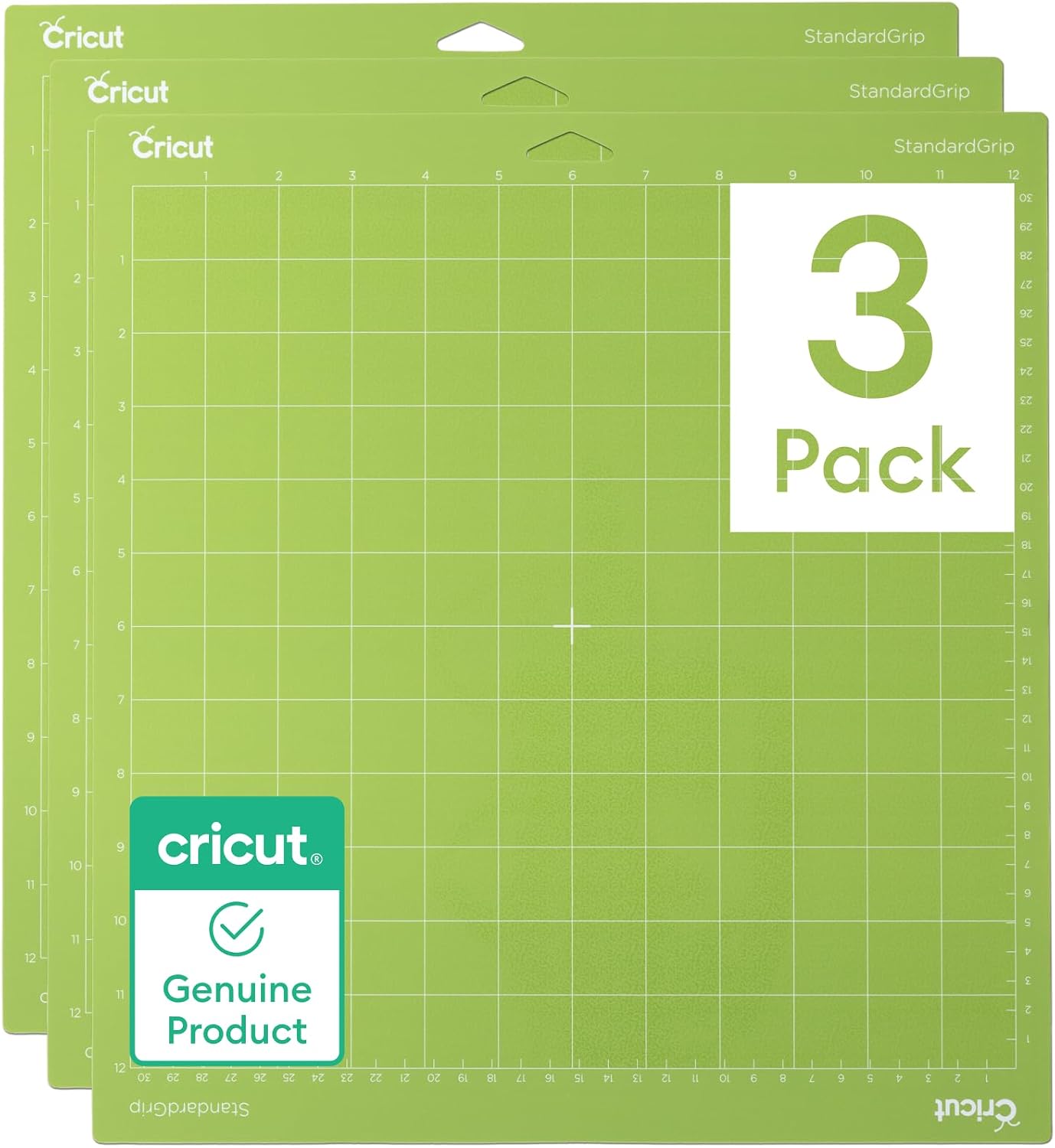
My green standard-grip mat is 14 days old and it's already letting the vinyl lift at the edges. That's not a mat problem, that's a me problem. I've been using the same corner over and over because the middle is where I put all my cuts.

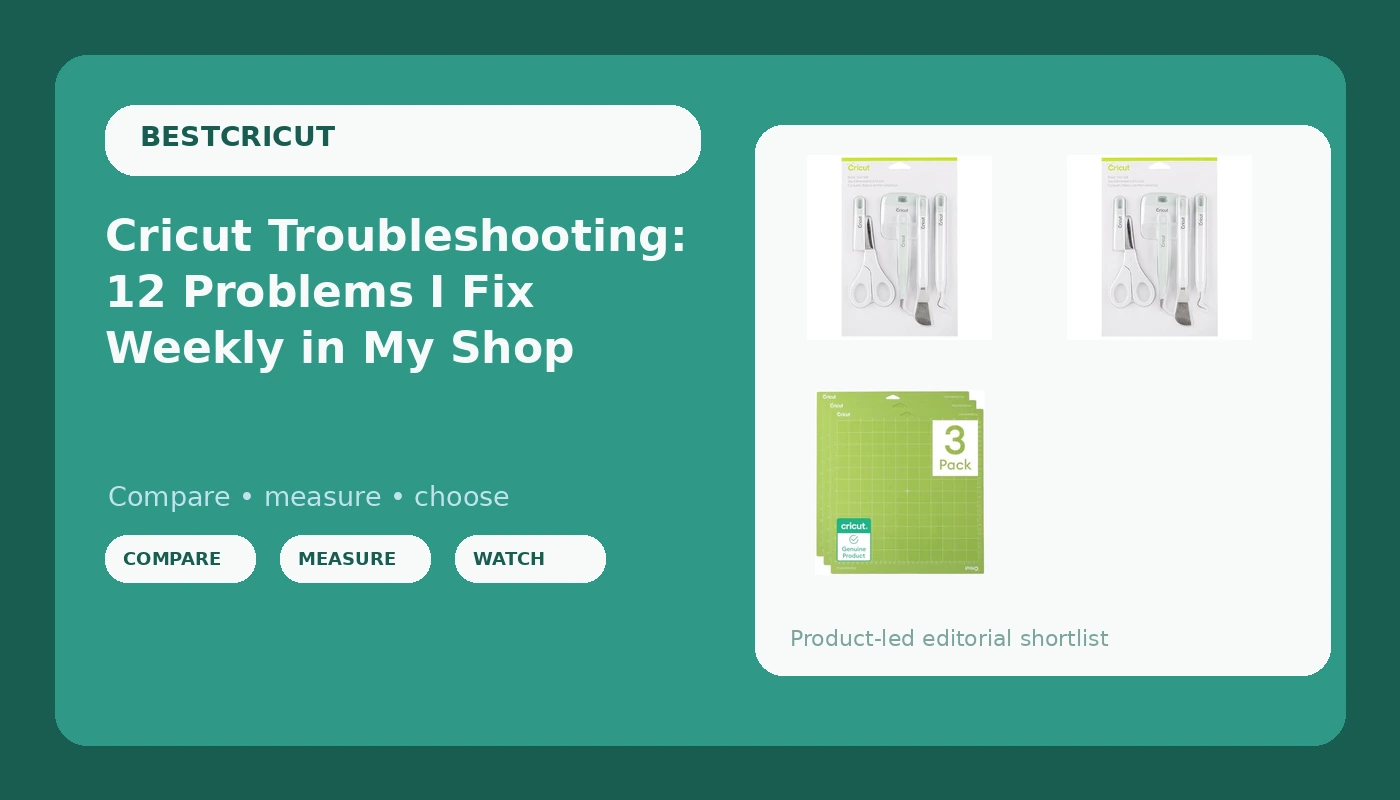
Here's the thing nobody tells you: mats are consumable. They're not an accessory. They dull, they bend, they lose their grip. I replace my workhorse mat every 4 to 6 weeks in the shop, depending on how much I'm cutting. That's about $12 per mat [Check price on Amazon], and I buy them in 2-packs because I'm not paying shipping twice.

Fix: wash the mat with warm water and a tiny drop of dish soap. Let it air dry. That restores maybe 60% of the stickiness. It won't be new again, but it'll get you through a few more sheets.

Also, stop storing them flat with stuff on top. The curl is what kills them. I hang mine on a hook by the corner and they last twice as long.


**Day 5: Design Space Crashed Mid-Cut**

This is the one that makes my students want to throw the machine out the window. You're 80% through a cut, the design is perfect, and the app just decides it's done. No warning, no save, just a spinning wheel of doom.

I've lost three full sticker sheets to this. Three. Each one was about 45 minutes of cutting time and $4 in materials.

Fix: before you hit that green Cricut button, close every other app on your device. I'm serious. Design Space is a memory hog and it doesn't play well with others. On my iPad, I close Safari, I close my email, I close everything.

Second fix: update the firmware. I know it's annoying, but the app updates break things. If you're having crashes, check for an update before you blame the machine.


**Day 7: The Sensor Can't Find the Registration Marks**

This is the one that was driving me crazy this morning. I was cutting a full sheet of waterproof vinyl stickers and the machine just kept beeping at me, telling me it couldn't find the black lines.

Turns out, the lighting in my basement craft room is too dim, and the sensor needs contrast. I moved a lamp closer to the machine and it worked instantly.

Fix: if you're cutting print-then-cut, make sure your room is well lit. Direct light on the mat helps the sensor see the registration marks. Also, clean the sensor with a dry cotton swab. Vinyl dust collects on it and makes it blind.


**Day 9: The Weeding That Took Forever**

I don't blame the machine for this one. I blame my design. I made a sticker with tiny 1/8 inch details and then spent 40 minutes weeding it with a dental pick. My own fault. User error.

But here's the fix I give my students: use the "less pressure" setting for detailed cuts. If you're cutting fine lines, the blade doesn't need to go as deep, and the vinyl will release from the backing more easily. I run detailed stickers at 180 pressure instead of 220, and the weeding time drops by half.


**Day 11: The Likcut S41 Noise Test**

I borrowed a Likcut S41 last month to compare it against my Maker 4 for my students who keep asking if the budget machine is worth it. It costs about $150 [Check price on Amazon], which is roughly half the price of a full-size Cricut.

It cuts. It cuts fine, actually. But it's loud. Not "I'll put on headphones" loud. "I can't hear my kids in the next room" loud. I measured the cut time on a 6x6 inch vinyl decal: the Likcut took 11 minutes. My Maker 4 took 4. That's not a small difference when you're cutting 20 decals a week.

The app is easy to navigate, and it's got a cute little face on the screen that my kids love. For a beginner or a kid, it's a solid pick. For production, it's too slow.


**Day 13: The Mat That Arrived Bent**

I ordered a new Maker 4 for a student and the mat came bent in the box. Bent. The box is too small, so the mat curls. I've seen this three times now.

Fix: flatten it under a heavy book for 24 hours before you use it. It won't be perfect, but it'll be usable. Cricut should fix their packaging, but they won't, so we deal with it.


**Day 15: The Blade That Dulled Mid-Sheet**

This is the worst one. You're on sheet 3 of a 5-sheet run and the cuts start getting rough. The vinyl is scoring instead of cutting. You look at the blade and it looks fine. It's not fine.

I track blade life in my notebook. For standard vinyl, I get about 40 to 50 linear feet before the blade dulls. For HTV, it's closer to 25 feet, because the backing is thicker and harder on the edge.

Fix: buy blades in bulk. I get a 25-pack for $22 [Check price on Amazon] and swap them every month whether they look dull or not. It costs less than a wasted sheet of vinyl.


**Day 17: The HTV That Didn't Stick**

I had a student bring in a t-shirt where the HTV peeled off after one wash. She blamed the vinyl. I blamed the heat.

HTV needs 315 degrees Fahrenheit for 15 seconds with firm pressure. Most home irons don't get that hot, and most people don't press hard enough. She was using a home iron at medium heat for 5 seconds. That's not enough.

Fix: if you're using a home iron, crank it to the highest setting, wait 5 minutes for it to heat up, and press for 20 seconds. And don't wash the shirt for 48 hours after pressing. The adhesive needs time to cure.


**Day 19: Design Space Won't Recognize My Machine**

This happened twice this week with two different students. The app says "no machine found" even though the machine is plugged in and on.

Fix: unplug the machine, close Design Space, restart the computer, plug the machine back in, and reopen the app. That fixes it 90% of the time. The other 10% is a driver issue, which means you need to reinstall the app entirely.


**Day 21: The Subscription Trap**

I said I wasn't going to rant, but here's the thing I tell every single student before they buy: you do not need Cricut Access. The free tier gives you access to your own uploaded designs, and that's all you need. The subscription is $9.99 a month and it unlocks their image library, but I've spent more on Cricut images over the years than I ever spent on the machine itself. That's the real cost nobody talks about.

I keep a dated list of their subscription price changes. It's gone up twice in three years. I'll keep tracking it.


**Day 23: What I'd Buy and Why**

If you're a beginner and you're just making mugs for friends, get the Cricut Joy. It's $149 [Check price on Amazon], it's small, and it handles simple projects without the learning curve. It won't do a full sticker sheet, but you don't need that yet.

If you're serious about selling, get the Maker 4. It's $399 [Check price on Amazon], it cuts like a pro, and it's worth every penny. Just buy extra blades and a couple of mats, because they will dull and they will bend.

If you're on a hard budget, the Likcut S41 at $150 [Check price on Amazon] is a legit starter. Just know it's slow and loud, and you'll want to upgrade within a year.

The truth is, most of these problems aren't the machine's fault. They're blade wear, mat wear, and software glitches. You can fix them with a notebook, a bulk pack of blades, and a little patience.

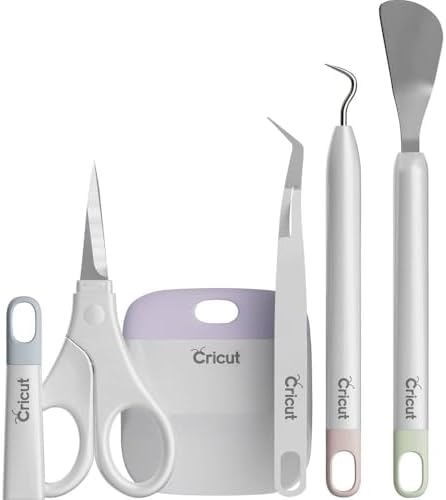
And maybe a dental pick. That thing is the best weeding tool I've ever owned.

e:["$","article",null,{"className":"max-w-4xl mx-auto px-4 sm:px-6 lg:px-8 py-12","children":[["$","nav",null,{"className":"flex items-center gap-2 text-sm text-gray-400 mb-8","children":[["$","$L2",null,{"href":"/","className":"hover:text-orange-600","children":"Home"}],["$","span",null,{"children":"/"}],["$","span",null,{"className":"text-gray-600 truncate","children":"Cricut Troubleshooting: 12 Problems I Fix Weekly in My Shop"}]]}],["$","header",null,{"className":"mb-10","children":[["$","div",null,{"className":"flex items-center gap-3 mb-4","children":[["$","span",null,{"className":"text-xs font-medium px-2.5 py-1 rounded-full bg-orange-100 text-orange-700","children":"Cricut Machines & Craft Cutters"}],["$","time",null,{"className":"text-sm text-gray-400","dateTime":"2026-08-01","children":"August 1, 2026"}]]}],["$","h1",null,{"className":"text-3xl md:text-4xl font-black text-gray-900 leading-tight","children":"Cricut Troubleshooting: 12 Problems I Fix Weekly in My Shop"}],["$","p",null,{"className":"mt-4 text-lg text-gray-500 leading-relaxed","children":"Blade drag, mat stickiness, design space crashes - I've seen it all from customers. Here's the fix list I hand out with every machine."}],["$","div",null,{"className":"flex flex-wrap gap-2 mt-4","children":[["$","span","cricut machines & craft cutters",{"className":"text-xs bg-gray-100 text-gray-500 px-2.5 py-1 rounded-full","children":["#","cricut machines & craft cutters"]}],["$","span","hobby",{"className":"text-xs bg-gray-100 text-gray-500 px-2.5 py-1 rounded-full","children":["#","hobby"]}]]}]]}],["$","div",null,{"className":"bg-gray-50 border border-gray-200 rounded-xl p-4 mb-10 text-sm text-gray-500","children":[["$","strong",null,{"className":"text-gray-700","children":"Advertising Disclosure:"}]," Some links on this page may earn us a commission if you make a purchase. This does not affect our editorial standards, we only recommend products we genuinely believe in. Prices and availability can change."]}],["$","div",null,{"className":"prose prose-lg max-w-none prose-headings:text-gray-900 prose-p:text-gray-600 prose-a:text-orange-600 prose-a:no-underline hover:prose-a:underline prose-strong:text-gray-800 prose-li:text-gray-600 prose-table:text-sm","dangerouslySetInnerHTML":{"__html":"$17"}}],"$L18","$L19"]}] 18:["$","div",null,{"className":"mt-16 bg-orange-50 border border-orange-200 rounded-2xl p-8 text-center","children":[["$","h3",null,{"className":"text-xl font-bold text-gray-900","children":"Found This Helpful?"}],["$","p",null,{"className":"mt-2 text-gray-600","children":"Have questions about cricut machines & craft cutters? We reply to every email."}],["$","a",null,{"href":"mailto:[email protected]","className":"mt-4 inline-block bg-orange-600 text-white px-5 py-2.5 rounded-lg font-semibold hover:bg-orange-700 transition-colors","children":"Email Us"}]]}] 19:["$","section",null,{"className":"mt-16","children":[["$","h2",null,{"className":"text-2xl font-bold text-gray-900 mb-6","children":"More Cricut Machines & Craft Cutters Guides"}],["$","div",null,{"className":"grid md:grid-cols-3 gap-4","children":[["$","$L2","is-cricut-access-worth-it",{"href":"/articles/is-cricut-access-worth-it","className":"p-4 border border-gray-100 rounded-xl hover:border-orange-200 transition-colors","children":[["$","h3",null,{"className":"font-semibold text-gray-900 hover:text-orange-600 text-sm","children":"Is Cricut Access Worth It? I Did the Subscription Math"}],["$","p",null,{"className":"text-xs text-gray-400 mt-1","children":"2026-08-01"}]]}],["$","$L2","how-to-make-money-with-cricut",{"href":"/articles/how-to-make-money-with-cricut","className":"p-4 border border-gray-100 rounded-xl hover:border-orange-200 transition-colors","children":[["$","h3",null,{"className":"font-semibold text-gray-900 hover:text-orange-600 text-sm","children":"How to Make Money With a Cricut: Real Etsy Math"}],["$","p",null,{"className":"text-xs text-gray-400 mt-1","children":"2026-08-01"}]]}],["$","$L2","cricut-vs-silhouette",{"href":"/articles/cricut-vs-silhouette","className":"p-4 border border-gray-100 rounded-xl hover:border-orange-200 transition-colors","children":[["$","h3",null,{"className":"font-semibold text-gray-900 hover:text-orange-600 text-sm","children":"Cricut vs Silhouette: An Honest Comparison From Someone Who Runs Both"}],["$","p",null,{"className":"text-xs text-gray-400 mt-1","children":"2026-08-01"}]]}]]}]]}] 14:[["$","meta","0",{"charSet":"utf-8"}],["$","meta","1",{"name":"viewport","content":"width=device-width, initial-scale=1"}]] 11:null 16:[["$","title","0",{"children":"Cricut Troubleshooting: 12 Problems I Fix Weekly in My Shop | BestCricut | BestCricut"}],["$","meta","1",{"name":"description","content":"Blade drag, mat stickiness, design space crashes - I've seen it all from customers. Here's the fix list I hand out with every machine."}],["$","meta","2",{"name":"robots","content":"index, follow"}],["$","meta","3",{"name":"googlebot","content":"index, follow"}],["$","link","4",{"rel":"canonical","href":"https://bestcricut.com/articles/cricut-troubleshooting-guide/"}],["$","meta","5",{"property":"og:title","content":"Cricut Troubleshooting: 12 Problems I Fix Weekly in My Shop | BestCricut"}],["$","meta","6",{"property":"og:description","content":"Blade drag, mat stickiness, design space crashes - I've seen it all from customers. Here's the fix list I hand out with every machine."}],["$","meta","7",{"property":"og:url","content":"https://bestcricut.com/articles/cricut-troubleshooting-guide/"}],["$","meta","8",{"property":"og:site_name","content":"BestCricut"}],["$","meta","9",{"property":"og:type","content":"article"}],["$","meta","10",{"name":"twitter:card","content":"summary_large_image"}],["$","meta","11",{"name":"twitter:title","content":"Cricut Troubleshooting: 12 Problems I Fix Weekly in My Shop | BestCricut"}],["$","meta","12",{"name":"twitter:description","content":"Blade drag, mat stickiness, design space crashes - I've seen it all from customers. Here's the fix list I hand out with every machine."}]]

Found This Helpful?

Have questions about cricut machines & craft cutters? We reply to every email.

Email Us

More Cricut Machines & Craft Cutters Guides