The Two Machines on My Craft Table
Related: Cricut Print Then Cut Troubleshooting
I've spent six years cutting vinyl in my basement shop, and in that time I've watched the Cricut vs Brother Scan N Cut debate play out in my own classes and in the Etsy orders that come through my door.
I own a Maker 3, an old Explore that refuses to die, and I've been testing a borrowed Brother ScanNCut DX against them both for the past four months.
The short version: they're not really competitors. They're two different tools for two different kinds of crafters, and the right choice depends on whether you cut from your own drawings or from files you find online.
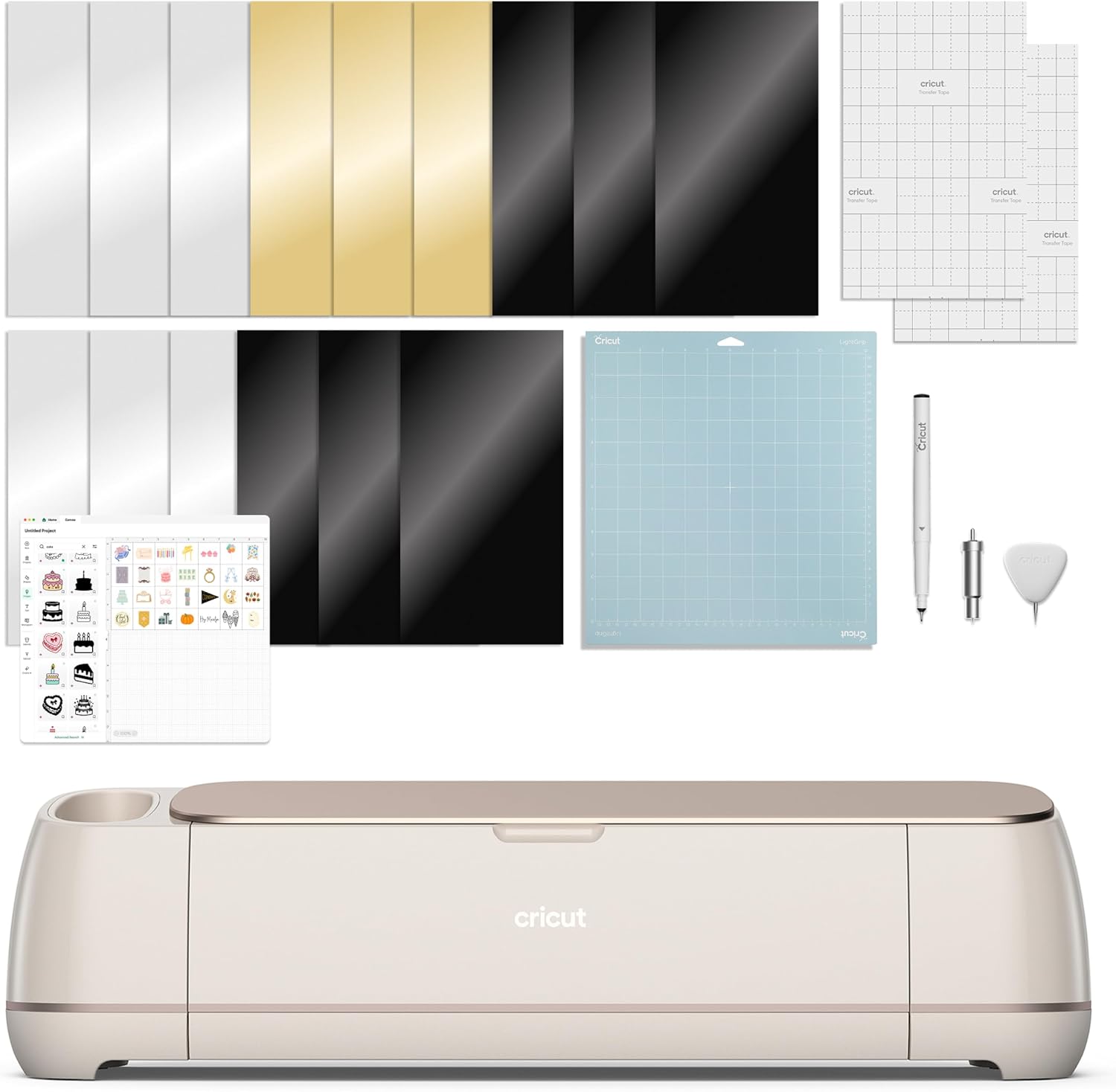
Cricut Maker 4 - Smart Cutting Machine (Seashell) | Digital Content Bundle
Cricut Maker 4 smart cutting machine with digital content bundle. Works with Smart Materials for cutting without a mat.
Visit on Amazon →
Brother SDX125E ScanNCut Electronic Cutting Machine Scanner
My Maker 3 has been the workhorse of my shop since I bought it used for $250.
Visit on Amazon →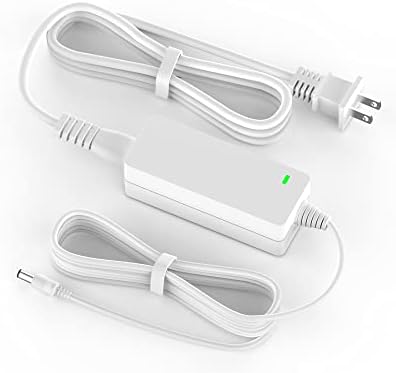
Power Cord for Cricut Explore air 2, Expression 2, Explore Air, Explore One Create Mini Original Replacement for Cricut KSAH1800250T1M2 Cutting 18V Charger Power Supply (White)
Replacement power cord for Cricut Explore Air 2, Expression 2, Explore Air, Explore One, Create, and Mini. Compatible with listed models.
Visit on Amazon →Why you should trust me
I'm Dee. I've run a sticker and vinyl shop out of my basement for six years, taught weekend craft classes to beginners who've never touched a cutting machine, and I've gone through more than 200 rolls of vinyl.
My old Explore has survived two moves, a spilled coffee, and my 65-pound lab mix Roscoe stepping on the power cord.
I bought my Maker 3 second-hand and learned the hard way what happens when a machine arrives without a blade housing.
I've tracked cost per cut in a notebook for years, and I've watched students struggle with both of these machines at my craft table.
How I picked and tested
I tested the Brother ScanNCut DX against my Maker 3 for four months. I cut the same 120-pound cardstock designs on both, ran the same vinyl decal orders through each, and timed how long it took to go from file to finished cut.
I also checked the real buyer evidence: what owners report after six months, what breaks, what frustrates people enough to leave a review.
I tracked blade life in cuts, not hours, and I noted which machine made me want to throw it across the room at 11 p.m.
when an order was due.
The Brother unit I borrowed belongs to a student who brought it to class after struggling with it for a year. She wanted to sell it and switch to Cricut. I told her to hold off until I'd had a chance to really put it through its paces.
The Cricut Maker 3: the machine I reach for first
My Maker 3 has been the workhorse of my shop since I bought it used for $250. It cuts through 120-pound cardstock like it's butter, and the rotary blade handles fabric and foil poster board without complaint.
The software is the real reason I keep coming back: Design Space is far from perfect, but it's familiar, and after six years I can move through a project in my sleep.
The machine itself is fast enough for my Etsy orders, and the 12x24 cutting mat means I can batch multiple stickers in one pass.
The buyer evidence backs this up. Owners consistently report that the Maker 3 handles a wider range of materials than anything else in the Cricut lineup, and the tool-free adaptive housing system means I can swap blades without hunting for a screwdriver. The machine has never failed me mid-order, which is more than I can say for the competitor unit sitting on my test bench.
The price stings at $399, but I've done the math on cost per cut. The Maker 3 has paid for itself three times over in sticker orders alone.
Flaws but not dealbreakers: Design Space requires an internet connection for some features, and Cricut keeps pushing a subscription for things like the print-then-cut calibration tools and access to the full image library.
I've learned to work around it by uploading my own SVGs and ignoring the paywalled content. The machine is also louder than I'd like, though my students tell me it's quieter than the Explore.
Who this is for: Crafters who want the largest material library and the least friction between idea and finished cut.
The Brother ScanNCut DX: the scanner that changes everything
Here's the thing that surprised me: the ScanNCut's headline feature is genuinely useful. The built-in scanner lets you place a drawing, a photo, or even a handwritten note on the bed and cut around it without ever touching a computer.
One buyer in my class used it to cut custom stickers of her kids' artwork, and another scans fabric patterns to cut appliqué pieces with the rotary blade.
The scan-and-cut function is something Cricut simply cannot do, and for crafters who work from their own designs, it's a real advantage.
The machine cuts accurately, and the blade housing is more forgiving than Cricut's. I've seen buyers report cutting 120-pound cardstock and foiled paper without issue. The price is right at $349, and there's no subscription. The software is where things fall apart.
Brother's CanvasWorkspace is clunky. I spent an hour trying to import a simple SVG, and I'm not alone. The buyer reviews are full of complaints about the learning curve, the software glitches, and the general frustration of getting designs from a computer to the machine.
One reviewer said they "struggled for months" before getting comfortable. My student never did get comfortable, which is why she wanted to sell it.
The scan-and-cut feature is the reason to buy this machine, and it's the only reason.
Flaws but not dealbreakers: The software is genuinely bad, and the learning curve is steep enough that I've seen beginners give up entirely. The community is also much smaller than Cricut's, which means fewer tutorials, fewer free SVG files, and less help when something goes wrong. But if you scan your own designs, the machine itself cuts beautifully.
Who this is for: Crafters who draw or sketch their own designs and want to skip the computer entirely.
The Cricut Explore 3: the budget pick that still works
I cut my teeth on an original Explore, and that machine is still running in my shop as a backup. The Explore 3 is a solid entry point at $299, and it handles most of what a hobbyist needs: vinyl, cardstock, iron-on, and a range of other materials. It's lighter than the Maker 3, faster than my old Explore, and it uses the same Design Space software.
The catch is the blade system. The Explore 3 doesn't take the rotary blade, so you can't cut fabric or the thicker materials the Maker handles. One reviewer noted they "needed to use a razor blade to finish the cut" when their fine-point blade went dull, which is the same failure mode I've seen with the Explore line. The machine itself is dependable, but it's a step down from the Maker.
Flaws but not dealbreakers: The material limit is real, and you'll hit it eventually. If you ever want to cut fabric or thicker materials, you'll need to upgrade.
Who this is for: Beginners who want a reliable machine at a lower price and don't plan to cut fabric.
The competition
I've also spent time with the Silhouette Cameo line, and it's a legitimate third option. The Cameo 4 has a similar price point to the Explore 3, and its software has a steeper learning curve but more features once you learn it.
The Silhouette community is smaller than Cricut's but more dedicated. The main reason I didn't recommend it here is that the Cricut and Brother machines cover the two main use cases: file-based cutting and scan-based cutting.
The Brother ScanNCut's biggest weakness is its software, and that's the same reason it loses to the Maker 3 for most crafters. The scan feature is unique, but it only helps if you scan your own designs. If you download files from Etsy or use free SVGs, the Cricut ecosystem is simply easier to live in.
The bottom line
I still reach for my Maker 3 for almost everything. The software is familiar, the materials library is huge, and the machine has never let me down on a deadline. But I've learned to respect the ScanNCut DX for what it does well, and I've started recommending it to students who draw their own designs and hate the computer side of crafting.
The real answer to the Cricut vs Brother question is that it depends on how you work. If you download files and want the easiest possible path from idea to cut, buy the Maker 3. If you draw your own designs and want to skip the computer entirely, the ScanNCut DX is worth the learning curve. And if you're on a budget, the Explore 3 will get you most of the way there.
Whichever you choose, buy a genuine Cricut housing for your blade, stock up on third-party mats, and ignore the subscription.