A Cricut HTV setup fails in the same three places every single time: the mat, the blade, and the heat. That is the whole secret, and nobody mentions it when you are standing in the aisle looking at a box with a seashell finish and a bundle of digital content you will probably never open.
I ran a vinyl and sticker shop out of my garage in Nashville for six years while raising two kids, then turned the whole thing into weekend craft classes. I have cut through more than 200 rolls of vinyl, killed more blades than I want to admit, and watched a hundred beginners make the identical mistake: buy the machine, buy every accessory on the shelf, skip the press, then wonder why the first shirt peels after two washes.
This guide is the order of operations I teach in class. Machine first, press second, materials and extras last. Get the sequence right and your first HTV project is something you can wear in public instead of a test rag you keep in the garage.
Why you should trust me
Three machines live in my studio: an old Explore that still runs, a Maker 3, and a competitor unit I borrowed for comparison. I keep a notebook of blade types, pressure settings, and which materials lie about their thickness, because most of what gets called a machine problem is actually a blade problem. That notebook is the reason I can tell you which failures are the machine and which failures are you.
I also sell what I make. Cost per cut is not a thought experiment for me; it decides whether a product is worth listing on Etsy at all. When I tell you to skip an accessory, it is because I bought it, used it twice, and did the math on what it added to a finished piece. Usually the answer was nothing.
My bias, stated up front: Cricut sells the machine once and the subscription forever. The hardware is good. Design Space is slow, cloud-dependent, and the paid tier is the real product. I use it daily and I still say that, and I still recommend the brand to beginners, because the tutorial ecosystem is genuinely the best in the hobby.
How I picked and what I checked
I did not run a lab test for this article, and I am not going to pretend otherwise. What I did was apply the same filter I use when a student corners me after class and asks what to buy for a first setup.
Four things get checked:
- Does the machine cut the materials a beginner actually uses, meaning vinyl, HTV, and cardstock, without add-on tools?
- Does it force a subscription to do basic work, or can you cut your own design on the free tier?
- Is the press plate big enough to cover a full adult front in one pass, without repositioning?
- Can the setup survive a bad first attempt without wasting a whole sheet of material and an hour?
That last one matters more than any spec sheet. The machines that make beginners quit are the ones where a mistake costs a mat, a sheet of HTV, and an evening. The setup below keeps mistakes cheap, which is the only feature that matters in month one.
Two products earned a spot here. Everything else is a decision you can postpone until you know why you need it.
The two things worth buying first
Notice what is missing from this list: no brayer, no weeding kit, no bundle of design files, no specialty blades. Those are second-year purchases. These two are the ones that make the first project actually work.
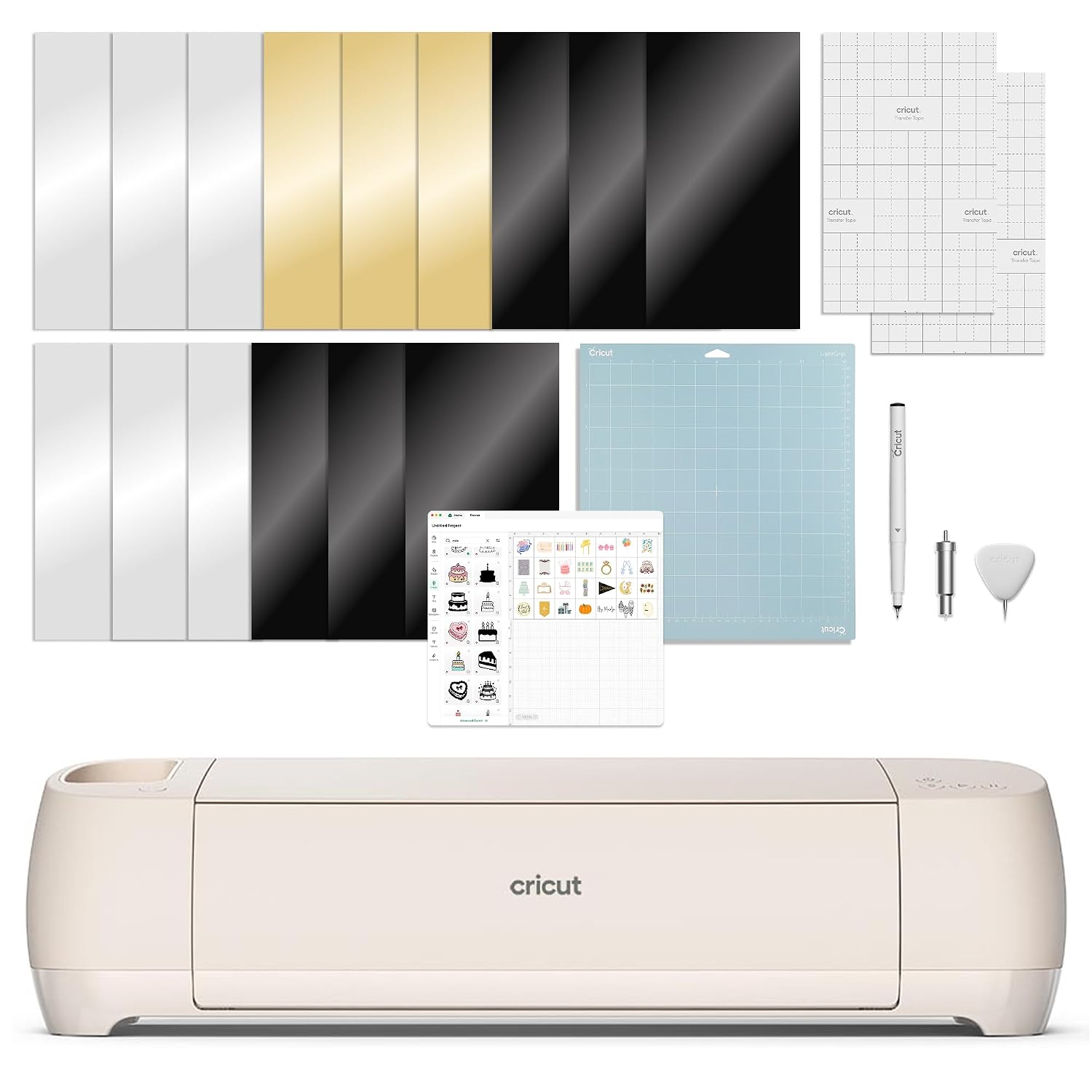
The machine: Cricut Explore 4 - Smart Cutting Machine (Seashell) Digital Content Bundle
 Visit on Amazon →
The Explore tier is enough for about 90% of crafters, and I say that as someone who owns a Maker. If your plan is vinyl, HTV, and cardstock, this is the machine that does it. The digital content bundle means you start with a library of designs instead of a blank canvas, which matters more than it sounds, because designing from nothing is the fastest way to get frustrated in week one.
What you are really buying is access to the ecosystem. Cricut's tutorial library and community are the moat; other brands caught up on hardware and never caught up on teaching. That is worth something real when you are three cuts in, nothing is working, and there is a video that shows exactly which setting you got wrong.
Flaws but not dealbreakers: Design Space is the weak link in the whole system. It is slow, it wants a subscription, and it will interrupt a project to sell you one. You can complete every step in this guide on the free tier.
Anyone cutting vinyl and HTV at home, with no plans to engrave or score anything, should start here and stay here.
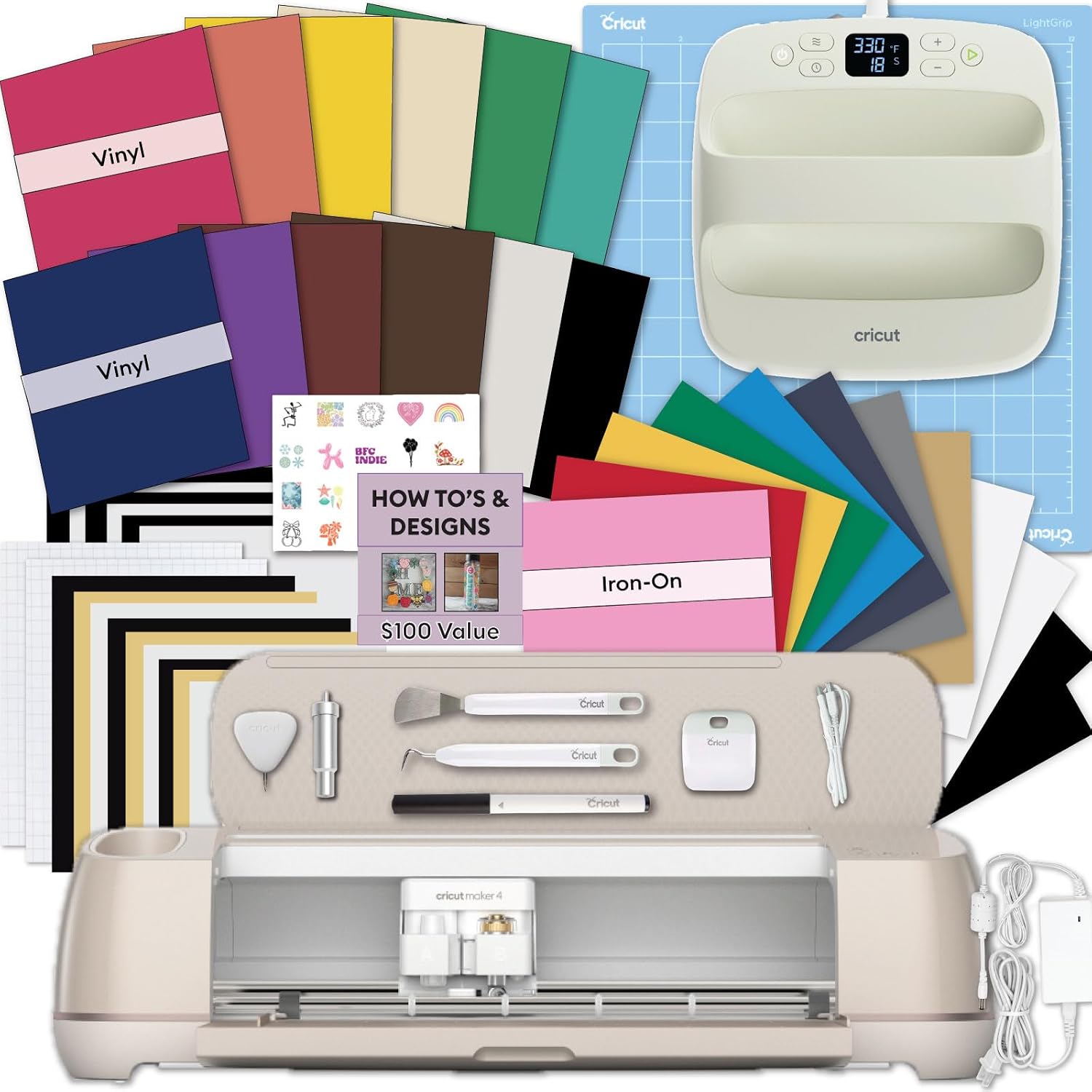
The press: Cricut EasyPress® SE, 12 in x 10 in Heat Press - Blue
 Visit on Amazon →
A household iron is not a heat press, and this is the purchase that separates shirts that survive 40 washes from shirts that peel in three. The 12 by 10 inch plate covers a standard adult front in a single press, which means no repositioning, no seam in the middle of the design where the heat dropped off, and no guessing about whether you got the corner.
The SE is the simpler control set in the EasyPress line, and for HTV that is exactly what you want. You set the temperature, you set the timer, you press. The heat guide tells you which numbers to use for your specific vinyl, so you are following instructions instead of folklore.
Flaws but not dealbreakers: It is a flat plate, so hats, shoes, and curved items need a different tool entirely. If your Etsy plan is tumblers and caps, this is not the press for that job.
Anyone making shirts, totes, and baby onesies will use it every week and never think about it again.
The actual workflow
Eight steps. Do them in this order the first time, and in this order every time after that.
Step one: Install Design Space and make a subscription decision on day one. You do not need the paid tier to cut your own design or a free image. Skip the trial if you hate auto-renewals; you can always add it later. Turn off the notification prompts while you are at it, because a pop-up mid-project is how designs get lost.
Step two: Buy material somewhere other than the Cricut aisle. HTV and adhesive vinyl are commodities. Cricut-brand material is fine and priced for convenience, and convenience gets expensive fast when you are cutting 40 shirts for a market.
Step three: Check the blade before you blame the machine. Open the housing, look at the tip, and if it is snagging or leaving fuzzy edges, replace it. Nine out of ten "my machine stopped cutting" problems in my classes are dull blades. Blades dull faster than the packaging admits, and a "premium" label does not change the steel.
Step four: Mirror the design for HTV. This is the step beginners skip, and it is the one that ruins a shirt. HTV is cut face down and flipped, so an unmirrored design presses on backwards and your text reads in a mirror. Mirror for HTV. Never mirror for adhesive vinyl.
Step five: Run a test cut on scrap before the real sheet. Set the material to match your vinyl, use a small piece of scrap, and check that the blade cuts through the film but not through the carrier sheet. Adjust pressure and run it again. Two minutes here saves a full sheet and an hour of weeding.
Step six: Weed on a hard, well-lit surface. Pull the excess away from the design, not the design away from the excess. Small details come out with a weeding hook, and if you do not own one yet, a straight pin works fine. Weeding is where a design with thin strokes punishes you, so keep your first design bold.
Step seven: Pre-press the shirt. Ten seconds with the press on the bare fabric before the transfer goes anywhere near it. That removes moisture and wrinkles, and moisture is what makes transfers bubble, lift, and peel at the edges.
Step eight: Press and peel according to your material. Use the heat guide for your exact vinyl, let the press come all the way to temperature first, and follow the peel instruction. Warm peel and cold peel are not interchangeable, and the wrong one ruins an otherwise perfect press. Then wait 24 hours before washing, wash inside out, and skip the fabric softener.
Where beginners go wrong
The mistakes are consistent enough that I can list them from memory.
Buying accessories before the press. Every dollar spent on a scoring tool you will not use is a dollar not spent on the thing that makes your work permanent. Buy the press before the gadget drawer.
Pressing on an ironing board. An ironing board flexes under pressure, and flex means the plate does not sit evenly across the design. Use a firm, heat-safe surface: a counter with a pressing mat, or a sturdy table. This single change fixes more peeling complaints than any temperature tweak.
Treating the mat as an investment. The mat is a consumable and a money pit. It loses stickiness, usually faster than the packaging implies, and the machine is not broken when it does. Buy third-party mats and stop paying premium prices for something you will replace.
Chasing the perfect temperature while ignoring pressure. Even pressure matters more than one degree of heat. A press that sits flat and gets firm, even contact will outperform a fancier setting every time.
Assuming the subscription is required. It is not, for anything in this guide. Design Space wants it and will keep asking.
The competition and why it lost
The Maker tier is genuinely good hardware. I own one and I use it. The extra tools are for people who already know exactly which ones they need, and if you do not have that answer yet, you are paying for capability that will sit in a drawer while you cut vinyl on the Explore anyway. That is not a knock on the Maker. It is a knock on buying it too early.
The smaller machines in the lineup are built for small projects. A 12 inch press and a full adult shirt front do not fit in that world, and neither does a design that spans the chest.
Other brands have caught up on the cutting hardware. They have not caught up on the tutorial ecosystem, and when you are learning, the community is worth more than the spec sheet. That is the honest reason I still point beginners at this brand while rolling my eyes at the accessory prices.
None of that changes the recommendation. The Explore tier cuts the vinyl and HTV, the press makes it permanent, and both stay useful after you eventually upgrade the machine.
What this all costs
Two purchases, not eight. A machine and a press.
The machine is the one-time cost. The press is the one that decides whether you have a hobby or a pile of peeling shirts in a drawer. Everything else, mats, blades, vinyl, weeding tools, is a consumable you buy again and again, which is exactly why you buy those cheap and buy the hardware once.
Subscription math is the other half of the budget. If you cut a handful of projects a month for yourself, the free tier does the job. If you are selling, run the numbers on what the paid tier actually adds to your workflow before you let it renew, because it renews whether you used it or not.
Cost per wear is the honest way to think about the press. A shirt that survives a year of washes costs less than three shirts that peel, and the difference is one afternoon of setup done in the right order.
Check current Amazon price on both, compare against what you already own, and buy in sequence: machine, then press, then everything else. That is the job. Your first wearable shirt is one weekend away.