Related: Best Vinyl Cutting Machine for Stickers
I have cut through more than 200 rolls of vinyl in six years of running a sticker and decal shop out of Nashville, and the machine has never been the expensive part. Blades, mats, transfer tape, and a subscription I did not plan on are the expensive parts. So when someone asks me which vinyl cutting machine to buy, I ask two questions back: how many cuts a week, and do you want software that phones home?
That second question is the one nobody asks before checkout. It is also the one that decides whether you still like your setup in month eight.
This is not a brand ranking. It is the short list I would hand a hobbyist who wants to sell 20 stickers a month, plus the two travel pieces I would put on the same list for anyone doing weekend craft fairs. I am judging each machine on the things that actually decide your results: cut width, how you control it, what software it talks to, and how much the consumables will cost you over a year. Where I have not run a unit myself, I say so, because a spec sheet is not a test sheet.
What matters more than the machine itself
Four things, in this order.
Cut width. A 12-inch machine cuts a full sheet of vinyl or a full sheet of HTV in one pass. A compact machine cuts small shapes and forces you to tile anything large. Tiling works, and I have done plenty of it, but every seam is a place a design can drift.
Control scheme. Button-controlled machines cut from a built-in library without a laptop. That sounds like a downgrade until you are at a market and someone wants a name decal in ten minutes. A machine that runs on its own buttons is a machine you can run from a folding table.
Software. If the cutter only accepts files from one company's cloud app, you are renting access to your own machine. Look for Mac, Windows, Android, and iOS support, because that means you are not locked to one device.
Blade life. This is where the money goes. A blade that dulls after 40 cuts turns a profitable sticker into a break-even sticker. Most "machine problems" I get asked about are blade problems, and the fix is a fresh blade and a test cut, not a new machine.
VEVOR Vinyl Cutting Machine, 12 in
This is the one I would point a small shop toward first, and the reason is the 12-inch cut width. Twelve inches is the size that stops you from tiling. A full HTV sheet goes in, a shirt design comes out, and you are not lining up two halves of a monogram and hoping.
The second reason is the control layout. This is a button-controlled cutter with more than 20,000 built-in design resources. That means a person with no laptop, or a person standing at a booth with a tablet that just died, can still cut a name, a shape, or a card design straight from the machine. For market sellers, that is not a gimmick. It is the difference between taking an order and taking a phone number.
Third, it is compatible with Mac, Windows, Android, and iOS. I care about this more than I care about any spec. A cutter that only talks to one operating system is a cutter you will eventually have to replace when your hardware changes, and I have watched that happen to people in my own classes.
What to plan for on day one: get a fresh blade, run a test cut on scrap before you touch good vinyl, and log your pressure setting in a notebook. I keep a notebook of blade types and pressure settings because materials lie about their thickness. The label says one thing, the cut says another, and the notebook is what saves you the second ruined sheet.
If you cut stickers, decals, cards, and home decor, this covers all of it. If you want to cut leather, felt, or anything that needs a deep-punch tool, that is a different category of machine, and you should be honest with yourself about that before you buy.
Likcut S501 Vinyl Cutter Machine, 4.5 in
The S501 is the other end of the list, and I mean that as a compliment. It is a 4.5-inch compact die cutting machine, which is a polite way of saying it fits on a desk next to a laptop and does not require you to clear a counter, own a cutting mat the size of a cookie sheet, or negotiate with your family about the kitchen table.
Who is this for? The person who cuts 50 stickers a year. The scrapbooker. The card maker. The parent doing birthday party favors at 9 p.m. the night before. The person who wants to learn what a blade housing does and how mat stickiness changes with use, without spending full-width money to find out.
The honest limitation is width. At 4.5 inches you are not cutting a full shirt design in one pass, and you are not cutting a 12 by 12 sheet. Small decals, labels, cards, sticker sheets, and papercraft pieces are the sweet spot. If your plan is HTV apparel, this is not the machine that gets you there, and I would rather tell you that now than have you find out after you have already ordered a heat press.
For a beginner, this is the low-risk way in. Learn on small material. Learn weeding on something the size of a business card. Then, if you find yourself wanting more, you will know exactly which width you need instead of guessing.
Away Medium Checked Luggage, 26-inch
Here is the part of the list nobody expects in a cutter article, and it belongs here anyway. I teach craft classes on weekends and I have sold at shows, and the hardest part of a show is not the cutting. It is getting the booth there.
The 26-inch hardside spinner is the weekend show size. It holds a tablecloth, a banner, a folding display, product boxes, and a change of clothes, and the hardside shell means the thing protecting your inventory does not cave in when a gate agent stacks it wrong. Spinner wheels matter more than they sound like they do, because at 6 a.m. in an airport you are pulling this with one hand and carrying a coffee in the other.
For a seller, this is the difference between a booth that looks intentional and a booth that looks like it fell out of a car trunk. Vinyl decals and finished signs are flat, light, and easily bent. A hard shell is the cheap insurance on all of it.
Away Large Checked Luggage, 29-inch
The 29-inch version is for the seller doing a full season rather than a single Saturday. If you are flying to three shows in a month, or you are the person who brings both the display and the backup display, the extra capacity is the point.
The tradeoff is weight and size rules. A 29-inch checked case is heavy when full, it is a pain on a train, and you will not be carrying it up a flight of stairs happily. Buy it if your shows are driving distance from an airport and your inventory is bulkier than a shoebox of stickers. If your entire product line fits in a tote bag, the 26-inch is already more suitcase than you need.
The reference table
This is the table I keep for my own classes. Same layout every time, so students can compare at a glance instead of reading four product pages in a browser tab graveyard.
| Tool | Size class | Best for | Notes |
|---|---|---|---|
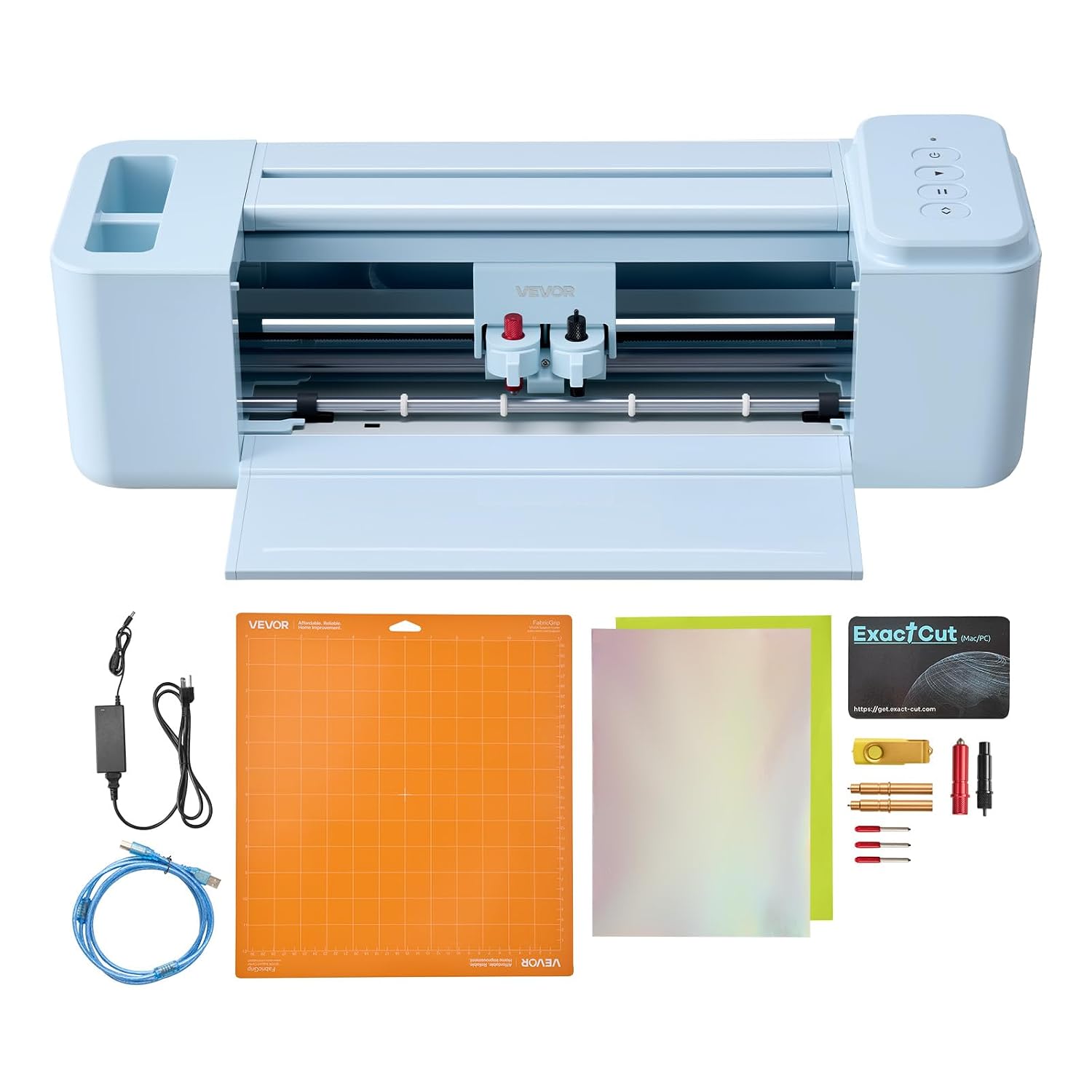 Visit on Amazon → VEVOR Vinyl Cutting Machine, 12 in |
Full width, 12 in cut | Volume decals, HTV, signs, home decor | Button-controlled, 20,000+ built-in design resources, works with Mac, Windows, Android, iOS |
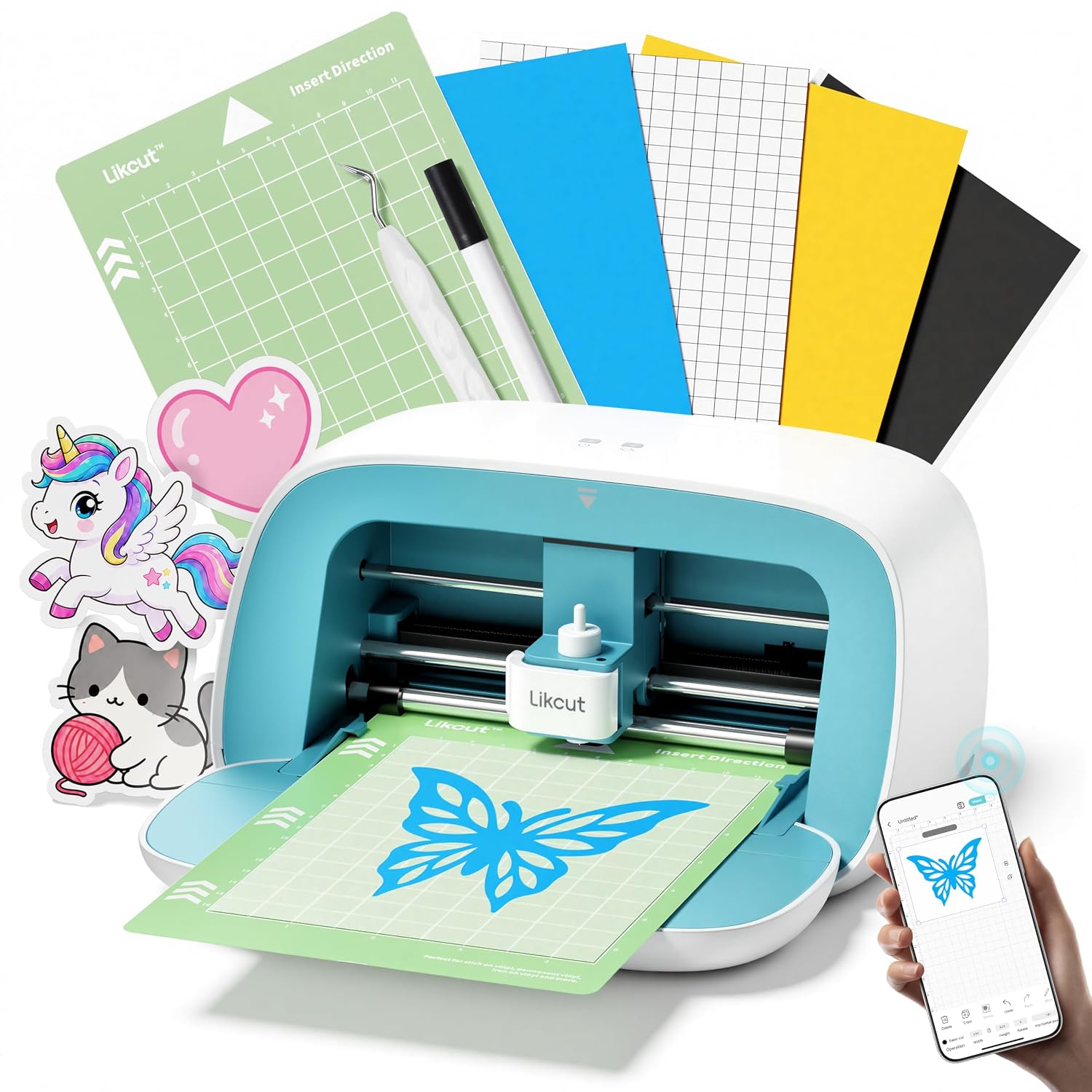 Visit on Amazon → Likcut S501 Vinyl Cutter Machine, 4.5 in |
Compact, 4.5 in cut | Stickers, cards, labels, papercraft | Desk footprint, low entry cost, no full-sheet cuts |
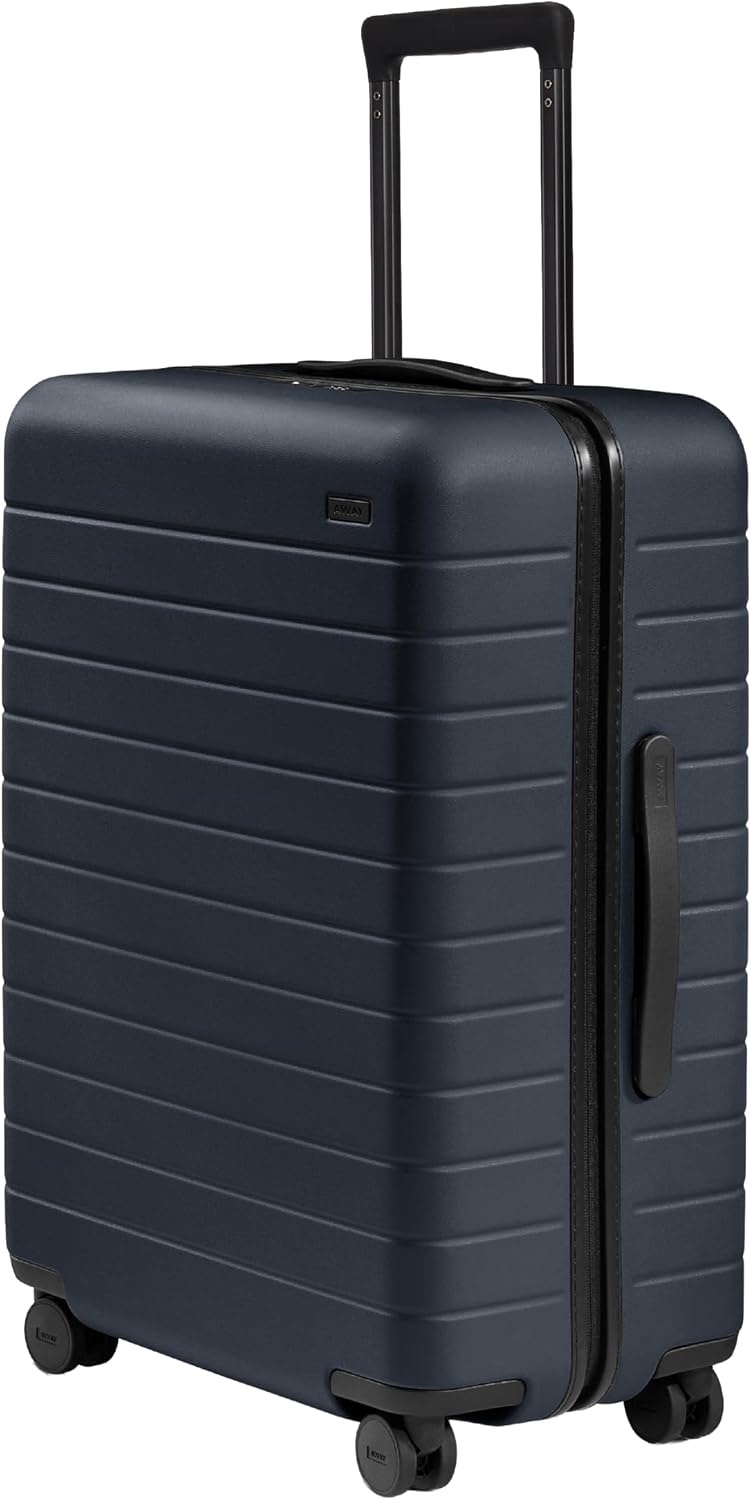 Visit on Amazon → Away Medium Checked Luggage, 26-inch |
Checked, weekend show | One or two shows a month | Hardside shell, spinner wheels, protects flat stock |
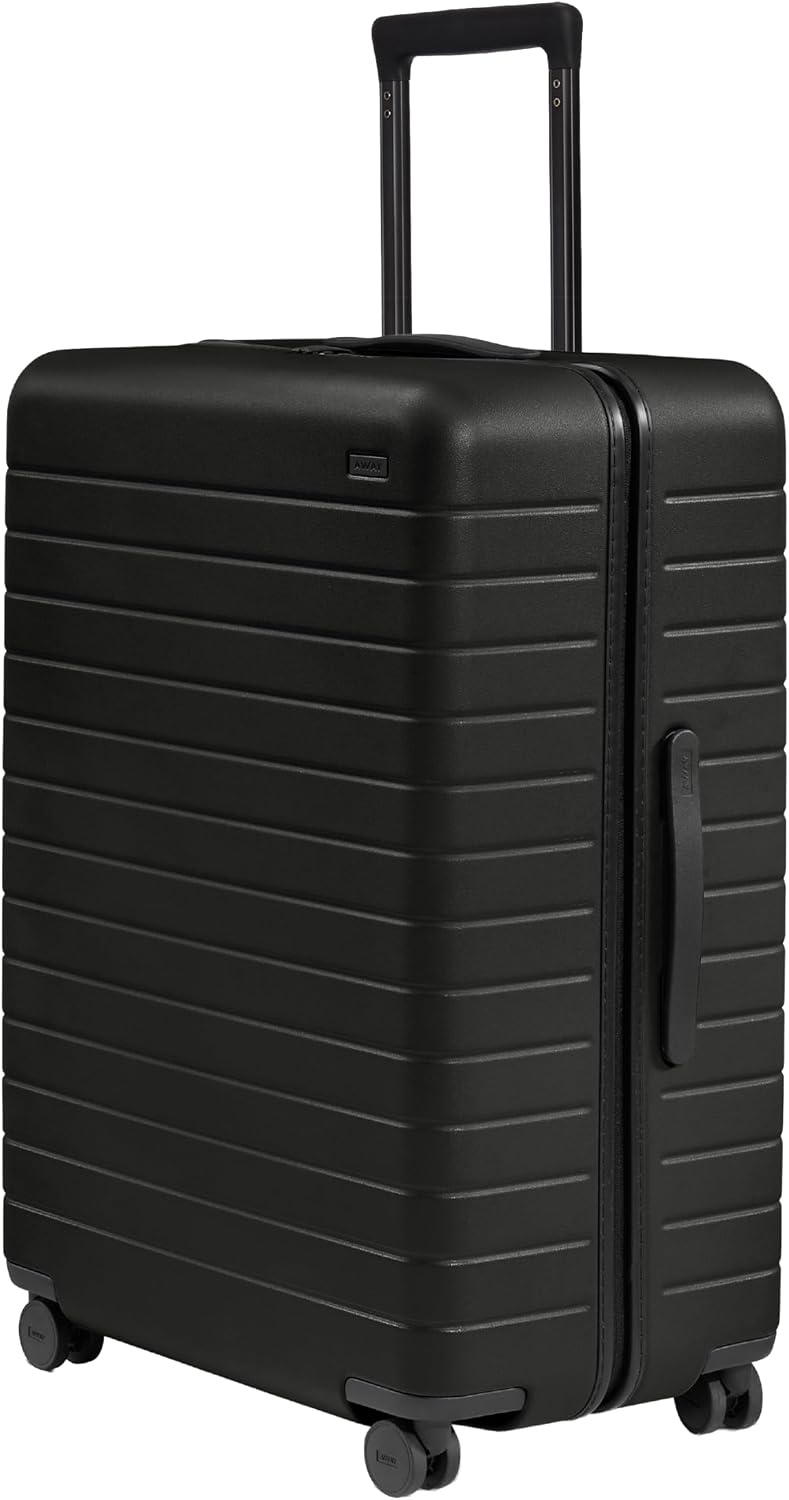 Visit on Amazon → Away Large Checked Luggage, 29-inch |
Checked, full season | Multi-show months, bulkier inventory | Heavier when full, best for airport to venue runs |
The pattern in that table is the whole article. Width buys you capability, compactness buys you convenience, and the travel row is the one people forget until the week before their first show.
Cost per cut is the number that decides this
Nobody wants to do this math, so I do it for them in class.
Take your material cost per sheet, add your blade cost divided by the number of cuts you get per blade, add the mat if you are using one, and add anything you pay monthly for design software. That total divided by the number of sellable pieces is your cost per cut. It is almost always higher than people guess, and it is almost always driven by three things: blade replacement, mat replacement, and subscriptions.
Blades. A dull blade does not just cut badly. It tears, it drags, it leaves fuzz on the edge, and it makes you think your pressure setting is wrong when the pressure setting is fine. Buy blades in quantity, change them earlier than feels reasonable, and keep a test cut sheet so you can see the difference a fresh blade makes on the same material.
Mats. The mat is a consumable and it will betray you. I buy third-party mats and I have not noticed a meaningful difference. What I have noticed is that a mat stops being reliable well before it stops being sticky-looking, and that most people keep using it two weeks past the point where it started ruining cuts. Wash it, re-stick it, then replace it.
Software. This is the subscription question, and I am not going to pretend it is neutral. Cloud-dependent design software is slow, it updates when you have a deadline, and the paid tier is the actual product being sold. If a cutter works with Mac, Windows, Android, and iOS and has a large built-in library, you have options. Options are what keep you from paying monthly for access to your own designs.
Should you buy the VEVOR 12 in?
Yes, if you are selling anything wider than a sticker. The 12-inch cut width, the button control, and the 20,000+ built-in design resources mean you can cut from the machine itself or from a laptop, on any of the four major operating systems. For a small shop that wants one machine and no tiling, this is the practical pick.
The caveat is the same caveat I give everyone. Budget for blades and mats before you buy anything else. The machine is the entry fee. The consumables are the rent.
Should you buy the Likcut S501?
Yes, if your output is small and your space is smaller. It is a 4.5-inch compact machine, and it is honest about that. Stickers, cards, labels, small decals, papercraft. It will not cut a full shirt design in one pass, and it does not pretend to.
If you are a hobbyist who cuts 50 stickers a year, this is the correct answer, and it is the answer I give most often. Buy the small one. Learn on it. Never open a paid software tier you do not need. When you outgrow it, you will know exactly what to buy next, and you will not have spent the money twice.
Should you buy the Away cases?
Only if you are actually traveling to sell. The 26-inch is the weekend show size and the 29-inch is for the seller who lives out of a suitcase for a season. If your shows are all within driving distance and your inventory fits in a tote, skip both and put the money into a second blade housing and a good set of mats.
That is the whole list. Cut width, control, software freedom, and blade life on one side. A hard shell and spinner wheels on the other, for the sellers who have to get the booth to the booth.