Every craft room hits the same wall. You buy a cutter, you cut a few projects, and then the vinyl rolls, the mats, the transfer tape, and the spare blades take over the table. Sorting out craft cutting machines and vinyl storage at the same time is the difference between a hobby you can actually work in and a pile of half-finished decals.
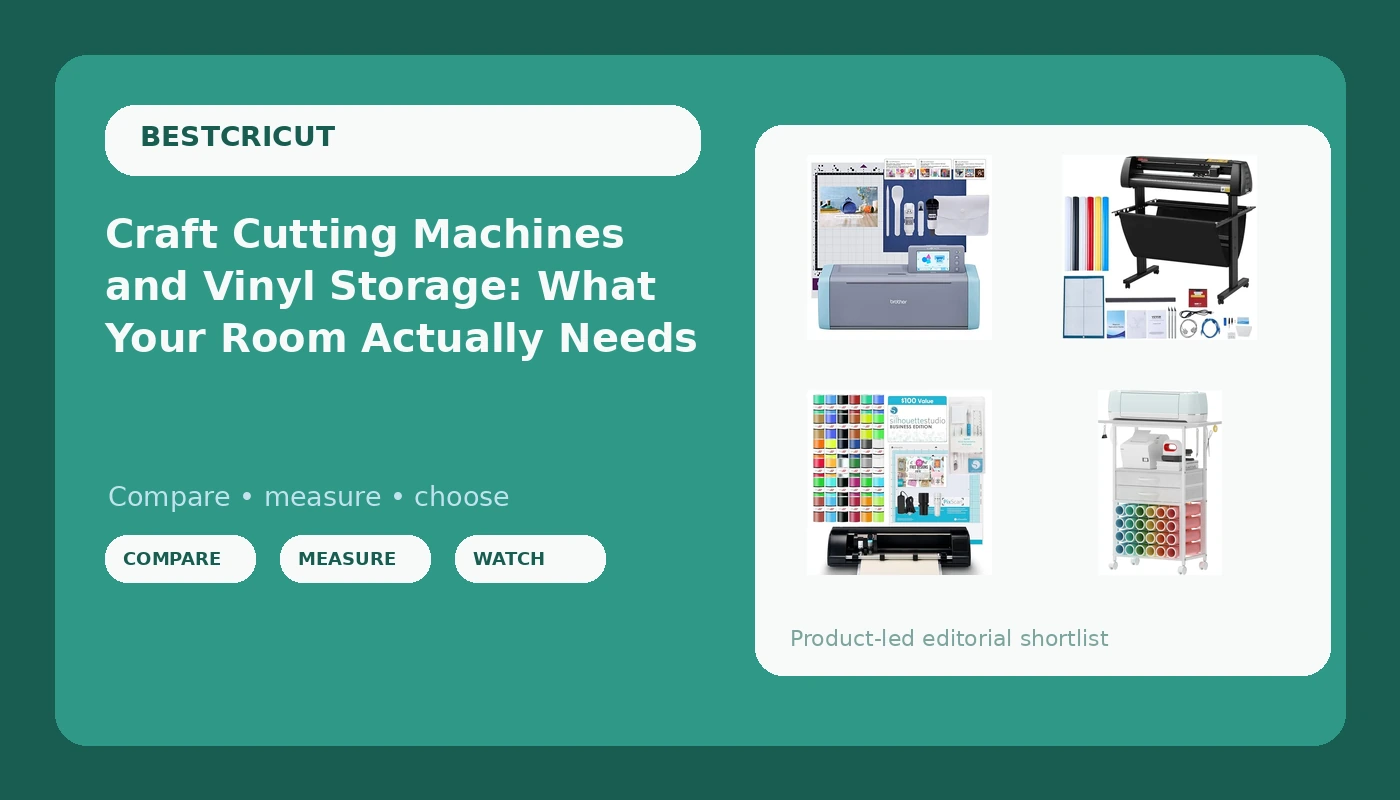
This is an explainer, not a ranking. Below are four products that solve four different parts of that problem: a print and cut machine for stickers and detailed work, a standalone cutter with a scanner built into the unit, a wide format plotter for long runs of single color vinyl, and a rolling cart that gives all of it a home. None of them are Cricut machines, and that is deliberate. If you already own a Cricut, the storage piece still applies to you, and the hardware is what the rest of the market looks like once you step outside the ecosystem.
Related: Blade Life and Mat Stickiness: Where Craft Cut Costs Really Come From →
Quick answer
If you want one machine that covers stickers, print and cut work, and everyday vinyl, the Silhouette Cameo 5 Alpha bundle is the closest match to what most Cricut owners actually do with their machines. If you would rather not tether a cutter to a computer, the Brother SDX125E ScanNCut has a scanner built into the unit. If your work is long runs of single color vinyl, the VEVOR 34 inch cutter is built for that job. Whichever machine you pick, the VENNQD rolling cart is the piece that stops the vinyl from colonizing your floor.
Four useful options
| Model | Best fit | What stands out |
|---|---|---|
| Silhouette America Cameo 5 Alpha (α) Deluxe Bundle | Stickers, print and cut, mixed material craft work | AutoBlade, Studio Software, and a cutting mat included in the bundle |
| Brother SDX125E ScanNCut Electronic Cutting Machine Scanner | Cutting without a computer nearby | Scanner and cutter combined in one unit |
| VEVOR Vinyl Cutter Machine 34 inches Bundle Manual Vinyl Plotter Cutter | Long single color vinyl runs and larger pieces | 34 inch machine size and a manual plotter design |
| VENNQD Organizer and Storage Stand Compatible with Cricut Machines (white) | Organizing vinyl rolls and tools | 24 vinyl roll holders, 2 fabric drawers, tool hook |
The print and cut machine: Silhouette America Cameo 5 Alpha (α) - Smart Cutting Machine for Print & Cut - Quiet Operation with AutoBlade, Studio Software, Cutting Mat- Matte Black (Deluxe Bundle)
Print and cut is the feature that separates sticker sellers from people who cut monograms. The workflow is simple in principle: your printer lays down the artwork, the machine reads registration marks, and the blade follows the printed outline. What matters is that the machine and the software agree on where those marks are, because a half millimeter of drift is the difference between a clean sticker border and a white halo around every design.
The bundle detail is worth paying attention to. An AutoBlade and a cutting mat included means you are not shopping for consumables on day one, which is exactly where the entry price of a machine usually stops being the real price. Silhouette Studio being the included software also matters for anyone comparing it to a subscription based design app: it is the design environment the machine was built around.
The trade off is ecosystem, not hardware. Cricut's tutorial library is enormous, and that is the honest reason a lot of beginners stay put. If you can follow a general cutting tutorial and translate it to your own software, that gap narrows fast.
The standalone cutter: Brother SDX125E ScanNCut Electronic Cutting Machine Scanner
The scanner is the whole argument for this machine. On a standard cutter, if you want to cut around a printed shape, you either need registration marks or you need to trace the shape yourself in software. A machine with a scanner in it can read the sheet in front of it, which changes the job from design work to a copy and cut routine.
That makes it a genuinely different tool rather than a cheaper version of the same tool. If your projects involve cutting around existing printed material, or if you teach and want a machine that does not depend on a computer being free, the standalone design earns its place.
The caveat is software. A standalone machine still has a design application attached to it, and every brand has its own quirks, its own file handling, and its own learning curve. Budget an evening for that regardless of which logo is on the housing.
The wide format cutter: VEVOR Vinyl Cutter Machine 34 inches Bundle Manual Vinyl Plotter Cutter
This is a different category of machine, and it is worth being blunt about that. A 34 inch plotter is not a craft cutter with a bigger footprint. It is a sign shop tool. It feeds vinyl from a roll, it is built for straight runs and large single color graphics, and it is at its best when you are cutting the same shape many times or covering a large surface in one piece.
Where it does not compete is detail work. Small intricate designs, print and cut stickers, and multi material craft projects are the domain of the desktop machines above. If you find yourself cutting the same 24 inch decal for the tenth time, though, the math changes quickly, because a wide machine turns a fiddly job into a roll feed and a send button.
The other honest note is floor space and setup. A machine this size needs a stable surface and room for the vinyl to travel behind it. Measure before you buy, not after.
Prices and availability may change. Product images, names, and retailer links are matched to verified listings. No current price, rating, stock status, or measured result is stated here without current evidence.
The storage piece: VENNQD Organizer and Storage Stand Compatible with Cricut Machines,Rolling Storage Cart/Shelf with 24 Vinyl Roll Holders,2 Fabric Drawer,Accessories Holder,Tool Hook for Craft Room Home (white)
Storage is the least glamorous purchase on this list and the one that changes the most about how often you actually cut. Vinyl rolls are the worst offender in any craft room: they unspool, they roll under furniture, and once they pick up dust and pet hair, that debris ends up on your mat and then on your cut.
Twenty four roll holders is a real number, not a marketing one. It is enough for a working color range plus the seasonal colors you keep buying and never quite use up. The two fabric drawers and the tool hook handle the other clutter problem, which is that weeding tools, blades, and scrap vinyl have no natural home and end up spread across the work surface.
The rolling design matters more than it sounds. A craft room that can be rearranged in thirty seconds is a craft room you can also use for something else, and that flexibility is usually what keeps a hobby from being banished to the garage.
How a craft cutter actually makes a cut
Every desktop cutting machine on this list does the same physical thing. A blade sits in a housing, the housing is held at a set depth, and the machine drags the material under the blade along a path defined by your design file. The variables are depth, force, and how well the material stays put.
Depth is set by how far the blade tip protrudes from the housing. Too shallow and you get a score line instead of a cut. Too deep and you slice through the backing paper, which is how mats get ruined. Force is the pressure the machine applies during the cut, and it interacts with depth in ways that make single number settings misleading.
Then there is the material itself. Vinyl, HTV, cardstock, and sticker paper all behave differently, and thickness claims on packaging are frequently optimistic. A test cut on a scrap corner is faster than a ruined project, and it is the single habit that separates people who enjoy this hobby from people who fight with it.
Finally, there is mat stickiness. A mat that has lost its grip lets the material shift mid cut, which shows up as wavy lines and misaligned layers. Mats are a consumable, not a permanent accessory, and treating them that way removes a lot of frustration.
What you are actually paying for: hardware, software, and subscriptions
The machine is the visible cost. The software is the ongoing one. Every major brand pairs its hardware with a design application, and most of those applications now have a paid tier that unlocks features, content, or both.
That structure is worth understanding before you buy, because it changes the total cost of ownership. A machine with a strong free software tier can be the cheaper choice over three years even if it costs more up front. A machine with a generous hardware bundle and a pushy subscription can be the opposite.
Ask three questions before committing. Does the software work offline? Can you import your own SVG files without a paid plan? And does the machine accept third party materials and blades, or does it push you toward branded consumables? The answers matter more than any spec sheet line.
There is also a resale angle. Craft cutters hold value reasonably well, especially the popular models, which means a mistake is recoverable. Buying used is a legitimate strategy for anyone who is not sure how deep they want to go.
- Decide what you actually cut most: stickers and print and cut work, single color vinyl, or cut around existing printed material.
- Check whether the machine can run without a computer, since that determines where in the house it can live.
- Look at the included bundle before the headline number, because blades, mats, and software change the real starting cost.
- Confirm the software can import your own files without a subscription, or accept that the subscription is part of the price.
- Measure your space, including the travel room behind the machine and the wall space for storage, before you order.
Setting up a craft room that stays usable
- Keep vinyl rolls vertical in holders rather than stacked flat, because flat stacks attract dust and dent easily.
- Store blades in a labeled holder and note the material each one was last used on, since a blade that cut cardstock is not the blade you want for HTV.
- Keep a dedicated scrap bin for test cuts so you stop testing on the good material.
- Put the machine on a surface that does not wobble, since vibration shows up directly in cut quality.
- Leave the mat somewhere flat when not in use, because a mat stored under a pile of vinyl will not lie flat when you need it.
Which option should you choose?
Choose the Silhouette America Cameo 5 Alpha Deluxe Bundle when your work centers on stickers, print and cut projects, and mixed material craft jobs, and you want the blade and mat included from the start. Choose the Brother SDX125E ScanNCut when you want a cutter that does not depend on a computer and you regularly cut around printed images. Choose the VEVOR 34 inch Vinyl Cutter when your projects are long runs of single color vinyl at a size a desktop machine cannot reach. And choose the VENNQD rolling storage cart when the machines are already sorted and the vinyl is the thing standing between you and a clean work surface.
A caveat worth stating plainly: the differences between these machines are about workflow, not about which one is objectively better. A standalone scanner machine and a 34 inch plotter are not competing for the same buyer, and no listing description substitutes for knowing what you cut most often.
The bottom line
Hardware gets the attention, but the working craft room is a system: one machine that matches your most common job, software you can live with for years, and storage that keeps the materials in reach and off the floor. Pick the machine by the work you do most, not by the feature list you find most impressive, and treat blades and mats as the consumables they are. The cart is the least exciting item here and the one most likely to change how often you sit down to cut.